Audition Piece Time Fit Calculator
Test whether required repertoire, excerpts, cuts, transitions, panel buffer, and tempo variance fit inside a strict audition slot.
Audition time-fit result
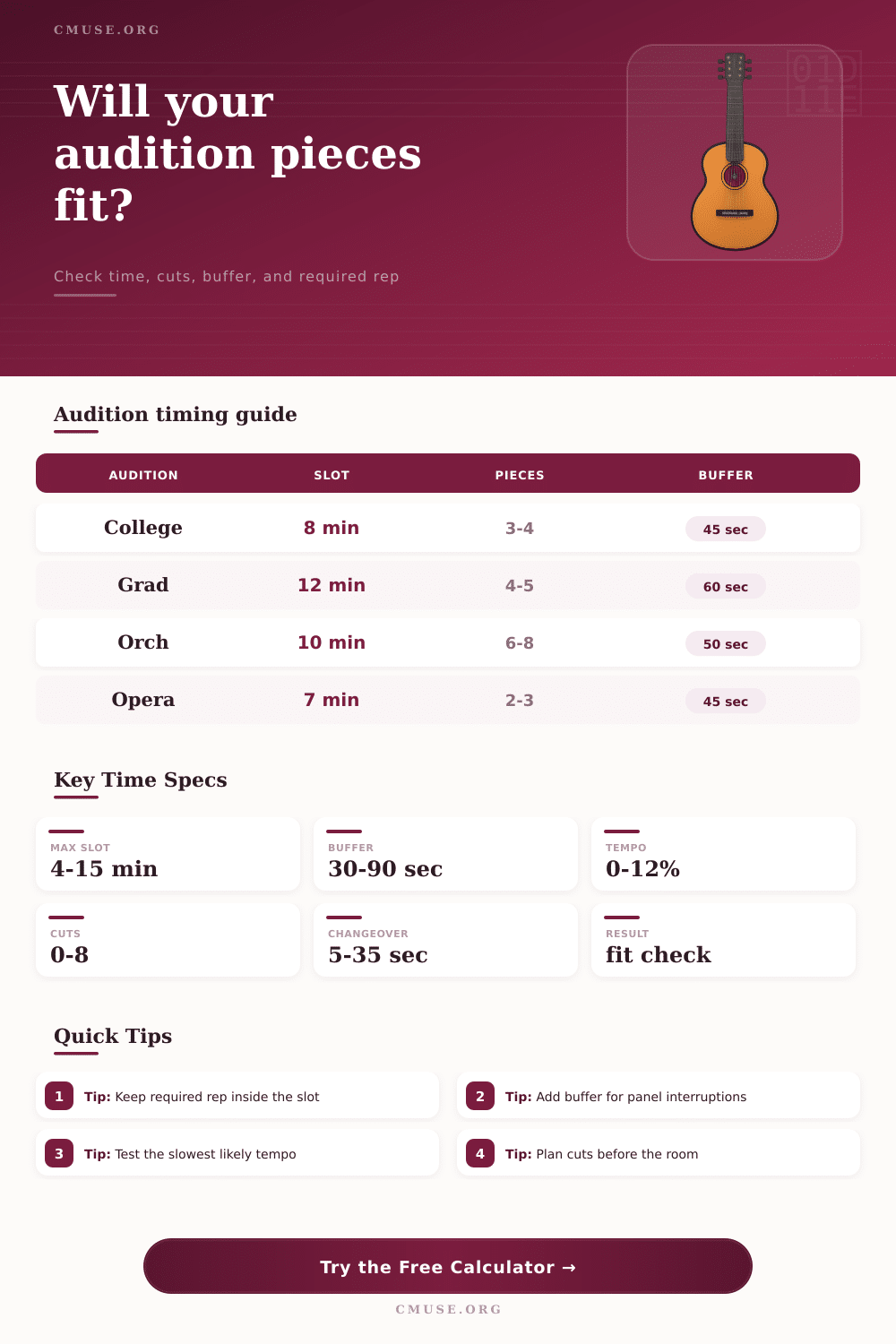
| Audition type | Typical max | Prepared selections | Built-in buffer |
|---|---|---|---|
| Conservatory undergraduate | 8 minutes | 3 required + 1 contrast | 45 seconds |
| Graduate performance | 12 minutes | 4 required + 1 panel choice | 60 seconds |
| Orchestra excerpt screen | 10 minutes | 6 to 8 short excerpts | 50 seconds |
| Opera young artist | 7 minutes | 2 arias + language contrast | 45 seconds |
| Jazz college combo | 10 minutes | Head, improv, ballad, sight-read | 60 seconds |
| Musical theatre unified | 4 minutes | Two cuts with slate | 30 seconds |
| Chamber fellowship | 15 minutes | Movement excerpt + contrast | 75 seconds |
| Competition preliminary | 12 minutes | Required work + free choice | 60 seconds |
| Cut type | Typical saving | Best use | Timing risk |
|---|---|---|---|
| Repeat omitted | 15 to 45 sec | Binary-form repeats, da capo repeats | Low if marked clearly |
| Internal phrase cut | 20 to 60 sec | Long piano transitions or orchestral tuttis | Medium; rehearse entrance |
| Excerpt endpoint | 10 to 30 sec | Panel-listed orchestral excerpts | Low if it matches list |
| Verse or chorus cut | 20 to 50 sec | Musical theatre and jazz standards | Medium; keep story intact |
| Cadenza trim | 15 to 40 sec | Concerti with flexible cadenzas | High; preserve required material |
| Variance setting | Use when | Effect on timing | Audition note |
|---|---|---|---|
| 0% to 2% | Click-track or fixed accompaniment | Minimal padding | Useful for taped auditions |
| 3% to 5% | Stable practiced tempo | Small cushion | Good for solo excerpts |
| 6% to 8% | Nerves may slow transitions | Moderate cushion | Balanced live-room setting |
| 9% to 12% | Rubato, recitative, or new pianist | Large cushion | Choose when risk is high |
| Policy | What must fit | Calculator interpretation | Practical target |
|---|---|---|---|
| All required items | Every posted selection | Flags if required music exceeds usable slot | Keep full required set under 80% |
| At least two required | Two contrasting required items | Checks first two required lengths first | Keep opening pair under 60% |
| Panel choice | Any requested item from list | Measures total prepared list and likely excerpt use | Mark clean start and stop points |
| Opening item guaranteed | First item, then panel option | Protects first item before optional music | Save buffer after first ending |
The silence in the audition room are heavy with judgment and ticking clocks. Before you can begin your initial selection, you enter, exhale, and go. If you don’t blow through, then the entire panel’s view could of changed by the final note. Nothing is more anxiety-inducing than preparing for this time challenge, and it is abstract until it becomes a rigid rule.
When you know how much buffer you need and what pieces you plan to play, simply input them into our calculator (above), and let it crunch the numbers for you. No longer will you guess at whether you’ve really cut enough seconds to matter.
How to Plan Your Audition Time
In rehearsal, it’s just music. But in an audition room, it’s inventory, with a expiration date. Mostly it’s knowing what gets counted.
Most musicians simply count their playing time. They add up the time on the page, feel secure and assume they’re done. That’s where folks go off track. Before you play a single note there’s an invisible overhead eating up your assigned time. There’s the walk in, the setup, the tuning breath, the transition from selection to selection, and the buffer for any panel interaction. These non-musical times is accounted for by the calculator as you’ll notice it has fields for this type of duration.
Why? Because if you ignore them, then candidates drop points. Enter a conservative range of speeds and the calculator tell you exactly how your projection creeps up on you. Does your plan hold water or is it brittle? What happens when a transition take fifteen seconds instead of being instant, like it is in your living room?
Choosing a repertoire are a balance between art and strategy. You aim to demonstrate your technical skill, range and contrasting material. But you have to do so while sticking as closely as possible to the narrow rules of the institution. This is clearly illustrated in the reference table on the page. For example, if you’re applying for a conservatoire undergraduate place you may be permitted eight minutes; in an orchestral screen you will be given perhaps ten minutes to play six or seven excerpts. Break those down into individual pieces, and the disparity becomes enormous.
In a screen for orchestra, it’s all about being efficient; you can’t afford to linger in any of the intros. Every second has to count as you make ruthless cuts without damaging the flow of the musical argument. That’s a knack acquired with experience and knowing what cuts can safely be made and which ruin the story.
The tool highlights precisely how many seconds each proposed cut will save. Trimming a repeat will save you time at the expense of some structural weight. Trimming an intro risks sacrificing your tonal center. The artist makes this call. The calculator doesn’t decide; it just measures the price tag on that decision so you can make it with clear eyes.
Another unexpected variable is tempo. Sometimes you’re rushing speeds on passages where you’re familiar and dragging on those sections where you’re struggling. Either way your own clock change. With this tool, you can set a variance percentage of your tempo. This creates a cushion around the entire estimated time. It’s not just accuracy but also stress testing your plan. If you can fit within zero percent variance but break if you include a six percent cushion then you were playing right up against the edge. Humans are variable by nature and you want some margin for error. Better to leave cleanly than rush to an end.
How the audience member exits the room is remembered by panelists. If the timer goes off while you’re still playing, it means you aren’t in control of your time. Aim for five seconds left on the clock. You want the panel to feel cut short, but not too much so. It’s a little hungry for more.
It’s not only learning the notes. It’s taking control of the situation. It is not just the music, but also the time they give to you. Practice with a metronome at a fractionally slower speed than you intend to play and run your program. Include the time to get into position at the start, then walk it. If you feel comfortablely doing this version then you are ready. Your preparation won’t make the room seem smaller and neither will your nerves stretch your allotted time. That has to be something you construct yourself. You need to know how much time you have before you take your next bow or sit down at the piano. Knowing the numbers is confidence. Knowing that you’ve allowed for the worst case scenario makes you confident enough to concentrate on creating beautiful music in the best one.