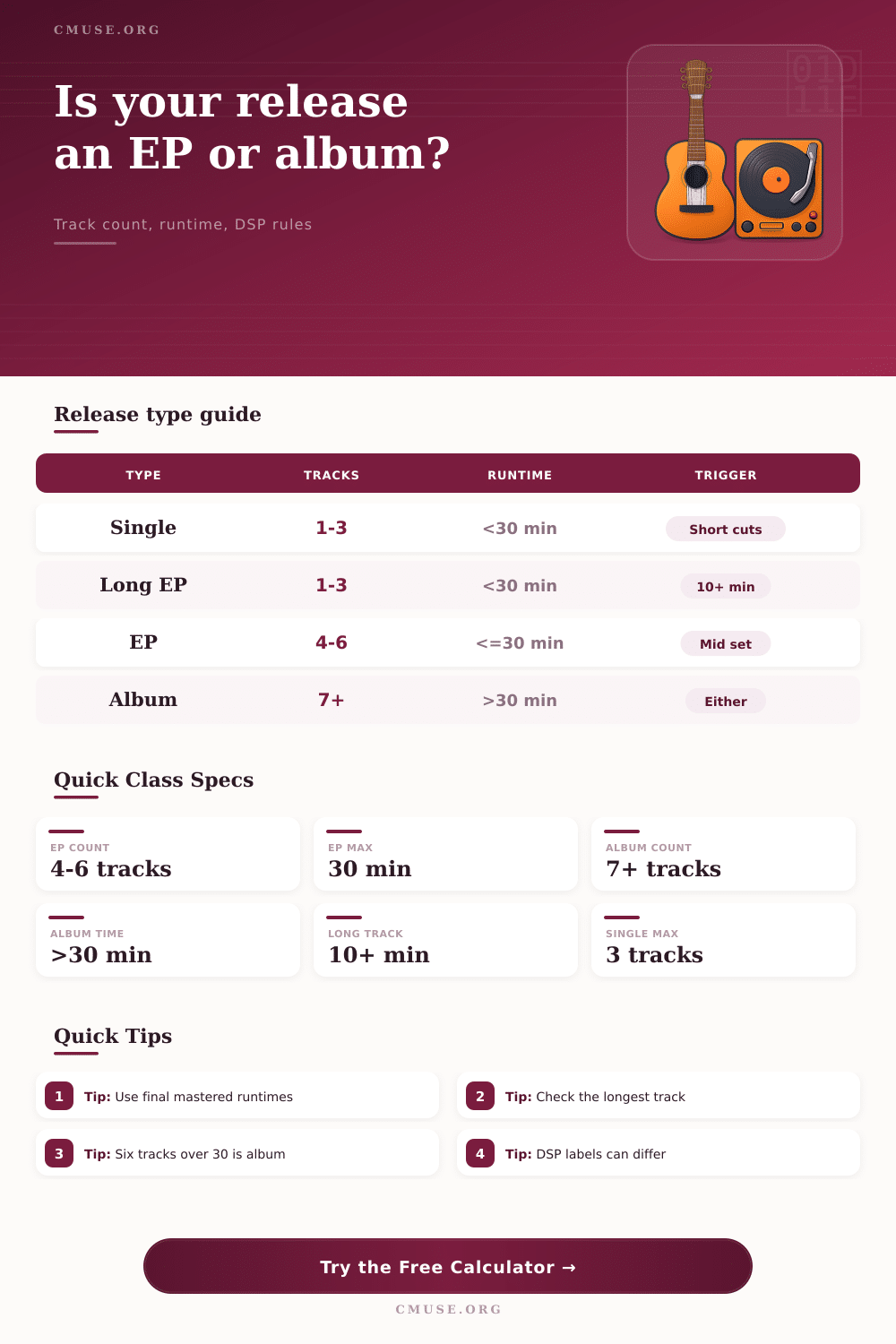
EP vs Album Length Classifier
Classify a release from track count, total runtime, longest track length, artist configuration, and common streaming-platform rules for singles, EPs, albums, and borderline long-track releases.
Preset use: Pick a familiar release shape, then replace the track count and mastered runtime with your final delivery timings. The classifier shows why a platform may file it as a single, EP, album, or compilation-like release.
Classification Breakdown
1-3
Single track-count window when under 30 minutes
4-6
Core EP range for most streaming services
30:00
Runtime line where short releases often become albums
10:00
Long-track marker used by Apple-style EP rules
| Rule set | Single window | EP window | Album trigger |
|---|---|---|---|
| Major DSP common | 1-3 tracks under 30 minutes, no long-track exception selected | 4-6 tracks at 30 minutes or less; 1-3 tracks if a long-track exception applies | 7+ tracks or more than 30 minutes |
| Apple-style | 1-3 tracks under 30 minutes, each below 10 minutes | 4-6 tracks at 30 minutes or less; or 1-3 tracks with a 10+ minute track | 7+ tracks or over 30 minutes |
| Spotify-style | 1-3 tracks under 30 minutes | 4-6 tracks under 30 minutes | 7+ tracks or 30 minutes and over |
| Industry convention | 1-3 tracks, usually brief | 4-6 tracks, generally below album runtime | 7+ tracks, full-length program, or over 30 minutes |
| Release shape | Likely label | Why it lands there | Planning note |
|---|---|---|---|
| 3 tracks, 9:45 total | Single | Short track count and short total runtime | Add a fourth track only if an EP is desired |
| 2 tracks, one 12:00 piece | EP on Apple-style rules | Long-track exception can move it out of single territory | Other platforms may still show it near singles |
| 6 tracks, 29:58 total | EP | Fits both track-count and runtime windows | Two extra seconds can matter in strict systems |
| 6 tracks, 30:20 total | Album | Runtime passes the album boundary | Trim audio or accept album classification |
| 7 tracks, 18:00 total | Album | Track count alone can trigger album handling | Short punk and grind releases often land here |
| Project type | Typical tracks | Typical runtime | Common classification |
|---|---|---|---|
| Lead single bundle | 1-3 | 3-12 minutes | Single unless a long-track rule applies |
| Remix pack | 4-6 | 16-28 minutes | EP, often grouped with singles on artist pages |
| Focused EP | 4-6 | 15-25 minutes | EP under most distributor rules |
| Compact album | 7-10 | 20-38 minutes | Album because of track count or runtime |
| Full album | 9-14 | 35-55 minutes | Album under nearly every rule set |
| Average track | 4-track total | 6-track total | Classification pressure |
|---|---|---|---|
| 2:00 | 8:00 | 12:00 | Very EP-friendly unless track count reaches 7 |
| 3:30 | 14:00 | 21:00 | Typical EP density for pop, rock, and rap releases |
| 5:00 | 20:00 | 30:00 | Six tracks sits exactly at the album boundary |
| 7:00 | 28:00 | 42:00 | Longer songs push 5-6 track sets into album range |
For months, you’ve sculpted this sound around a project. Arguing about each fade out, obsessing over way it’s sequenced, because it matters to you. And then you put it on a distributor… And it’s been stamped with a label that just doesn’t feel right. Your artistic statement has been listed as an album instead of the three song you wrote, and as a single instead of the EP you spent weeks creating. That’s the frustration: A clash between your creative intent and the rigid logic of digital shelves.
Streaming platforms is trying to organize music into boxes, and they use math to determine where your work should live. And if you don’t understand that math, your release will get lost in the wrong category, or worse, never find its audience at all. So what gives?
How Streaming Sites Choose Your Music Type
The main driver: number of tracks combined with total duration. Seven tracks or more (even if they’re all very brief) is generally considered albums in most major distribution systems. If there are less than seven, you are in the EP/single lane unless you’re pushing well beyond thirty minutes. That’s why a twenty minute ten song punk release gets treated as an album on store front while a four-track project under thirty minutes get listed as an EP or single.
Digital stores need some kind of distinction between full-length releases and shorter works to chart them. They use 30 minutes as the threshold. Once your release crosses that marker by even a few seconds, it become an album automatically. There’s nothing you can do about it after upload.
But then there’s the complication: There are exceptions. And checking your own number will help. For example, some platforms considers the length of the longest single song, especially if they follow Apple rules. So you drop three songs out, but one happens to be a 12 minute ambient epic, and now your release gets classed as an EP instead of a single, because it’s trying to avoid burying long-form work in single-based quick-skip streams.
The above calculator accounts for these different rules. You can toggle through its various standards to see what happens when your project changes from a single on one service to an EP on another, simply because you added or removed that longer track. In doing so, we discover our metadata isn’t just descriptive; it has a purpose.
And here’s where genre comes into play behind the scenes of how these categorizations stick. A forty-minute-long classical suite could consist of just two movements, yet because it has such a long running time, the algorithm thinks it is an album while you, the DJ, consider it one work. Similarly, ambient DJs frequently create continuous mixes, pushing at limits of these parameters. To compensate, you can input the nature of your programming into the tool so it treats your shorter track count like a longer work. The genre-specific boundary table on the page explain how various genres prompt different cut-offs.
Technically, a six-song remix package (aka a remix pack) of a single is an EP. However, it is frequently lumped in with the single as a bonus add-on. Listeners view it more as a bonus to get than a stand-alone release. That can make a difference when it comes to getting radio play and placement on playlists.
To work within those constraints means planning backwards from the upload window. For example, if there’s an editorial playlist you’re hoping to land for your next release, but only if it’s an EP, make sure all your content adds up to less than thirty minutes. Edit out silence between the songs and trim down the outro. Every second matter towards hitting that target.
Do you want to put out a single to get the maximum algorithmic push on the discovery feeds? Keep ’em short, keep the number of tracks limited, don’t let any one song go over ten minutes (lest you risk getting tagged as an EP). Try and align what you’re making artistically with whatever container you’re trying to place it in commercially. Don’t fight the classification system by adding unnecessary filler tracks to increase your run time just to reach “album” status. It weakens the strength of the songs you actualy spent time creating.
Ultimately, the label matters less than the reach, but getting it right removes friction. It’s always better to get it right though, it eliminates some level of friction. Classifying something incorrectly could land it on the incorrect chart and confuse both fans’ and algorithmic brains. If you’re on the cusp, you want to know that ahead of finalizing your master so you’ll have the option to extend or trim the length as needed.
Don’t forget that you’re also selling a package of data when you create music. Carefully think about the runtime in the same way you do the mixdown. Everything lines up with your vision. Then the system will work for you rather than against you. The line is narrow, yet it exists.