Jitter Buffer Calculator
Estimate a packet audio playout buffer from jitter, packet interval, burst behavior, clock drift, codec delay, and latency budget for network music, voice, and broadcast links.
Load a real transport scenario, then adjust the network measurements. The calculator rounds the target buffer to whole packets so the result can be applied to a receiver, plug-in, intercom, or software audio engine.
Calculation Breakdown
1. Jitter Cushion
Combines percentile jitter, burst spike weight, minimum packets, drift, and margin.
raw = j95 × mode + spike × weight + min packets + drift
2. Packet Rounding
Receivers normally buffer whole frames, so the target is rounded upward.
buffer ms = ceil(raw / packet ms) × packet ms
3. Playout Delay
Total one-way delay adds network path, buffer, codec delay, and one packet of framing.
delay = network + buffer + codec + packet
4. Buffer Memory
Raw PCM storage depends on sample rate, channels, word length, and buffer time.
bytes = rate × channels × bytes/sample × seconds
3 pkts
Rounded Packet Count
480
Samples Per Packet
0 ms
Codec Delay
3 ms
Drift Allowance
| Packet Interval | 48 kHz Samples | Latency Feel | Typical Network Audio Use |
|---|---|---|---|
| 1 ms | 48 samples | Very fast, high packet rate | Controlled studio LAN, digital stage routing, monitor networks |
| 2.5 ms | 120 samples | Low delay with manageable overhead | LAN music links, rehearsal systems, local contribution feeds |
| 10 ms | 480 samples | Balanced for interactive audio | Lessons, WebRTC-style music talkback, remote production return |
| 20 ms | 960 samples | Common voice and stream framing | VoIP, podcast guests, IFB, conference audio, encoded streams |
| 40 ms | 1,920 samples | Stable but noticeably delayed | Unreliable public internet paths, satellite and cellular backhaul |
| Mode | Jitter Weight | Spike Weight | Best Fit |
|---|---|---|---|
| Ultra-low latency | 1.0x p95 | 0.20x spike | Performers who prefer timing over perfect continuity |
| Balanced live audio | 1.35x p95 | 0.35x spike | Lessons, talkback, remote music work, mixed voice and instruments |
| Safe remote contribution | 1.70x p95 | 0.55x spike | Podcast guests, remote interviews, contribution links |
| Broadcast continuity | 2.10x p95 | 0.75x spike | Program feeds where dropouts are worse than added delay |
| Network Path | Jitter p95 | Suggested Buffer | Continuity Note |
|---|---|---|---|
| Switched wired LAN | 0.1 to 1 ms | 2 to 6 ms | Clocking and packet scheduling dominate more than transit jitter |
| Good fiber internet | 3 to 12 ms | 30 to 70 ms | Use balanced mode unless musicians need lower timing delay |
| Busy Wi-Fi | 15 to 45 ms | 80 to 180 ms | Bursts are the main concern; spike weight matters |
| Cellular uplink | 25 to 80 ms | 120 to 260 ms | Continuity improves with larger frames and safe mode |
| Satellite or relay hop | 40 to 150 ms | 180 to 500 ms | Delay budget is usually the limiting factor |
| Scenario | Frame | Channels | Starting Buffer |
|---|---|---|---|
| Studio LAN monitor return | 1 to 2.5 ms | 2 to 16 | 3 to 10 ms |
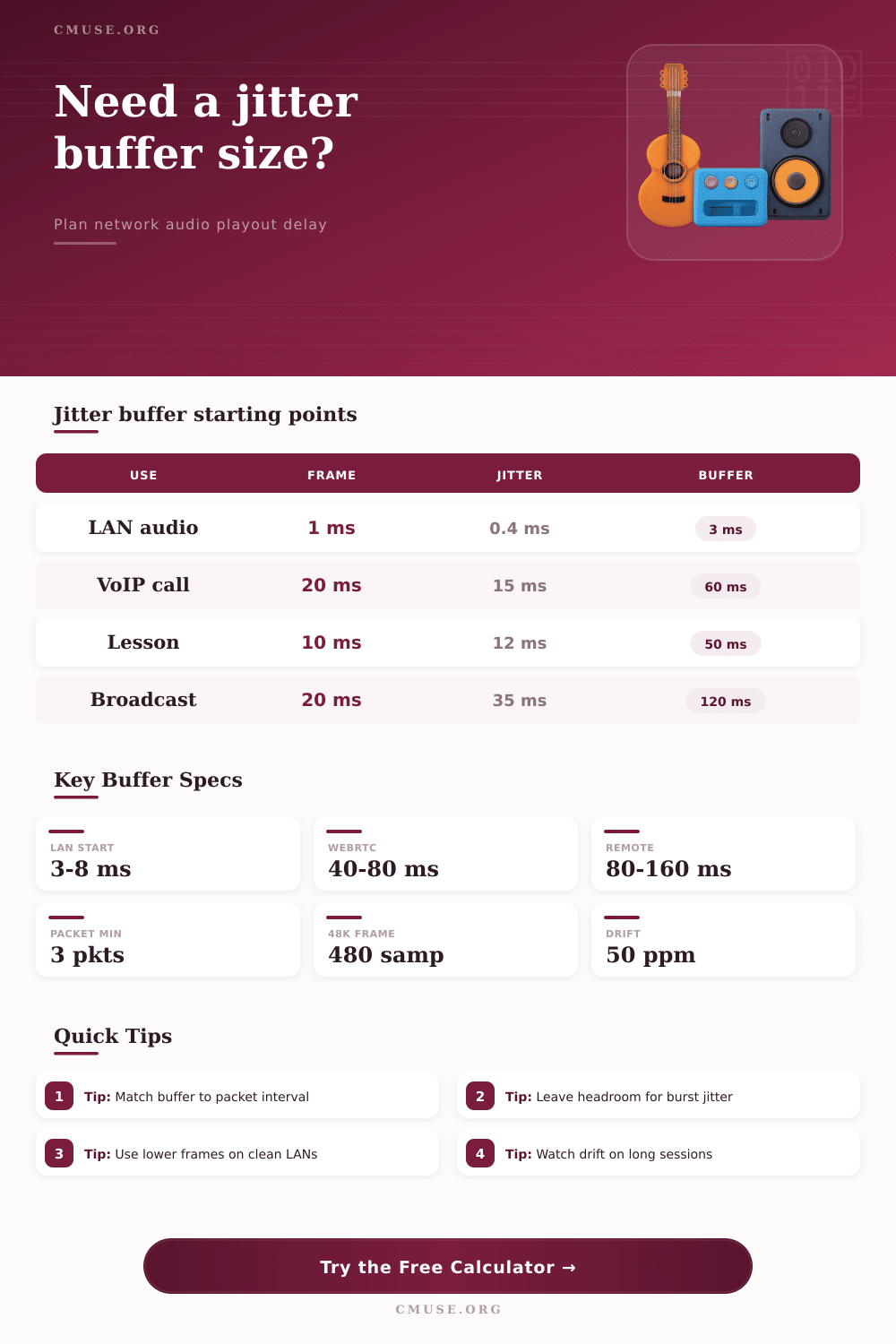
| Remote lesson with voice and instrument | 10 ms | 1 to 2 | 40 to 80 ms |
| Podcast guest on public internet | 20 ms | 1 to 2 | 80 to 140 ms |
| Stage Wi-Fi utility feed | 10 to 20 ms | 2 to 8 | 100 to 220 ms |
| Broadcast backhaul or IFB | 20 to 40 ms | 1 to 8 | 120 to 320 ms |
If you’re listening to a song and the digital link drops out at a crucial point, you’ll probably hear a sudden granular crackle instead of nothing. Then there will be an embarrassing pause as everyone waits for music to catch up. In most cases this isn’t due to bad luck but a buffer problem.
Packets of audio travel across a network. They can follows various routes via different switches and routers. One packet might go slow and get caught up behind other data, like a video update on another device. The other packets goes by while it waits. At their destination, they are captured in what’s called the jitter buffer, where they wait before being played out. If the buffer is too big, you’ll experience your own voice delayed noticeable in your headphones. Too small, and you hear glitches.
How to Calculate the Right Audio Buffer Size
After entering your network measurements into the calculator on this page it does the rest for you. No more trial and error by clicking buttons until it sounds about right. You know what the inputs mean so now you can dial-in the system rather then poking around trying to get it right.
First, look at packet interval to see how much audio goes in each packet. Big packets reduces overall traffic overhead but introduce delay before the other end gets the data. Little packets introduces less delay but more overhead that can slow down a congested network. It’s always a balancing act.
Now turn to the jitter measurement. Because average jitter can be deceptive, the tool wants ninety-five percentile value of jitter. It could be true that the average is good, but then there are those occasional spikes and performance is bad. You don’t want to only protect yourself from the middle-of-the-road stuff; you want to protect yourself from worst case, especially when that worst case happens regularly.
Most folks report this on the send side of things. But what you really need to know is how to measure it on the other side of the net where packets arrive. That’s when all the network chaos takes place. So if you see a spike burst in your logs, don’t just shrug it off. Enter it into the spike field so math will take into account that rare-but-severe event of late arrivals.
There’s also the matter of clock drift. Even high quality audio interfaces has an internal clock which will drift from other clocks over time. A small amount one way or the other can add up to lost samples over time. That’s where the drift allowance comes into play with the calculator for how far out of sync you think they could be when you press “resync.” You’ll require more headroom if you’re doing a longer performance with no common clock. You only remember when audio begins skipping towards the end of the show.
Here’s a handy reference table that outlines typical situations. Like satellite link vs. Studio LAN, and shows you what size of buffer you need based off distance: When the path is short and stable, like your local gigabit switch, not much cushioning is necessary. Once you’re cellular backhauling or going over public internet, though, that all changes. Jitter increases. Increase the buffer to account for increased jitter.
In short, don’t be afraid to turn up latency as long as it doesn’t drop below one hundred milliseconds. For live musicians, they’d prefer zero latency but they value reliable latency above fast latency. If a latency of a hundred millisecond fluctuates between 80 and 120ms, then we can compensate by adjusting our time. If our latency drops frequently and averages thirty milliseconds, it completely ruins the performance.
If you feel your network isn’t stable, use the safety margin slider. This will add a certain percentage on top of what’s calculated so you have some leeway when there is unexpected congestion.
Lastly, be aware of memory needed. The receiving device has to have enough RAM for its large buffers. That adds up fast if you’re pushing lots of channel over a hardware interface or maybe even in your laptop. Knowing the raw PCM size will help you plan out your system resources before hitting record. It’s all about finding the balance between the buffer depth and the clock speed. When you gets it right, the glitches dissapears.