Pitch Fader Percent Calculator
Convert a DJ tempo move into exact pitch fader percent, deck-slot travel, semitone shift, cents, BPM correction, and the changed track length for beatmatching and long blends.
Full Calculation Breakdown
| Deck / Control Type | Common Pitch Ranges | Tempo Display Detail | Best Use |
|---|---|---|---|
| Quartz turntable pitch slider | ±8% is the classic range | Analog marks, no BPM readout | Manual beatmatching with pitch and platter touch |
| Club media player tempo fader | ±6%, ±10%, ±16%, wide | Often 0.01% on fine ranges | Precise digital BPM matching and long blends |
| DJ controller short throw fader | ±8%, ±16%, ±50% | Software dependent, commonly 0.01% | Compact setups where fader travel is shorter |
| DVS timecode deck | Turntable range plus software range | Software BPM plus analog fader feel | Vinyl control with digital track libraries |
| Sampler or loop deck tempo | ±6% to ±100% | Grid-locked or numeric BPM | Loops, acapellas, drum tools, and transitions |
| Pitch Change | Tempo Ratio | Semitone Shift | Cents Shift |
|---|---|---|---|
| -16% | 0.8400x | -3.02 st | -302 cents |
| -10% | 0.9000x | -1.82 st | -182 cents |
| -8% | 0.9200x | -1.44 st | -144 cents |
| -6% | 0.9400x | -1.07 st | -107 cents |
| -4% | 0.9600x | -0.71 st | -71 cents |
| -2% | 0.9800x | -0.35 st | -35 cents |
| 0% | 1.0000x | 0.00 st | 0 cents |
| +2% | 1.0200x | +0.34 st | +34 cents |
| +4% | 1.0400x | +0.68 st | +68 cents |
| +6% | 1.0600x | +1.01 st | +101 cents |
| +8% | 1.0800x | +1.33 st | +133 cents |
| +16% | 1.1600x | +2.57 st | +257 cents |
| Original Length | At -4% | At +4% | At +8% |
|---|---|---|---|
| 3:00 | 3:07.5 | 2:53.1 | 2:46.7 |
| 4:00 | 4:10.0 | 3:50.8 | 3:42.2 |
| 5:30 | 5:43.8 | 5:17.3 | 5:05.6 |
| 6:30 | 6:46.3 | 6:15.0 | 6:01.1 |
| 8:00 | 8:20.0 | 7:41.5 | 7:24.4 |
| Source BPM | Target BPM | Pitch Fader | ±8% Slot Travel |
|---|---|---|---|
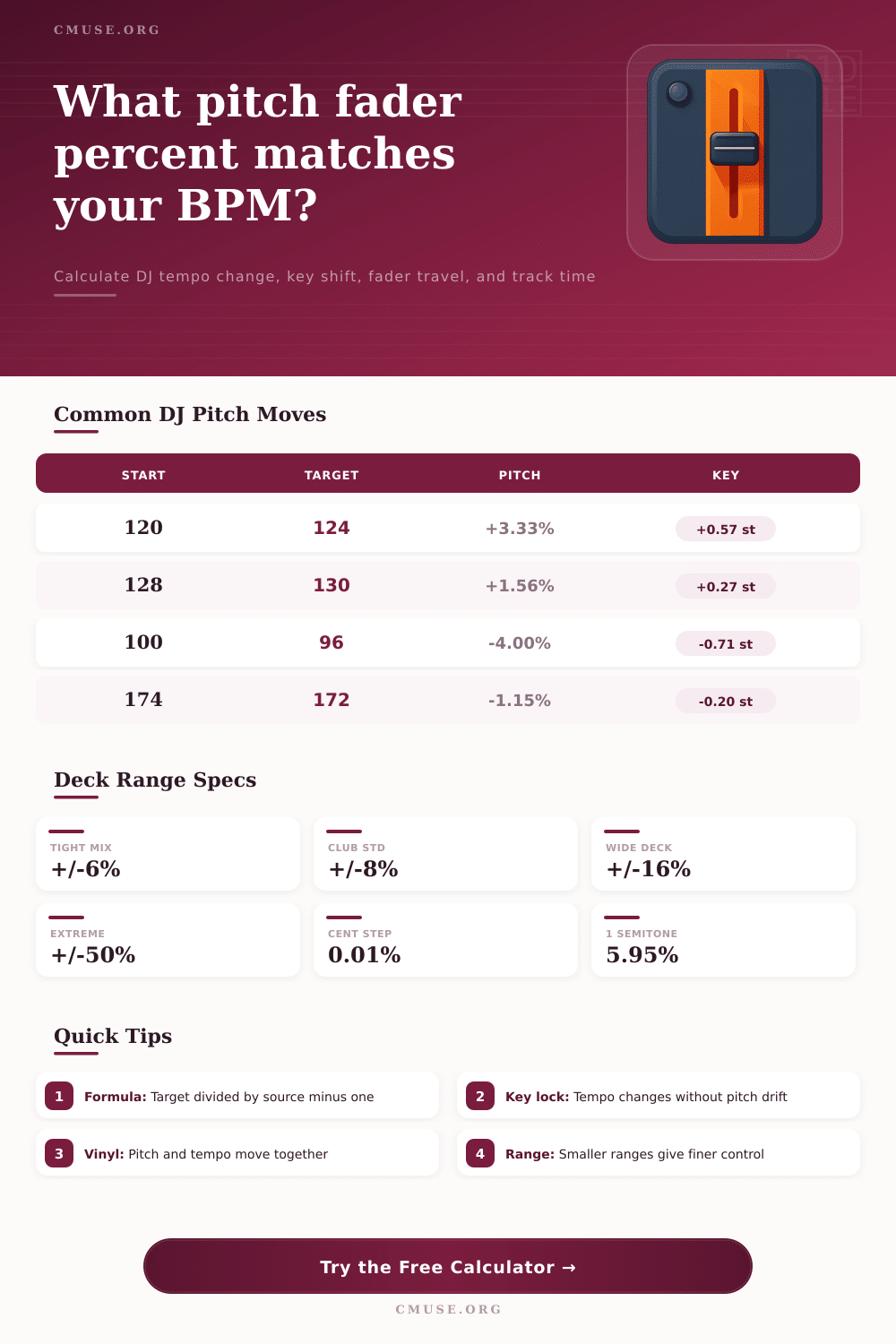
| 120 | 124 | +3.33% | 41.7% upward |
| 123 | 128 | +4.07% | 50.8% upward |
| 128 | 130 | +1.56% | 19.5% upward |
| 132 | 135 | +2.27% | 28.4% upward |
| 100 | 96 | -4.00% | 50.0% downward |
| 174 | 172 | -1.15% | 14.4% downward |
| Selected Range | Full Slot Meaning | 1% Physical Travel Equals | Control Character |
|---|---|---|---|
| ±6% | -6% to +6% | 0.06 pitch percent | Fine, accurate nudges near tempo match |
| ±8% | -8% to +8% | 0.08 pitch percent | Classic turntable-style beatmatch feel |
| ±10% | -10% to +10% | 0.10 pitch percent | Common club player setting |
| ±16% | -16% to +16% | 0.16 pitch percent | Wider genre jumps with less fine travel |
| ±50% | -50% to +50% | 0.50 pitch percent | Creative transitions and tempo effects |
| ±100% | -100% to +100% | 1.00 pitch percent | Extreme digital warping and half-speed work |
Below I’ve created a pitch fader percent calculator to run the number for you. Next time you’re all caught up on the beats but the high hats is still floating around aimlessly, let the computer turn that anxiety into exact numbers.
In truth though, there’s a whole lot more to it then knowing what those percentages are. That’s why it is such an odd kind of frustration. It makes you want to stare at the screen every three seconds. The true art come from understanding exactly what those numbers represent. Sure, you might get most accurate digital display possible. But if you don’t understand how tempo change relate to key shift then you’re simply clicking around a slider blindfolded.
Understanding How the Pitch Fader Works
If there’s one thing most newcomers do with the pitch fader, it’s mistake it for volume control. After all, it glides easy. It feels like it should of be linear and easy to predict, right? Uh, nope. Pushing a track up four-percent to bring it in time with a quicker song doesn’t just boost the volume, it elevates its pitch as well. So suddenly, that bass line will be tighter and perhaps even more aggressive, while the vocalist may is slightly sharper.
With the help of the calculator, you can measure this change. See precisely how far off-key your track now is in both semitones and cents. And why should you care? Because ears perceive key differences long before they hear a minor tempo mismatch. A small pitch adjustment on a pair of similarly keyed tracks could go unnoticed. But if their keys are in conflict, that same adjustment could muddle and make the mix sound dissonant in mere seconds.
The other important decision that most DJs don’t consider enough is what pitch range you want on your decks. If you’re making very slight changes (nudging) then a smaller range (+/- 6%) allow you to do that with greater precision. This works well when you’re beat matching between two song that are similar in tempo. But if you’re jumping from a slow downtempo track to a high-energy techno set, then that small range is now limiting. You’ll find yourself continually having to move the fader to the end of its travel to handle the difference you need to create. The chart on the page help to show this. It shows exactly where a narrower or wider range suits you best. It shows if you have enough room to make small nudges, or if you cannot avoid large tempo changes easy. Knowing that means you don’t fight your gear at a gig!
Then there’s that old friend we rarely think about till it trips us up: time dilation. Speed up a track? It will play back quicker. So it will stop earlier. Slow it down? It’ll stretch out. That may sound trivial. But if you’re trying to create a smooth transition into an outro or just mixing on a long blend and you’ve got ten minutes worth of build going in one groove, you don’t want the darned source track to come to a screeching halt thirty seconds early because you over-amped the tempo. Plan your get-out-of-jail-free card by knowing how long new track will be before you commit to the mix.
The game has indeed been changed by key lock technology which allow tempo change while retaining pitch. But this isn’t a magic bullet. Sometimes there will be artifacts or a loss of natural groove for something more sterile. This happens particulary at extreme ranges. It will save you from key clashes. If you let yourself rely on it too much your mix might sound sterile. Ideally, use the calculator to see if you can pull off a pitch shift without key lock. Then, save that feature as a last resort for when the tempo difference is too wide to bridge any other way.
It’s about finding the balance between technical precision and the musical intuition. Yes, you need the numbers to guide you, but ultimately you have to listen to know if the mix is working. Math is certainly involved with beatmatching, but just as important is feel and timing. Your ears are driving the car; the tools is the road map. With that knowledge of what pitch, time and physical fader travel equate to in terms of percentages, you’re no longer guessing; you’re playing. And that’s when you can put down the screen and pay attention to the crowd instead of the tools, turning a technical exercise into a performance.