SATB Range Checker Calculator
Check soprano, alto, tenor and bass notes against comfortable or extended choral ranges, then see MIDI numbers, frequencies, voicing span, voice crossings and transposed results.
Full Calculation Breakdown
| Voice | Input | After Transpose | MIDI | Frequency | Range Result |
|---|---|---|---|---|---|
| Soprano | E5 | E5 | 76 | 659.26 Hz | Comfortable |
| Alto | C5 | C5 | 72 | 523.25 Hz | Comfortable |
| Tenor | G3 | G3 | 55 | 196.00 Hz | Comfortable |
| Bass | C3 | C3 | 48 | 130.81 Hz | Comfortable |
| Voice | Student | Comfortable | Extended | Soloist / Advanced |
|---|---|---|---|---|
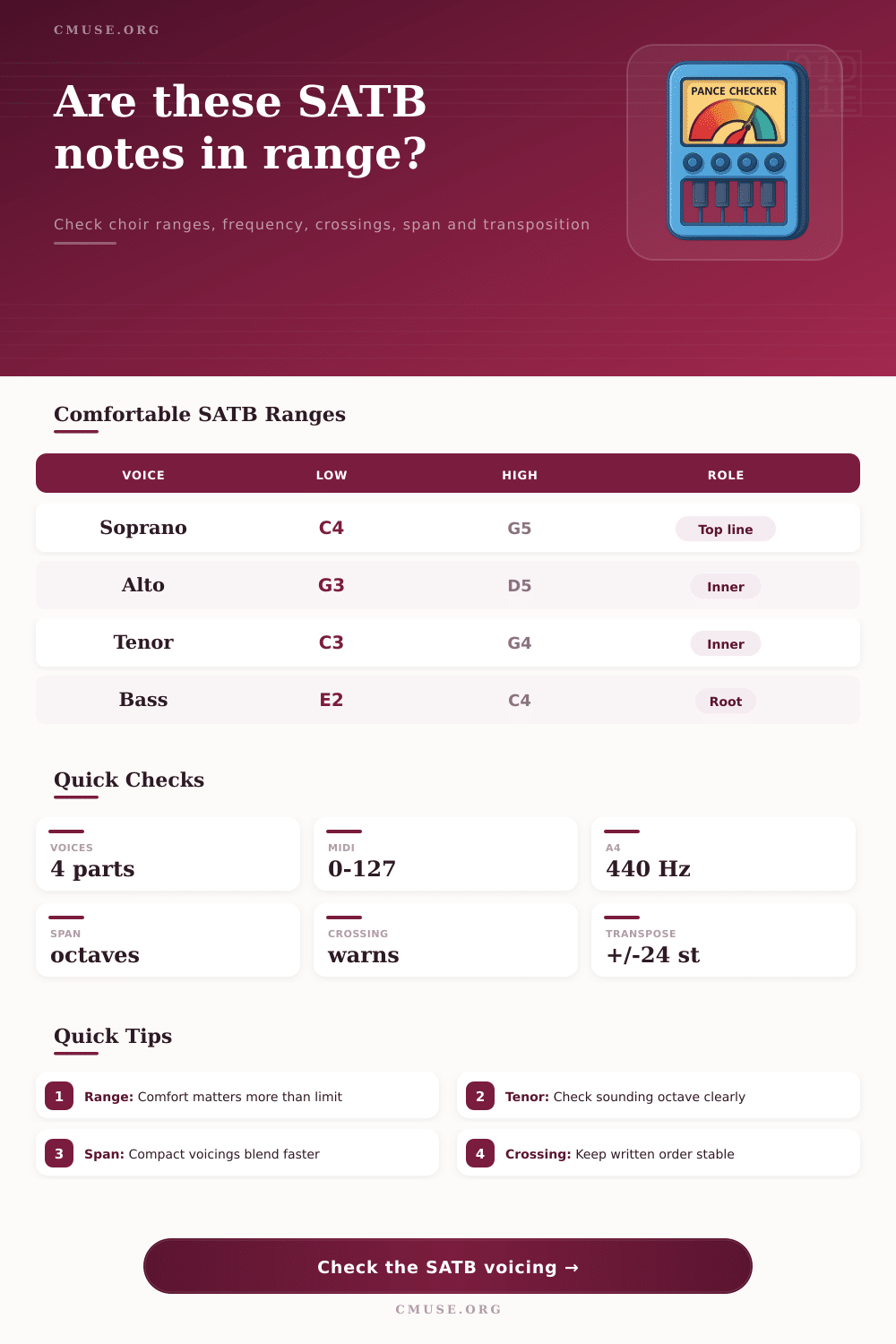
| Soprano | D4-F5 | C4-G5 | B3-C6 | A3-D6 |
| Alto | A3-C5 | G3-D5 | F3-F5 | E3-G5 |
| Tenor | D3-F4 | C3-G4 | B2-Bb4 | A2-C5 |
| Bass | F2-B3 | E2-C4 | D2-E4 | C2-F4 |
| Check | Current Value | Target | Meaning |
|---|---|---|---|
| Upper order | S > A > T | No crossing | Outer melody stays above inner parts |
| Bass order | T > B | No overlap | Bass remains lowest sounding voice |
| Upper spacing | 4 st, 17 st | Usually 12 st or less | Upper voices blend most easily when compact |
| Total span | 28 st | Style dependent | Larger span can sound grand but less blended |
| Semitones | Interval Name | Example C Moves To | Use Case |
|---|---|---|---|
| -3 | Minor third down | A | Lower a high soprano line |
| -2 | Whole step down | Bb | Ease upper range quickly |
| +2 | Whole step up | D | Brighten low choir writing |
| +5 | Perfect fourth up | F | Move key center strongly |
| +7 | Perfect fifth up | G | Common instrumental relation |
| Scenario | Example Notes | Span | Main Check |
|---|---|---|---|
| Closed chorale cadence | E5 C5 G3 C3 | 28 st | Alto and soprano comfort |
| Compact hymn chord | D5 B4 G4 G2 | 31 st | Tenor upper edge |
| Gospel spread sonority | G5 D5 B3 G2 | 36 st | Soprano high color |
| Student choir safe set | C5 A4 E4 F2 | 31 st | Conservative range |
| Possible crossing | C5 D5 G3 C3 | 24 st | Alto above soprano |
If you are a conductor or arranger then I’m sure that at some point during a rehearsal you have hit a passage where your sopranos can’t quite cope with top line of music. Voices becomes thinned, the sound breaks down and the harmony turns from something beautiful into a straining mess. Many choir directors and arrangers encounter this. They write a piece that looks fine on paper only to discover they has made the singing part hard for the voices. It becomes a question of how the body work and comfort. How comfortabley can they sing?
When you input your notes, the SATB range checker calculator do all the maths. You will no longer fiddle with frequencies or guess at coefficients. The concept become real in simple numbers. The idea of ‘a comfortable range’ suddenly takes shape. All you need to do is input the notes for the four parts: Soprano, Alto, Tenor and Bass.
A Tool to Check Voice Ranges
The checker will then displays whether the notes are easily within the usual choral range. It will also show whether they are a healthy note to sing throughout a normal rehearsal. What is possible for a soloist on occasion may not be sustainable for a section over a longer period.
It’s not always easy to write in four-part harmony with the tenor line. Use this calculator’s pitch interpretation settings to help you with this. It show you that the tenor reads from a treble clef but sounds an octave down from what is written. That means that if you don’t take into account that drop when you enter a note then although it will appear fine on screen, it will sound like a muddy, spread-out mess in the room. You can turn the option on or off and see how the note sounds against what is written. It makes a difference as it relates to your range of voicing.
A wide span can be very grand but sometimes if voices are too far apart it can sound disconnected. Another problem is voice crossing. In this situation, you may select an inversion that looks fine on paper but becomes confusing when the soprano sits below the alto. Immediately, the calculator identify voice crossing. From bottom to top, it examines the voices’ order. When a voice leaps over another, or if the bass rises through the tenor for example, you notice it.
This doesn’t imply that you shouldn’t cross your voices ever. There are many wonderful examples in music where voice crossings occurs. What I am saying here is that they all consume energy and can blur clarity of the harmony. Crossings must be deliberate, not accidental.
The ability to transpose is another benefit. You may have a set of chords that work well enough, but they are pitched too high for your particular choir. Rather than typing out each interval again and risking a mistake, simply drop everything down an octave or two semitones. When you transpose, the calculator update the MIDI numbers and frequencies instantly. This highlights the compromises. You may resolve the issue with the top line (soprano), but then discover that the lowest line (bass) is at the very bottom of their range where pitch tends to waver. It makes you think about the whole texture rather than single lines that being difficult.
Comfort zones Too often we as arrangers think about absolute limits rather than what is more or less comfortable for our singers. If there’s just one high C in an otherwise easy song then chances are a choir could reach it. Put that note alongside others that is challenging and it disrupts the line. The table of voice ranges shows four areas; Student, Comfortable, Extended & Soloist. This suggest writing towards the middle area which is where the majority of your music will be sung. Extreme notes are reserved for when they realy count.
Ultimately, writing for SATB is an act of empathy. These are people who have different levels of voice health and lung capacity. To respect this fact, check the range. If the calculator throws up a warning then treat it like a hint, adjust the voicing. Drop the bass note an octave. Perhaps make the alto’s job easier with the harmony. It’s not about being correct but easyer. Notes sung easily within each voice create natural blend. A natural blend takes away the strain and gives us the unified sound that makes choir music so powerful.