Measures to Seconds Calculator
Convert measures into seconds, SMPTE frames, samples, ticks and DAW timeline markers with meter, BPM, tempo changes, swing and subdivision timing.
Calculation Breakdown
| Segment | Measures Covered | BPM | Seconds |
|---|---|---|---|
| Run the calculator to populate tempo segments. | |||
| Marker | BBT Position | Clock Time | Frames / Samples |
|---|---|---|---|
| Run the calculator to populate marker positions. | |||
| Subdivision | Straight Duration | Swing Long | Swing Short |
|---|---|---|---|
| Run the calculator to populate subdivision timing. | |||
| Meter | Quarter Notes Per Bar | One Bar at 120 BPM | Common Use |
|---|---|---|---|
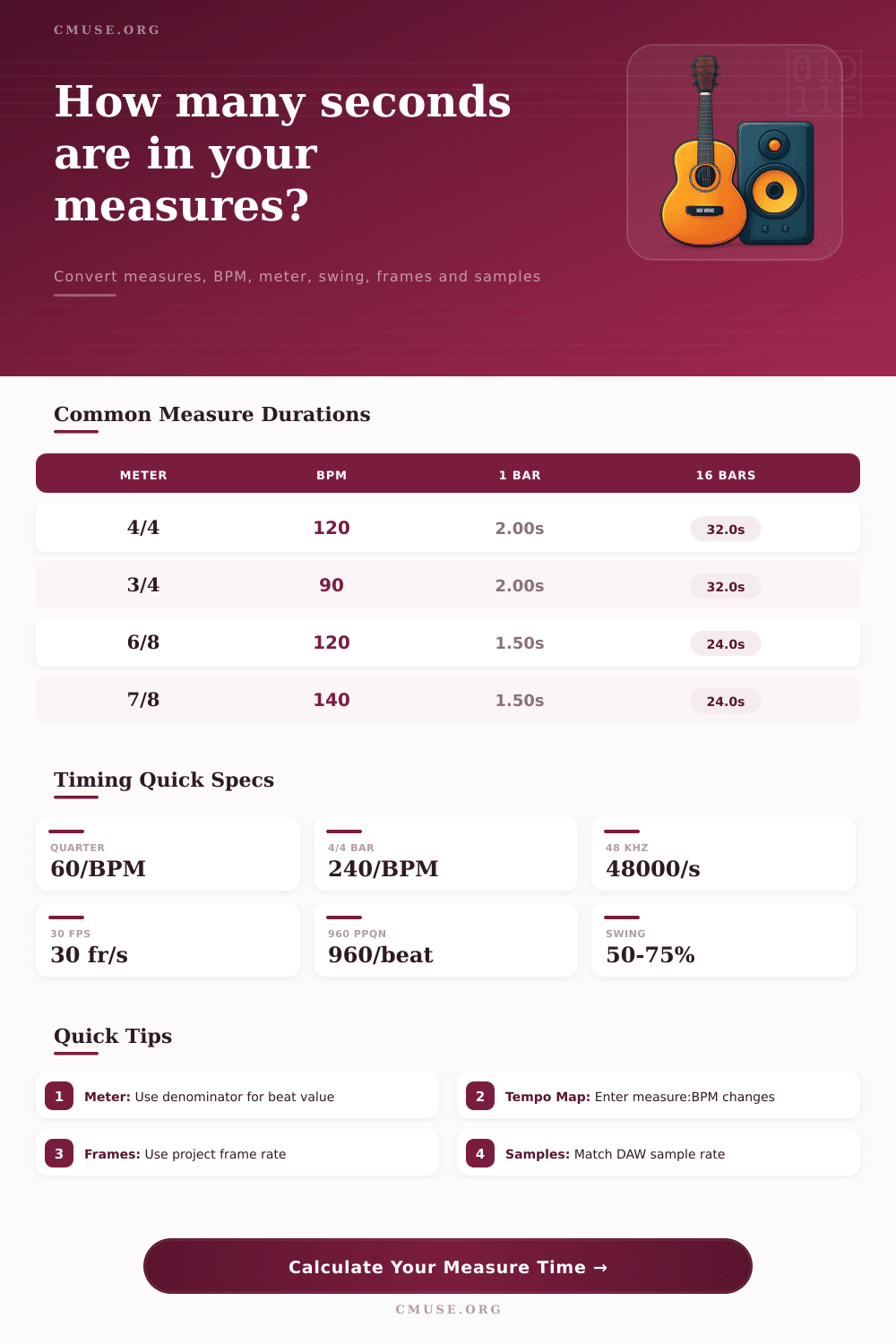
| 4/4 | 4.00 | 2.000 s | Pop, rock, EDM, film grids |
| 3/4 | 3.00 | 1.500 s | Waltz phrases and triple meter cues |
| 6/8 | 3.00 | 1.500 s | Compound ballads and rolling grooves |
| 7/8 | 3.50 | 1.750 s | Odd-meter riffs and progressive cues |
| 12/8 | 6.00 | 3.000 s | Shuffle blues and large compound bars |
| Standard | One Second | One Minute | Best Use |
|---|---|---|---|
| 24 fps | 24 frames | 1,440 frames | Film scoring timelines |
| 29.97 fps | 29.97 frames | 1,798.2 frames | NTSC video sessions |
| 48 kHz | 48,000 samples | 2,880,000 samples | Video and post-production audio |
| 96 kHz | 96,000 samples | 5,760,000 samples | High-resolution recording |
| Preset | Core Settings | Timeline Focus | Why It Helps |
|---|---|---|---|
| Pop 16 Bars | 4/4, 120 BPM, 16 bars | Loop length | Fast count for hooks and sections |
| Ritard Ending | 4/4, 96 BPM, tempo map | Tempo changes | Shows each slowdown segment separately |
| Film Cue 24 fps | 4/4, 92 BPM, 24 fps | SMPTE frames | Matches scoring and picture timing |
| Swing Jazz 32 | 4/4, 138 BPM, 66% swing | Swing eighths | Displays long and short subdivision values |
You’re cutting a video and discover that the drum loop you’ve laid down stop short of the point where it needs to land. You instinctively know what bar and beat on the timeline represent the right place for the hit to occur. But this is as close as you’ll get to understanding the music in terms of clock time; which isn’t how we hear it at all. Film editors work in frames and seconds; musicians in bars and beats. What connects these two worlds? Guessing won’t do. A sound conversion plan are required.
Once you take away the worry, it’s just some basic math. The calculator at the top does all the math for you, turning your bar count into an exact duration based off the time signature and tempo. So you’re basically asking ‘how many seconds in real-time does this piece of music last’. If we are in common time, playing at 120 beats per minute, then every measure is going to be two seconds long. So sixteen bars is going to fill exactly thirty-two seconds of sound. That relationship remains constant no matter what style of music you’re dealing with so get that stuff nailed down first.
How to Match Music Time with Video Time
Add some tempo changes or swing and things becomes tricky. A common misconception among many producers is that the length of each measure are altered with a swing eighth note change. This isn’t true. What’s happening is that the time is being redistributed within the beat, it stretches out the first half of the pair while compressing the other. It doesn’t alter the overall length. Knowing this will keep you in check when syncing your audio to picture. You can set your swing to sixty six percent. The feel change a lot without changing when the next measure starts. That’s the nuance between a polished mix and a rhythmically confused one.
The other wrinkle comes from addition of Tempo Maps which break linearity. If you think of a song beginning at 100BPM and gradually reducing to 90 BPM after half the track, then the time each Bar take isn’t constant. Instead, the tempo change is calculated by dividing the section into chunks, assigning a tempo to each chunk, and then adding them all up. This is crucial if you’re composing music for film, or arranging progressive rock pieces, where pulse changes deliberately. You can’t ignore it and end up with markers slipping away from visual on screen.
If you work on video, then you know that frames are king. Movies run at twenty-four frames per second; most TV and web run at thirty. If you have cue points, convert everything into frames so they lands exactly on the visual event. A fraction of a frame off may not be perceptible, but in high-stakes post-production, it can spell missed sword clashes and lip flaps. The provided reference table make all this clear, and spares you having to dig through technical manuals each time you start a new project.
The second consideration regarding precise editing has to do with sample rate. The sample rate (whether it be 96kHz or 44.1 kHz) determines how finely grained your timeline will be. If you want to edit something very precisely… Down to where the transient is actualy right;. Having a higher sample rate mean you’ll have greater control because there are finer samples to grab onto. A higher sample rate will give you additional fidelity but it increases your file size so it comes down to what format you’re delivering the end product in.
The other element of a time signature to keep in mind is its denominator. Even though 3/4 and 6/8 contain the same number of seconds, they do not feel the same because beat unit has changed. The pulse in 3/4 is the quarter note while the dotted quarter becomes the pulse in 6/8. It makes a difference to your phrasing and accenting. Getting this wrong would of result in an arrangement feeling dragged or rushed despite the correct tempo.
It all boils down to a question of trust. To know what’s going on time-wise, you must be able to count on your counting, and let the creative juices flow instead of arithmetic ones. This way, once you automate this calculation step, you free up some brain power to consider harmonic options and melodic ideas. The goal isn’t just to get the numbers right, but to feel confident that your music will fit snugly into the pocket you’ve created. Effortless is the way the groove should feel when the math adds up.