Click Track Subdivision Calculator
Build a precise click track grid from BPM, meter, subdivision, accent cycle and sample rate. Calculate click interval, samples per click, bars, count-in pattern and accent map for recording, practice and DAW programming.
Full Calculation Breakdown
| Click | Count Label | Accent | Time From Start |
|---|---|---|---|
| 1 | 1 | Strong | 0 ms |
| 2 | 2 | Beat | 500 ms |
| 3 | 3 | Beat | 1000 ms |
| 4 | 4 | Beat | 1500 ms |
| Subdivision | Clicks Per Bar | Interval | Samples at 48 kHz |
|---|---|---|---|
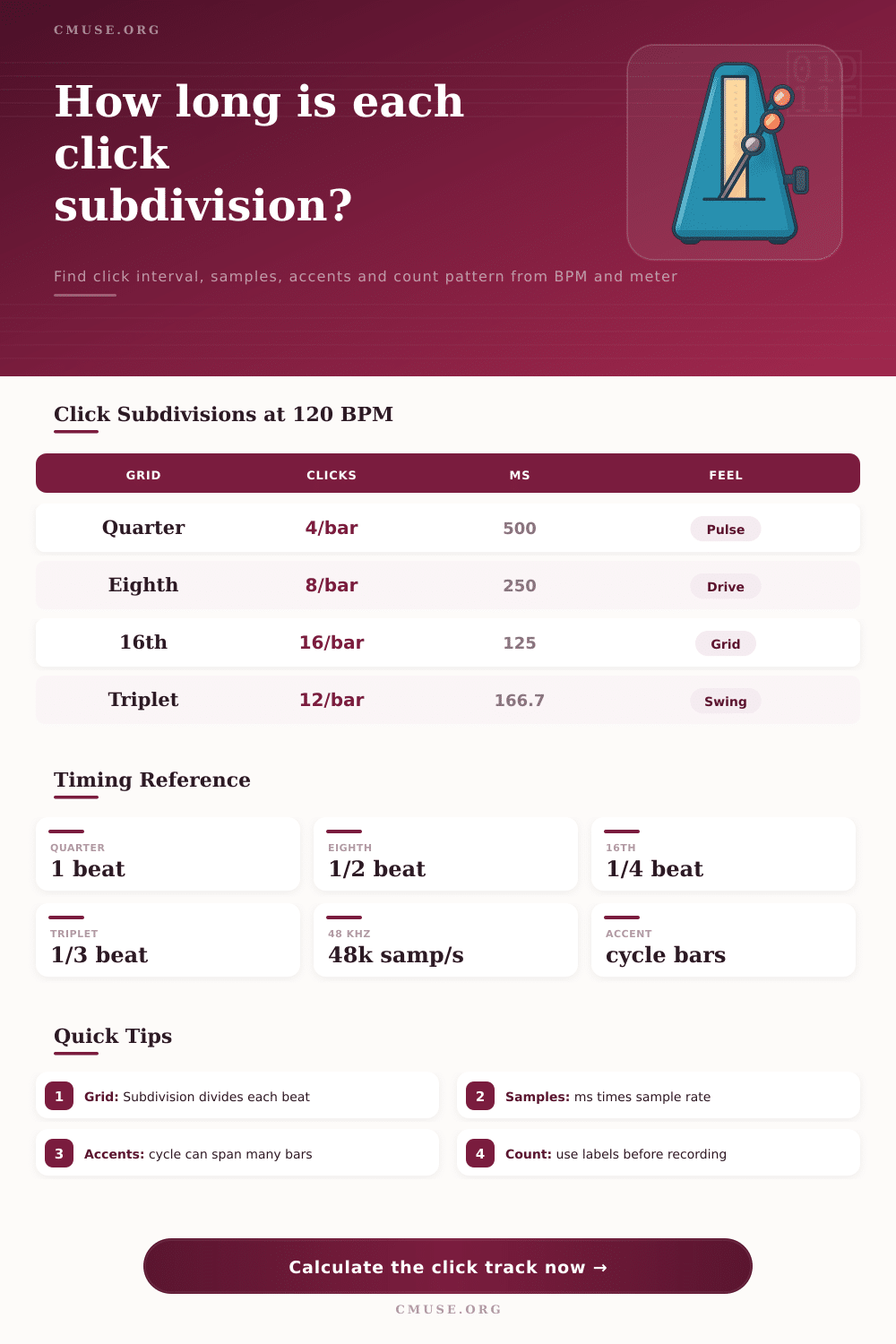
| Quarter-note click | 4 | 500 ms | 24,000 |
| Eighth-note click | 8 | 250 ms | 12,000 |
| Eighth triplet click | 12 | 166.67 ms | 8,000 |
| Sixteenth-note click | 16 | 125 ms | 6,000 |
| Sixteenth sextuplet grid | 24 | 83.33 ms | 4,000 |
| Sample Rate | Quarter @120 | 16th @120 | Use Case |
|---|---|---|---|
| 44.1 kHz | 22,050 samples | 5,512.5 samples | Music release audio |
| 48 kHz | 24,000 samples | 6,000 samples | Video, broadcast, live rigs |
| 88.2 kHz | 44,100 samples | 11,025 samples | High-res music sessions |
| 96 kHz | 48,000 samples | 12,000 samples | High-res production |
| 192 kHz | 96,000 samples | 24,000 samples | Ultra high-res editing |
| Meter | Typical Click | Accent Idea | Count Pattern |
|---|---|---|---|
| 4/4 | Quarter or eighth | Strong beat 1 | 1 2 3 4 |
| 3/4 | Quarter | Strong beat 1 | 1 2 3 |
| 6/8 | Eighth or dotted quarter feel | Strong 1, lift 4 | 1 la li 2 la li |
| 5/4 | Quarter | 3+2 or 2+3 | 1 2 3 4 5 |
| 7/8 | Eighth | 2+2+3 or 3+2+2 | 1 2 3 4 5 6 7 |
| PPQN | Quarter | Eighth | Sixteenth | Triplet Eighth |
|---|---|---|---|---|
| 96 | 96 | 48 | 24 | 32 |
| 480 | 480 | 240 | 120 | 160 |
| 960 | 960 | 480 | 240 | 320 |
| 1920 | 1920 | 960 | 480 | 640 |
When you hit record and click track doesn’t seem to be right, you can start to panic. Perhaps it’s too sparse and drummer is left to guess at where backbeat should land. Maybe it’s too dense and your performance gets rigid and loses any sense of groove. Or maybe you just know in your gut that clicks aren’t on time but your ears don’t prove it.
Most often this occurs because you haven’t given careful thought to idea of the subdivision. Many people choose to use quarter notes as their tracks would be like everyone else’s. If track is swinging heavily or the time signature is complex, however, quarter notes may well is working against you.
How to Choose the Right Click Track
Use the calculator above to help map out how those clicks will behave before you begin to record. This means that tempo isn’t merely a speed indication. It’s the starting point from which all later calculations stem.
Enter a BPM number and you’re stating how long each individual beat lasts. But what is a beat? It’s an abstract idea until you divide it. A quarter-note click provides four pulses per bar in 4/4 time. Great if you’re working with straight rock. It is not so good when you attempt to lock in a syncopated bass line or program complex hi-hat figures in electronic music.
Moving over to eighth notes doubles the information density. There are twice as many reference points, which can be tighter but also difficult to hear the natural push and pull of rhythm. The sweet spot is less about math and more about what your brain needs to anchor itself.
All this changes when you start changing meter setting. Although two tracks at the same BPM may sound similar, they won’t if one is a 4/4 track and the other a 6/8. Often in a 6/8 track the beat are grouped into threes or twos instead of fours. You could be accidentally clicking on the off-beats by continuing to click on each quarter note equivalent.
You can enter both numerator and denominator for the meter, which tells the tool how long the bar should be and consequently where beginning of the next bar is. Why does this matter? Knowing where the beginning of the bar is gives us a starting point for determining accent cycles.
If you have your accent cycle set to four bars, but your meter calculation is incorrect then your downbeats are going to drift out of phase with music. It’s a subtle error but one that could of ruin a whole session.
Another layer that most musicians overlook is sample accuracy, which matters when you start noticing clicks sliding off track ends or slipping out of sync with video edits. Digital audio devices like DAWs and audio interfaces operate at discrete sample rates, typically 44.1 kHz (or 48 kHz). For example, a click interval of exactly one millisecond cannot always be represented perfectly in digital audio.
The calculator allows you to enter your time-based intervals and it will convert them into sample counts. That way you know whether your click falls on an exact integer or whether it rounds up or down. In most cases, it is imperceptible to our ears. But if you’re working with complex automation or high-resolution video, knowing the exact number of samples helps confirm that your grid is realy locked.
Another twist on things comes in the form of triplet and swing subdivisions. A simple straight 16th note grid becomes mechanical. Add a percentage of swing and you are shifting timing of alternating notes to create a shuffle feel. How does this work? Simply use the calculator, which will make these adjustments for you so you don’t have to manually adjust every click.
You can see change in the intervals as you move up through triplet and sextuplet divisions. This is especially handy if you want to practice. Having trouble playing a certain triplet figure? Generate a click track which divides into triplets so you can hear pulse inside instead of guessing where it should fall.
You could also set the accent cycle to coincide with phrasing of your song. That is not always a loud down beat at the beginning of each bar. If you move the accent cycle to cover, say, two or four bars then the click will keep you in time but only point out the start of a phrase. It works just like a real drummer who lays back slightly on their internal beats and hits hard when there’s a change of section. It maintains time keeping for you without making each individual click sound like a hammer blow.
In conclusion, then, a click track can be so much more than a metronome; it’s a way to communicate. It tells your brain where the music is. Whether you’re programming MIDI or recording live instruments, getting the subdivision right ensures everyone is speaking same rhythmic language. When we hear the clicks matching the pulse inside the song, timekeeping becomes effortless and feels like part of the groove rather than a job in itself. And at this point the technology dissapears into the background while the music comes forward.