Tempo to Delay Time Calculator
Convert BPM and rhythmic feel into milliseconds, Hertz, samples, swing offsets, and feedback repeat timing for DAW-synced delays.
Calculation Breakdown
| Division | Beat Value | 120 BPM Straight | Common Use |
|---|---|---|---|
| Whole note | 4 beats | 2000 ms | Long ambient delay and phrase throws |
| Half note | 2 beats | 1000 ms | Dub space, ballad vocal throws |
| Quarter note | 1 beat | 500 ms | Classic tempo echo, ping-pong delay |
| Eighth note | 0.5 beat | 250 ms | Rhythmic guitar, synth bounce |
| Sixteenth note | 0.25 beat | 125 ms | Fast repeats, percussion thickening |
| Thirty-second | 0.125 beat | 62.5 ms | Glitch, comb-like motion, tight doubling |
| Feel | Multiplier | Eighth at 120 BPM | Musical Character |
|---|---|---|---|
| Straight | 1.000 | 250 ms | Direct grid-aligned repeat |
| Dotted | 1.500 | 375 ms | Gallop feel, guitar and vocal throws |
| Double-dotted | 1.750 | 437.5 ms | Longer push before the next beat |
| Triplet | 0.667 | 166.7 ms | Three evenly spaced echoes per beat |
| Swing 60 long | 1.200 | 300 ms | Laid-back shuffle long side |
| Swing 60 short | 0.800 | 200 ms | Quick answering side of the shuffle |
| Setting | What It Changes | Calculation Impact | Useful Range |
|---|---|---|---|
| Sample rate | Samples per second | Higher rate means more samples for the same ms | 44.1 kHz to 96 kHz |
| Buffer size | Monitoring latency block | Shows delay time as buffer multiples | 64 to 256 samples tracking |
| Pre-delay | Manual offset after sync math | Adds fixed ms to both stereo sides | 0 to 30 ms for clarity |
| Stereo offset | Left/right width shift | Offsets one side from the other by a percent | 5% to 20% for width |
| Tempo drift | Alternate BPM comparison | Recalculates ms against a changed tempo | 0.1 to 2 BPM checks |
| BPM | Quarter | Dotted Eighth | Triplet Eighth | Sixteenth |
|---|---|---|---|---|
| 60 | 1000 ms | 750 ms | 333.3 ms | 250 ms |
| 80 | 750 ms | 562.5 ms | 250 ms | 187.5 ms |
| 100 | 600 ms | 450 ms | 200 ms | 150 ms |
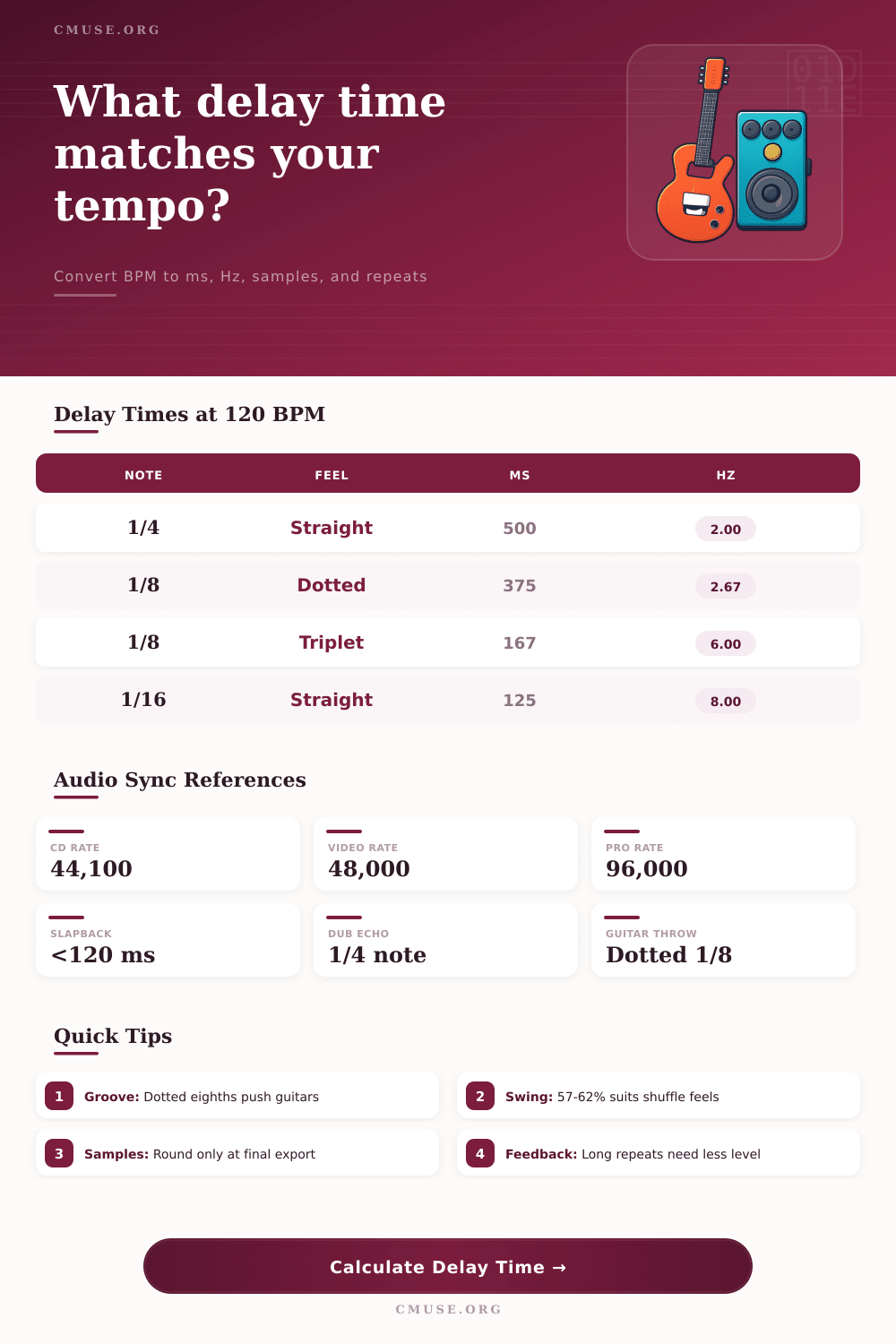
| 120 | 500 ms | 375 ms | 166.7 ms | 125 ms |
| 128 | 468.8 ms | 351.6 ms | 156.3 ms | 117.2 ms |
| 140 | 428.6 ms | 321.4 ms | 142.9 ms | 107.1 ms |
| Delay Time | 44.1 kHz | 48 kHz | 96 kHz | Typical Feel |
|---|---|---|---|---|
| 20 ms | 882 | 960 | 1920 | Haas width / tight double |
| 80 ms | 3528 | 3840 | 7680 | Slapback edge |
| 125 ms | 5513 | 6000 | 12000 | Fast sixteenth at 120 BPM |
| 250 ms | 11025 | 12000 | 24000 | Eighth at 120 BPM |
| 500 ms | 22050 | 24000 | 48000 | Quarter at 120 BPM |
| 1000 ms | 44100 | 48000 | 96000 | Half at 120 BPM |
By keeping repeat delay in sync with the session tempo, you’ll always keep your echoes landing on a beat subdivision rather than having them float around between note. This keeps them in musical grid. The calculator above will convert rhythmic divisions into exact milliseconds based off beats per minute. That way, you don’t have to figure out formula yourself so you can keep your creative flow.
This syncs up to the quarter note. So one beat at 120 BPM is precisely 500 milliseconds; that’s the anchor point. Everything else is a matter of slicing time into ever-smaller units or stretching it out from there. For the straight-up echo that duplicates once every beat, just set the echo to 500 ms. Cut that in half and you have an eighth-note delay at 250 ms; twice the speed. The simple math covers those basic settings until you add modifiers such as triplet or dotted value.
How to Sync Your Delay Effect
While not affecting overall tempo, these feel settings alter the echo’s shape. Dotted eighth notes is longer than straight eighths but shorter than quarters, so they have an asymmetrical rhythm that nudges the ear along. It’s a subtle tweak that turns the robotic pulse into something with a swing to it.
While most producers leave buffer size and sample rate inputs alone as a technical afterthought, they’re far from unimportant. Your digital audio workstation is not thinking in terms of milliseconds, it’s thinking about samples. To hold a signal for 125 ms at 48 kHz takes precisely 6,000 samples worth of memory. At 96 kHz, that same 125 ms delay becomes 12,000 samples. It sounds just as long to your ear but it doubles the amount of computation required. When you have a bunch of synchronised delays in a dense mix, knowing about this trade off makes all the difference.
This reference table on the page outline the conversion. It shows how much those sample numbers scale with resolution so you know what to expect before it gobbles up your CPU. Precision also pays off when it comes to stereo width. Widening both channels evenly can cause phase cancellation problems in center, while moving one side by a small amount can give you some depth while maintaining punch. Moving the right channel a bit early compared to the left (a negative percentage) has the effect of making the right channel repeat before the left one. It’s a subtle spatial trick but it emulates what happens in an actual room. Instead of simply increasing width and loudness, you’re placing your sounds into 3D space.
The calculator takes all this into consideration and shows you precisely how far apart the left and right repeats occurs in milliseconds. So now you have a measurable parameter that you can intentionaly adjust to get the width you want. It goes from being a vague notion to something you could of tweaked with intent. A lot of mixes go south in this area.
Turning up the feedback just gets you more of what’s already there. It creates a loud mess of echoes that sound like repeats from further back down the chain, but they do not affects the timing of initial echo. In other words, if you made the delay time division initially too long, turning up the feedback doesn’t help; it just makes the mud louder! Shorten the delay time division first and then tweak the gain. Feedback is not a volume knob on the whole effect, it controls how long the tails lasts. Let them die out naturaly while keeping the rhythmic grid nice and tight.
In conclusion: Syncing isn’t going to limit your creative process; it’s going to create a structure that allows the effects to work for the song instead of against the song. If the echo syncs up with the kick drum, you have a cohesive song now. Now you don’t hear everything separately anymore; you hear the whole thing as one. Let the tool give you the numbers and let your ears determine if those numbers sound right to you. Math will set the table, but music will tell the story.