Arpeggiator Rate Calculator
Convert BPM, note division, feel, swing, gate, pattern length, and MIDI clock resolution into practical arpeggiator timing values.
Calculation Breakdown
Hardware Synth
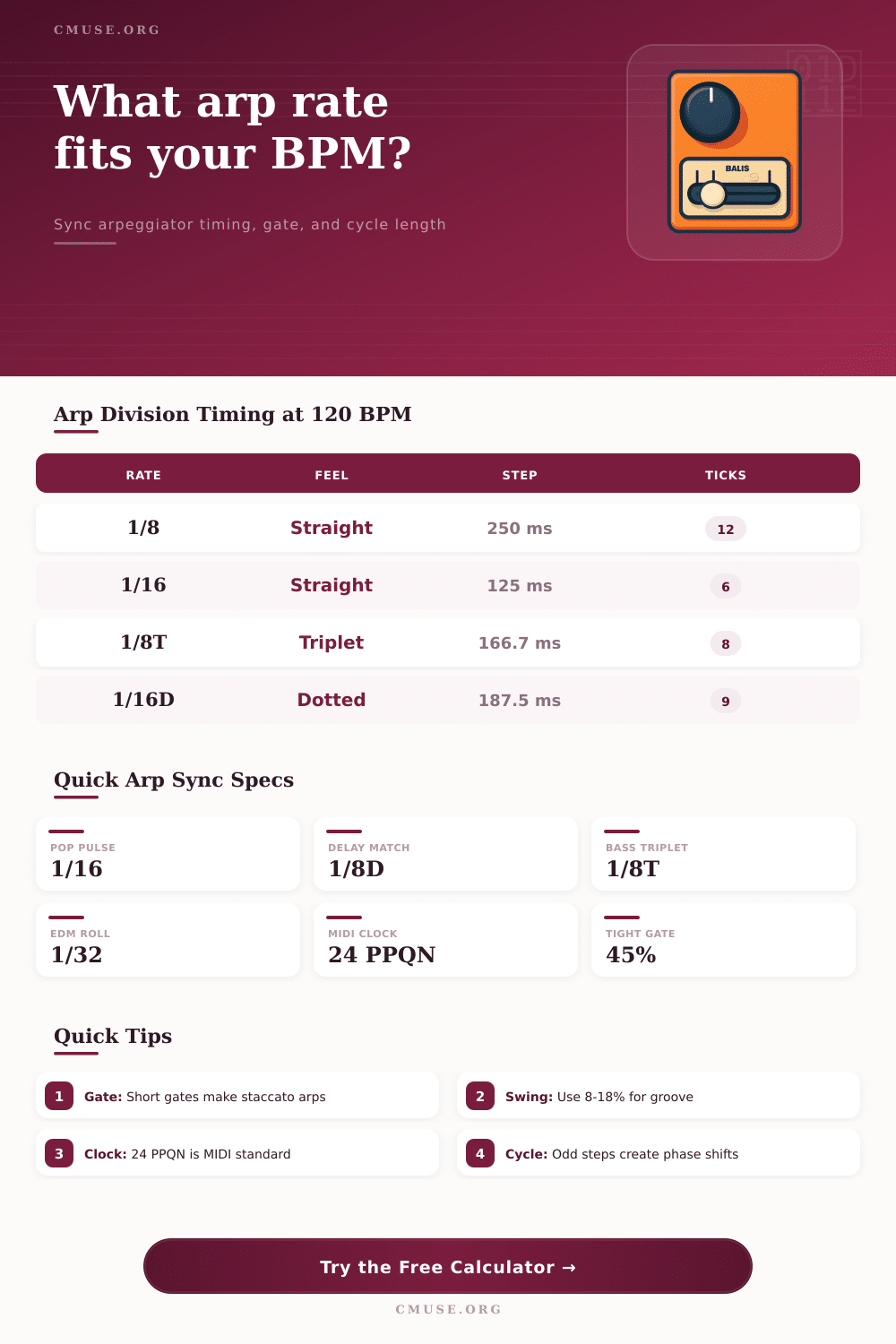
Most MIDI-clocked synth arpeggiators follow 24 PPQN, so 1/16 steps land every 6 clock pulses.
DAW MIDI FX
High PPQN grids give clean editing for dotted, triplet, swung, and automation-heavy arpeggio lines.
Modular Gate
CV and gate sequencers often need gate time in milliseconds, especially for short envelopes.
Guitar Pedal Sync
Pedal arps and slicers usually expose tempo division, tap tempo, gate, or envelope time values.
| Division | Quarter-Beat Value | At 90 BPM | At 120 BPM | At 140 BPM | Typical Use |
|---|---|---|---|---|---|
| 1/4 | 1.000 | 666.7 ms | 500.0 ms | 428.6 ms | Slow pulse, open chords |
| 1/8 | 0.500 | 333.3 ms | 250.0 ms | 214.3 ms | Classic synth arp |
| 1/16 | 0.250 | 166.7 ms | 125.0 ms | 107.1 ms | Pop, house, electro |
| 1/32 | 0.125 | 83.3 ms | 62.5 ms | 53.6 ms | Fast rolls and fills |
| 1/64 | 0.0625 | 41.7 ms | 31.3 ms | 26.8 ms | Glitch or ratchet effects |
| Feel | Multiplier | 1/8 at 120 BPM | 1/16 at 120 BPM | Musical Result |
|---|---|---|---|---|
| Straight | 1.000 | 250.0 ms | 125.0 ms | Even grid alignment |
| Dotted | 1.500 | 375.0 ms | 187.5 ms | Three-grid-note cross rhythm |
| Triplet | 0.6667 | 166.7 ms | 83.3 ms | Three notes across one beat pair |
| Swing 10% | Pair based | 275 / 225 ms | 137.5 / 112.5 ms | Light long-short groove |
| Swing 25% | Pair based | 312.5 / 187.5 ms | 156.3 / 93.8 ms | Deep shuffle feel |
| Scenario | BPM | Division | Gate | Pattern | What To Watch |
|---|---|---|---|---|---|
| Classic synth pop pulse | 120 | 1/16 straight | 55% | 16 steps | Locks to one 4/4 bar |
| Dotted eighth delay match | 100 | 1/8 dotted | 62% | 8 steps | Crosses the beat in a musical way |
| Triplet bass arp | 96 | 1/8 triplet | 70% | 12 steps | Four beats make twelve triplet pulses |
| EDM thirty-second roll | 128 | 1/32 straight | 38% | 32 steps | Very short gate avoids overlap |
| Cinematic three-octave climb | 72 | 1/16 straight | 68% | 24 steps | Long cycle, wide note pool |
| Division | Straight Ticks at 24 PPQN | Dotted Ticks | Triplet Ticks | Comment |
|---|---|---|---|---|
| 1/4 | 24 | 36 | 16 | Quarter-note pulse |
| 1/8 | 12 | 18 | 8 | Common arp and delay rate |
| 1/16 | 6 | 9 | 4 | Most common electronic arp step |
| 1/32 | 3 | 4.5 | 2 | Fast, tight, often gated short |
| 1/64 | 1.5 | 2.25 | 1 | May need higher internal resolution |
| Steps | 1/16 in 4/4 | 1/8 in 4/4 | Musical Behavior | Best Use |
|---|---|---|---|---|
| 4 | One beat | Two beats | Short repeating cell | Simple chord pulses |
| 8 | Two beats | One bar | Half-bar or full-bar loop | Bass or lead arps |
| 12 | Three beats | One and a half bars | Rotates against 4/4 | Phase-shift phrases |
| 16 | One bar | Two bars | Strong bar alignment | Pop and dance patterns |
| 24 | One and a half bars | Three bars | Longer octave cycle | Cinematic rises |
Even if you’re hitting the notes correctly, it still sounds like your arpeggiator is out-of-time. It might be rushing forward of the hi-hats, or dragging back on the kick drum. No amount of changing tempo will solve it; it’s not a matter of speed. It’s about the relationship between the grid and step duration.
Arpeggiators work in-between the beats. This means that getting those in-between places (spaces) just right takes more than dialling-in a BPM. You need to understand how clock resolution, gates, and divisions works together to create rhythms.
How to Fix Arpeggiator Timing Issues
The calculator above handles the heavy math of converting your musical intent into milliseconds and MIDI ticks. That’s cool as most synths will display a 1/16 note at 120BPM as being simply 1/16th. In reality it’s precisely 125 milliseconds. Most synths just give you a division selector instead of showing the millisecond value.
But if you add some reverb or delay, those hidden milliseconds become essential. A 375ms delay at 120BPM equals a dotted eighths note, the next note in the arpeggio is going to fall on the end of each echo, creating a rhythmic waterfall that features heavily in electronic music. The tool illustrates how they line up, allowing you to create patterns that mesh together with the mix.
The Gate Length determines the sound’s textural quality. Commonly, people sets their gate to 100 percent and each note plays out fully to its full length. When they do fast arpeggios, it just becomes a sludgy mess with all the single notes running into one another.
Set your gate at about 45 or 50 percent so the sound punches in and out like short notes with space between them. The separation of sounds allows for reading even complex patterns. It turns what would be a jumble of sounds into something like percussion. Instead of using a filter to control the sustain envelope, the timing do so.
With reference charts indicating how certain divisions feel across a range of tempos, you can visually see if the 1/32 step will feel more like an over-the-top blur or an energized drive before pressing play.
The Pure Math Because all these subdivisions are identical and follow a straight grid, they sound sterile. After all, humans tend to drag some notes out and push others forward in time. Introducing a swing into the mix pairs up adjacent steps in a long-short relationship which results in a groove that is alive. Adding just a little swing, like maybe 10-20 percent, removes the robotic feel without distorting the underlying rhythm. And that slight change in the pattern alters its character.
What the calculator does is adjust the duration of each step according to your selected swing percentage. Then it gives you specific times that reflect the humanized pulse. That accuracy comes into play if you’re trying to sync this with other plugins or hardware that depend on strict clock pulses.
A nitty gritty technical aspect of MIDI that tends to get overlooked unless it doesn’t synchronize properly: MIDI clocks is only 24 pulses per quarter note. Digital Audio Workstations tend to have much greater resolution like 960 pulses per quarter note. Knowing that helps when troubleshooting why your arpeggiator sounds out-of-sync with your host sequencer. Sometimes it isn’t a latency problem at all. Sometimes it’s a resolution problem.
In the tool, you can set the clock standard to make sure the step calculation matches your working environment. That way you can avoid those frustrating moments where everything seems aligned but something feels subtly wrong.
How the arpeggios work together within the musical phrase is decided by its pattern length. If you use a pattern of say sixteen steps then this falls neatly into one bar when using 4/4 time. Odd numbers such as five or seven step patterns produce polyrhythmic effects against the bar line. These add interest and tension. Even shifting the phase of a simple two-note pattern can create a seemingly complex sounding figure over time. It’s a powerful composition tool based on elementary arithmetic. The time taken for the pattern to re-align itself to the down beat will give you a better idea of where to place transitions and drops.
It’s not just about playing notes but structuring time. An arpeggiator bridges rhythmic motion and harmonic structure by transforming chords into rhythm. It removes the need for calculation to get timings right so you can concentrate on how it sounds instead of fixing out-of-sync problems. Often the distinction between a mechanical pattern and a musical one is the subtle differences in division feel, swing, and gate time.
Getting this under your fingers puts you in command of texture and energy. What was a simple tool becomes an expressive instrument. You start hearing not just the notes but the spaces between them equally as well. That’s where the real groove resides.