Pitch Bend Range Calculator
Translate MIDI pitch wheel values into semitones, cents, frequency ratios, and exact Hz for synths, guitar controllers, MPE instruments, samplers, and DAW automation.
Formula Breakdown
| Target | Needed MIDI Value | Rounded Bend | Rounding Error | Resulting Hz |
|---|
| Scenario | Typical Range | Cents Each Side | 14-bit Resolution | Why It Is Used |
|---|---|---|---|---|
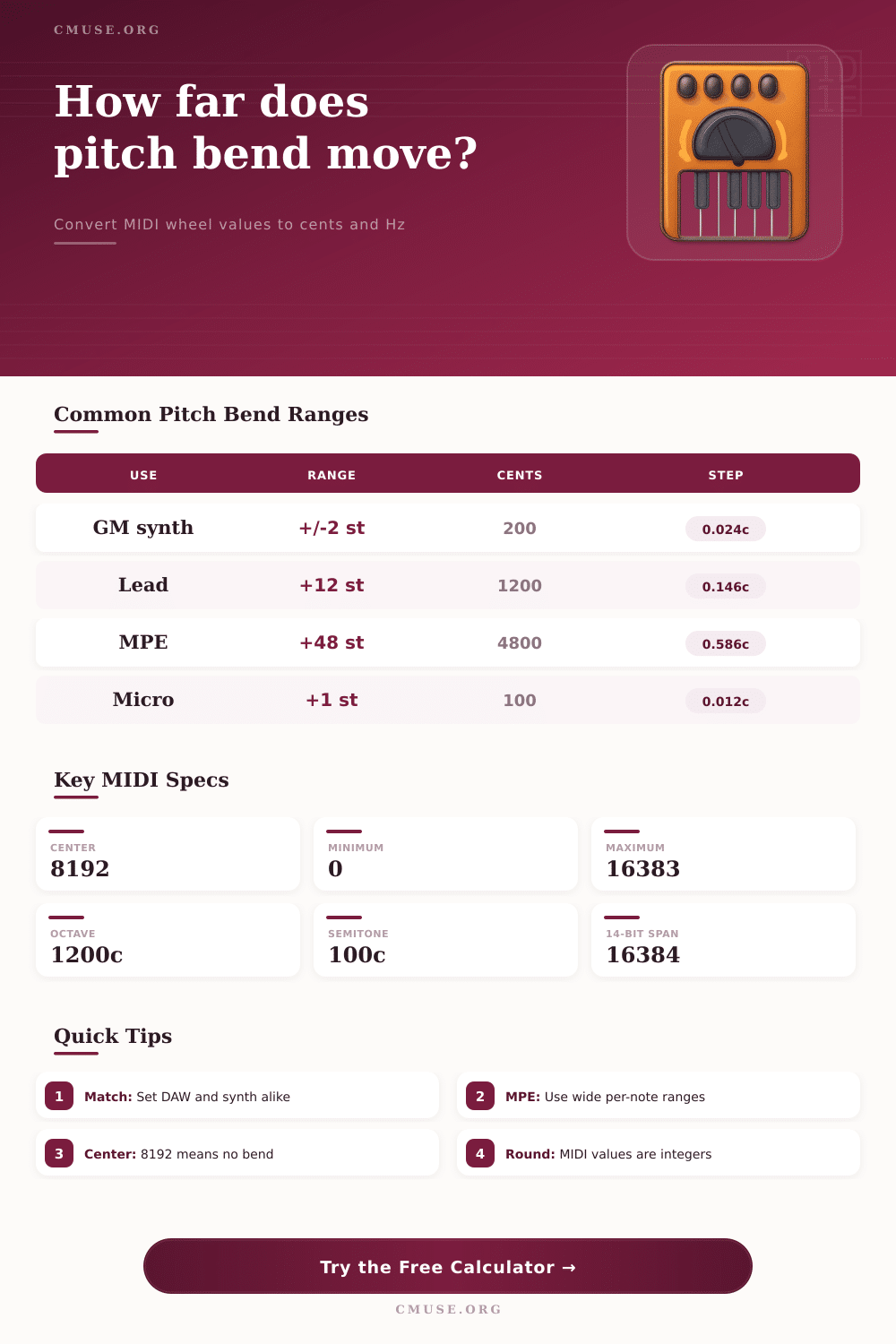
| General MIDI patch | +/-2 semitones | 200 cents | 0.0244 c/step | Default compatibility for many synths and files |
| Lead synth octave bend | +12 / -12 semitones | 1200 cents | 0.1465 c/step | Octave scoops, dives, and expressive mono leads |
| MPE surface slide | +48 / -48 semitones | 4800 cents | 0.5860 c/step | Long finger slides across notes and registers |
| Fine orchestral nudge | +1 / -1 semitone | 100 cents | 0.0122 c/step | Subtle intonation and phrase shaping |
| Pedal steel emulation | +2 / -1 semitones | 200 up, 100 down | 0.0244 up | Asymmetric raises and lowers |
| Chip synth jump | +7 / -7 semitones | 700 cents | 0.0855 c/step | Fifth jumps and stepped arcade bends |
| 14-bit Value | Wheel Position | Normalized Bend | With +/-2 Range | With +/-12 Range |
|---|---|---|---|---|
| 0 | Full down | -1.0000 | -200 cents | -1200 cents |
| 4096 | Half down | -0.5000 | -100 cents | -600 cents |
| 8192 | Center | 0.0000 | 0 cents | 0 cents |
| 12288 | Half up | 0.5001 | 100.0 cents | 600.1 cents |
| 16383 | Full up | 1.0000 | 200 cents | 1200 cents |
| Interval | Cents | Semitones | Frequency Ratio | Common Bend Use |
|---|---|---|---|---|
| Quarter tone | 50 | 0.5 | 1.0293 | Microtonal inflection or blues shading |
| Semitone | 100 | 1 | 1.0595 | Chromatic slide into a target note |
| Whole tone | 200 | 2 | 1.1225 | Standard guitar-style bend range |
| Perfect fourth | 500 | 5 | 1.3348 | Dramatic synth and sample transitions |
| Perfect fifth | 700 | 7 | 1.4983 | Chip synth and effect sweeps |
| Octave | 1200 | 12 | 2.0000 | Lead synth octave lift or dive |
| Instrument or System | Practical Bend Range | Resolution Priority | Automation Note | Best Check |
|---|---|---|---|---|
| Hardware GM module | Usually +/-2 st | Compatibility | Reset range with RPN 0 if needed | Confirm center returns to 8192 |
| Analog-style mono synth | +/-2 to +/-12 st | Gesture smoothness | Match patch range before drawing curves | Listen for octave landing |
| MPE controller | +/-24 to +/-48 st | Per-note travel | Each note can carry its own bend lane | Check zone and channel settings |
| Guitar MIDI pickup | +/-2 to +/-12 st | Tracking stability | Avoid range mismatch with held bends | Compare string bend to synth pitch |
| Sampler instrument | +/-1 to +/-7 st | Artifact control | Large bends may reveal formant shifts | Check top and bottom notes |
| DAW pitch automation | Project dependent | Integer value accuracy | Curves output MIDI values, not cents | Convert cents before editing |
| Step | Formula | Meaning | Calculator Output |
|---|---|---|---|
| Base frequency | A4 x 2^((MIDI-69)/12) | Equal-tempered Hz for the chosen note | Base Hz row |
| Normalized bend | (value - center) / steps | Wheel travel above or below center | Normalized bend row |
| Semitone bend | normalized x range | Signed pitch movement in semitones | Actual bend card |
| Frequency ratio | 2^(semitones/12) | Multiplier from original note to bent note | Ratio row |
| Bent frequency | base Hz x ratio | Final pitch after bend wheel movement | Bent frequency card |
Press a note and twist that pitch wheel. Nothing happens except the synth jump up a semitone. That’s because you probably grabbed that wheel and twisted it fully up. But there’s no reason to get mad at your DAW or your gear.
The problem is a hidden variable that most folks overlook until it sabotages their mix. MIDI doesn’t include any pitch bend data with a range. No, it includes a value between zero and sixteen thousand three hundred eighty three, which has been standardized for instruments to decide how to interpret that number. In other words, if your controller sends a full upward bend and your synthesizer interprets that as two semitones while you’re expecting twelve, then you are playing two different tunes from the same keyboard. And that disconnect ruins precision.
Why Your Pitch Wheel Feels Wrong
When you input your chosen range and then select your instrument’s profile, the calculator does the math. No more “I think this number of steps here will be a perfect fifth.” What do you mean by “bend”? What are you trying to achieve? Maybe you want lead parts to dive a full octave. Or maybe you’re working with vocals where you need very small, microtonal nudges. By forcing these parameters as inputs, you get to state your intent before drawing a single automation line.
And most producers leave everything set to factory defaults and then wonder why they feel like their expression sounds stiff. They sound stiff because they’ve got the wrong resolution. Typically, a standard General MIDI patch have the range limited to plus or minus two semitones. That is a tiny range. It’s about compatibility, not expression. If you try to make a big pitch bend within that range, the wheel runs out of physical space. It stops long before it reaches the pitch change you want in your head.
The controller works differently when the range become wider. If you widen your bend range to be, say, twelve semi-tones wide (plus or minus) then a small turn of the wheel will cause a smaller pitch change. This is the gotcha that many folks overlook. A wider range mean the wheel moves more as you play, but it also requires more fine motor control from your fingers. The narrower range makes the instrument both responsive and forgiving while capping its expressive ceiling.
And here’s where the tool shines. It shows you the resolution in cents per step. In other words, it shows exactly what frequency shift happen with each individual click of the wheel. Too high? Your bends will sound robotic and stepped. Too low? You’ll likely never get to your intended pitch before maxing out the hardware.
In standard fourteen bit MIDI, eight thousand one hundred ninety two is the center point. What does that mean? It means nothing until we factor in a range. Ten thousand could be slightly sharp on one synth while being a full note up on another. Without understanding the range of the destination you are recording pitch bend automation into, you’re painting with a brush you haven’t tested. While the visual curve may look smooth on screen, what will play back doesn’t match what’s expected if the synth understands those numbers different from how they were intended. Calculate the exact wheel value needed for an interval first so you can draw or perform confidently knowing the data matches what you hear.
There is also an additional level of complexity if you’re working with microtonality. In this case, you’ll want bend ranges that allow for smaller steps like quarter tones. You might even need finer increments depending on if your scale is not based on equal temperament. Fortunately, the calculator presets cover typical use-cases including guitar whammy bars through to extreme MPE surfaces where huge amounts of travel per note might be necessary.
There is always an ideal combination between resolution and range for each situation. Unless you are aiming at chaos, you probably don’t want a bass synth capable of bending four octaves. Likewise, wide bends aren’t beneficial to an orchestral sample as they will expose the artificial nature of sampling errors. Pair the range to the instrument character.
At the end of the day, pitch bend is simply converting your physical gesture to digital frequency. Behind the scenes, those numbers in the spreadsheet don’t give a hoot about whether or not you are musically adept. They’re integers. It’s up to you to set the parameters to close the gap between your hands and ears. Once you learn that there’s a wheel value representing a fraction of its overall range, you won’t fight the gear, you’ll work with it. Enter your range, test your resolution, and turn that wheel for a reason. Then when you finally bend, it will land on what you heard in your head, not what the default setting thinks it should of be.