Scientific Pitch Notation Calculator
Convert note names into frequency, MIDI note number, octave labels, wavelength, and sample timing from one SPN pitch.
Formula Breakdown
| SPN Note | MIDI | Frequency at A4 440 | Common Reference |
|---|---|---|---|
| C0 | 12 | 16.35 Hz | Low octave boundary |
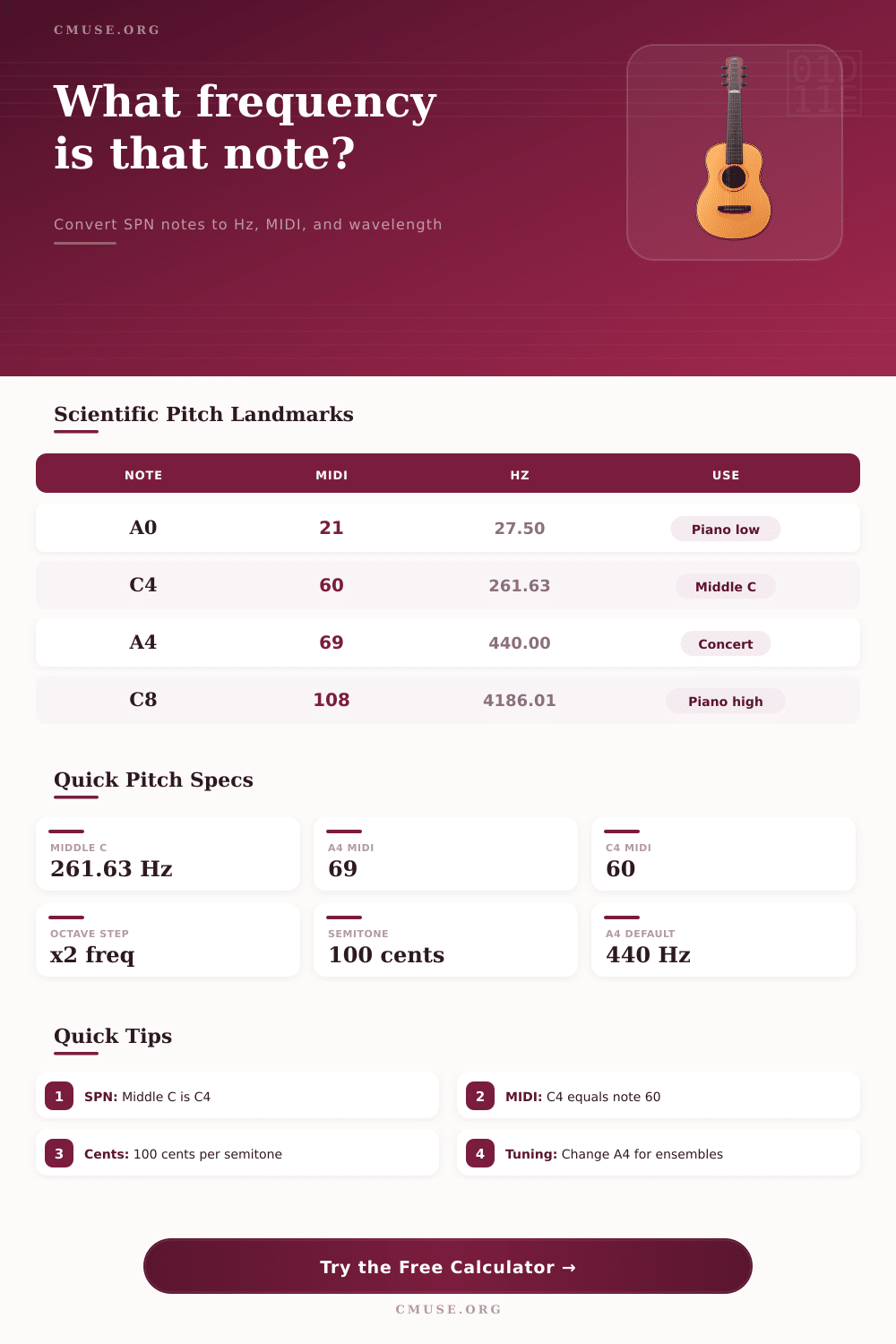
| A0 | 21 | 27.50 Hz | Lowest piano key |
| C4 | 60 | 261.63 Hz | Middle C in SPN |
| A4 | 69 | 440.00 Hz | Concert pitch reference |
| C5 | 72 | 523.25 Hz | One octave above middle C |
| C8 | 108 | 4186.01 Hz | Highest piano C |
| System | Displayed Name | Middle C Label | Use Case |
|---|---|---|---|
| Scientific | C4 | C4 | Acoustics and notation |
| Reference | Range | Approx Hz Range | Calculator Use |
|---|---|---|---|
| Piano | A0 to C8 | 27.50 to 4186.01 | Full keyboard pitch checking |
| Standard Guitar | E2 to E5 | 82.41 to 659.25 | Open strings, frets, harmonics |
| 5-String Bass | B0 to G4 | 30.87 to 392.00 | Low fundamentals and sub range |
| Violin | G3 to A7 | 196.00 to 3520.00 | Open strings and upper positions |
| Concert Flute | C4 to D7 | 261.63 to 2349.32 | Register and recording checks |
| Voice Span | C2 to C6 | 65.41 to 1046.50 | Vocal arrangement boundaries |
| A4 Reference | A4 Frequency | C4 Frequency | Typical Context |
|---|---|---|---|
| Baroque A | 415.00 Hz | 246.94 Hz | Period-instrument ensembles |
| Verdi A | 432.00 Hz | 256.87 Hz | Some vocal and orchestral use |
| Modern A | 440.00 Hz | 261.63 Hz | Common reference tuning |
| Orchestral A | 442.00 Hz | 262.81 Hz | Many modern orchestras |
| Half-Step Up | 466.16 Hz | 277.18 Hz | One semitone above A440 |
| Pitch | Frequency | Samples at 44.1 kHz | Samples at 48 kHz |
|---|---|---|---|
| C2 | 65.41 Hz | 674.2 | 733.8 |
| C4 | 261.63 Hz | 168.6 | 183.5 |
| A4 | 440.00 Hz | 100.2 | 109.1 |
| C6 | 1046.50 Hz | 42.1 | 45.9 |
| C8 | 4186.01 Hz | 10.5 | 11.5 |
What is middle C? It’s a difficult idea to grasp. It is the note that fall in the middle of musical scale. Well, not exactly. It’s only in the middle if you’re using a particular tuning system. A different person will hear it as 256Hz, 442Hz for concert pitch or even 261.63Hz. That make things confusing when you’re in rehearsal room or studio.
The frequency converter above do all the calculations for you. You can enter note names to get exact frequencies, sample timings, wavelengths and MIDI numbers in one go. Enter scientific pitch notation and some semblance of order appear. Each octave is assigned a number, so your middle C will always be C4, regardless of instrument you play. By default, A4 is set at 440Hz because that is now the tuning reference for most of the worlds music. From there, each semitone move up or down in a fixed frequency ratio. Once you grasp this relationship, you can see that an octave increase on the scale double the frequency whereas one octave decrease halve it.
How to Use the Frequency Converter Tool
This is something many people forget about if they are thinking about linear steps different than an exponential change. The result of entering a note is not merely a number but what that note will do under certain circumstances. It displays the wavelength as well. The wavelength is the length of sound wave in air measured at a certain temperature. That’s relevant when considering sound since the size of a space relate to the wavelength and can cause ‘dead’ spots or standing waves. A very long low C2 has a much greater wavelength then a short high C6 for example. This require different considerations in terms of space. The air temperature affect the calculation because warmer air allow sound to travel faster. So those calculations shifts a little bit.
Another key output of the tool is the MIDI note number. This assign each pitch to one of integer between 0 and 127. Drum machines and software synths can then talk to each other clearly. For example, MIDI note 60 is middle C. Transpose the note up a few semi-tones, and the pitch change automatically. You can add cents offsets, which are shown as the fractional shift. These tiny differences from equal temperament represent actual world-tuning practices. Vintage recordings may have used lower pitches then we expect today. They may of also used baroque standards. Meanwhile, orchestral players often tune just a bit sharp to give their sound a brighter quality.
The interface also has preset buttons which allow you to jump to standard reference points such as the highest note of a flute or lowest string of a bass guitar. This makes it quick and easy to check whether a given pitch sits within range of an instrument. The tool also includes a reference table that clearly lays out those boundaries. This allow you to quickly check whether they work together without having to memorize all of the cut off points. For arrangers, this is particularly helpful when creating a part that needs to be performed by someone who doesn’t want to stretch beyond their comfortabley range.
For transposing instruments such as trumpets or clarinets, it includes a set of transposition features where you can type in written note and set the semitone offset and immediately see what that sounds like. No more getting your section mates out of tune when rehearsing ensemble. There is even a cents field where you can go outside standard equal tuning if desired; it is useful for historical performance practice or attempting to match a tuned piano.
This shifts your thinking on both mixing and composition. No longer do notes becomes abstractions but physical things that possess measurable attributes. You can now program a synth patch or troubleshoot a resonance problem in a live room because you know exactly what’s going on with the physical properties of a note: its wavelength and frequency. When a mix seems too thin or muddy, it may not have to do with poor melodic selection; it could simply be an issue of wave interaction. Intuition becomes repeatable when precision is applied.