MIDI Note to Piano Key Number Calculator
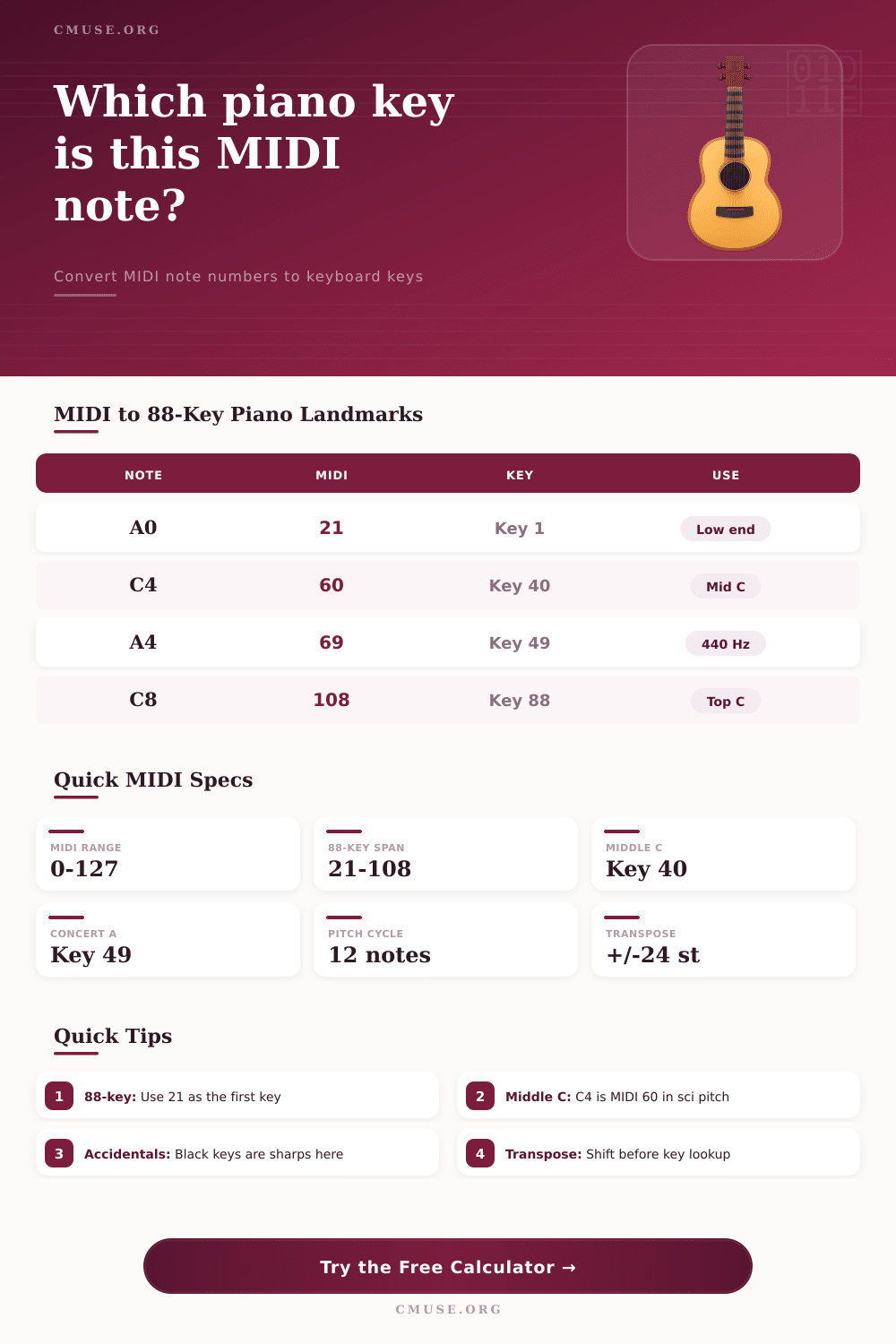
Convert any MIDI note number into its piano key number, note name, octave label, frequency, and keyboard range position.
Conversion Breakdown
| Note | MIDI | 88-Key Number | Frequency | Keyboard Role |
|---|---|---|---|---|
| A0 | 21 | 1 | 27.50 Hz | Lowest standard piano key |
| C1 | 24 | 4 | 32.70 Hz | Low C reference |
| C2 | 36 | 16 | 65.41 Hz | Common small-controller start |
| C3 | 48 | 28 | 130.81 Hz | Lower staff reference |
| C4 | 60 | 40 | 261.63 Hz | Middle C in scientific pitch |
| A4 | 69 | 49 | 440.00 Hz | Concert tuning reference |
| C5 | 72 | 52 | 523.25 Hz | Upper melody register |
| C8 | 108 | 88 | 4186.01 Hz | Highest standard piano key |
| Layout | Typical Range | First MIDI | Last MIDI | C4 Key Number |
|---|---|---|---|---|
| 88-key piano | A0-C8 | 21 | 108 | 40 |
| 76-key keyboard | E1-G7 | 28 | 103 | 33 |
| 73-key stage keyboard | E1-E7 | 28 | 100 | 33 |
| 61-key synth | C2-C7 | 36 | 96 | 25 |
| 49-key controller | C2-C6 | 36 | 84 | 25 |
| 37-key controller | C2-C5 | 36 | 72 | 25 |
| 25-key controller | C3-C5 | 48 | 72 | 13 |
| Item | Formula Or Value | Result Meaning | Example |
|---|---|---|---|
| Final MIDI | Input + transpose | Adjusted note number | 60 + 12 = 72 |
| Key number | MIDI - first + 1 | One-based key position | 60 - 21 + 1 = 40 |
| Frequency | A4 x 2^((n-69)/12) | Equal-tempered pitch | 69 = 440 Hz |
| Octave | floor(n / 12) + offset | Displayed octave label | 60 = C4 |
| Range check | first through last | Keyboard playable status | 21-108 for 88-key |
| MIDI | Scientific | Yamaha-Style | Alternate DAW | Common Name |
|---|---|---|---|---|
| 21 | A0 | A-1 | A1 | Low piano A |
| 36 | C2 | C1 | C3 | Controller low C |
| 48 | C3 | C2 | C4 | 25-key low C |
| 60 | C4 | C3 | C5 | Middle C |
| 69 | A4 | A3 | A5 | Concert A |
| 72 | C5 | C4 | C6 | One octave above middle C |
So you open up a MIDI file and notice it point to a note called number sixty-nine. And it appears to be a stream of random static. Except it isn’t. Number sixty-nine happen to connect directly to the A above middle C. This is what we call A440; it is the accepted worldwide tuning point for A.
Without a guide, you’re out of luck as finding it on an eighty-eight key piano are like hunting in the dark. So you end up searching blindly for what should of be a simple bass note but takes you minutes to count the semitones from middle C.
How to Find Piano Keys Using MIDI Numbers
Where most producers gets stuck is divide between the physical world of keys and digital world of data. If you want to bridge that gap, then it’s about much more than memory. You have to understand how those abstract numerical values translates into something tangible, hammers hitting string.
The issue is that depending on the layout of your keyboard, your MIDI note numbers will be offset. For example, if you’re using a standard piano it begins with A0 (MIDI note twenty-one). However, a small keyboard controller with maybe forty nine keys may not physicaly have same MIDI number. It’s here where the calculator take care of all the math for you. Simply input the keyboard model you’re using and let the calculator do the work, saving you from any counting mistakes that could throw off your whole mix. Just choose the keyboard range you play and type out the note you want to reach, and the calculator will tell you what key it is on your particular instrument; one click instead of potential head-scratcher.
Of equal interest to those who care about acoustic accuracy is what happens on frequency side of this conversion. All the keys on a piano vibrate at different rates and we measure them in Hertz. That rate is then relate to pitch of concert A. Middle C is around two hundred sixty-one Hertz. To follow historical performance practice, shift that reference lower (forty four zero Hertz), and every other note move proportionately. What happens is that the tool know about these variances in tuning, and it adjusts accordingly so that frequency number returned corresponds to how your studio is actualy tuned.
This is why even a small difference in drift matter, because it could make your piano sound out of tune different than a synth track that is locked to digital grid. Another trap is how they label octaves differently on different devices (hardware manufacturers) and computer programs (software brands). On some, middle C is labeled an octave five; on others, it’s three or four. Then if you’re collaborating with other musician or sharing projects in different DAWs, who knows what convention has been used? The calculator eliminates this problem because you can pick whatever convention you want for your particular system. So, you don’t have to un-learn anything about basic music theory; you simply need to know what system your device or software employ, and then you can select from its options.
For studio players jumping from keyboard to keyboard, the range check is likely going to be most useful function in the tool belt. If you’re writing music on a grand piano and intend to play it on a more moddern keyboard with only sixty-one keys, you may find some of your lower note drop off the end of the keyboard. Instantly the calculator highlight those out-of-range notes, allowing you to easly relocate or transpose the note(s) prior to taking to the stage. That way there’s no awkward moment when you hit a note that doesn’t happen to have any sound when you come to play it live on stage. It is a little safety net against a technical meltdown.
To get from midi data to piano keys isn’t just about finding a button, it’s about creating a mental map of the keyboard that fits alongside your digital workflow. When you can place MIDI 60 in physical space, you no longer think in terms of numbers; you think in terms of sound. And when you need to move around the hand positions on the keyboard you want to be aware of how transpose shifts your hand placement. Hand placements is coordinates provided by the calculator; it’s you who brings music. That relationship between the concrete key and the abstract code is what turns a technical lookup into a creative advantage. Once you begin to see the pattern, the numbers starts to make sense on their own.