Streaming Gain Offset Calculator
Work out the LUFS loudness normalization gain Spotify, Apple Music, YouTube and other platforms apply to your master – plus the resulting loudness, true peak and whether the track is turned down, turned up or limited
Full Calculation Breakdown
| Platform | Target LUFS | Peak Ceiling | Positive Gain |
|---|---|---|---|
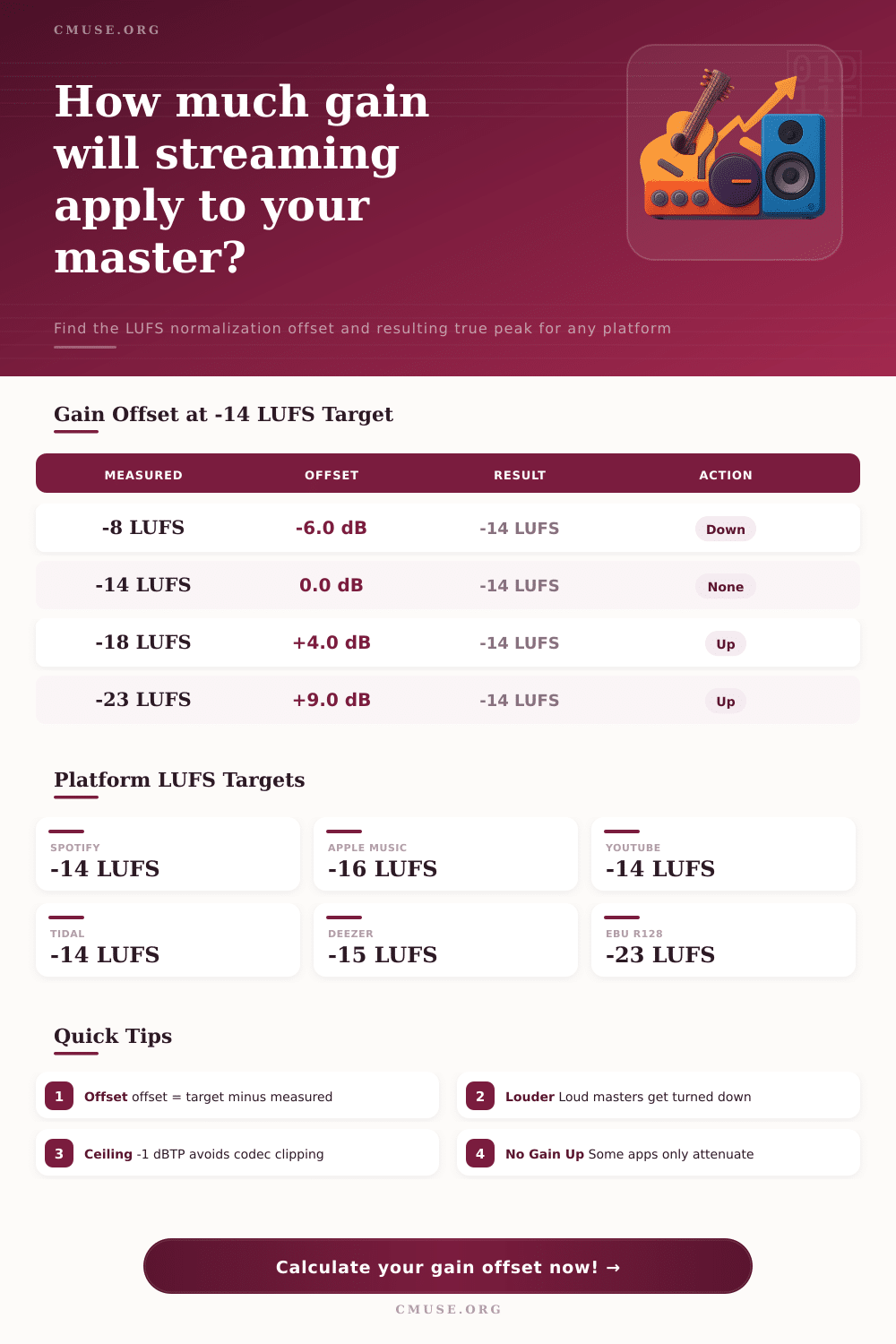
| Spotify | -14 LUFS | -1 dBTP | Optional (off by default) |
| Apple Music | -16 LUFS | -1 dBTP | Yes (Sound Check) |
| YouTube | -14 LUFS | -1 dBTP | No (attenuate only) |
| Amazon Music | -14 LUFS | -2 dBTP | Yes |
| Tidal | -14 LUFS | -1 dBTP | Yes |
| Deezer | -15 LUFS | -1 dBTP | Yes |
| EBU R128 | -23 LUFS | -1 dBTP | Yes |
| Measured | Offset | Resulting | Action |
|---|---|---|---|
| -6 LUFS | -8.0 dB | -14 LUFS | Turned down |
| -8 LUFS | -6.0 dB | -14 LUFS | Turned down |
| -11 LUFS | -3.0 dB | -14 LUFS | Turned down |
| -14 LUFS | 0.0 dB | -14 LUFS | No change |
| -18 LUFS | +4.0 dB | -14 LUFS | Turned up |
| -23 LUFS | +9.0 dB | -14 LUFS | Turned up |
| Platform | Loud Track | Quiet Track | Notes |
|---|---|---|---|
| Spotify | Turned down | Left as is | Gain-up only if user enables |
| Apple Music | Turned down | Turned up | Sound Check both ways |
| YouTube | Turned down | Left as is | Never raises quiet audio |
| Tidal | Turned down | Turned up | Limiter guards peaks |
| Deezer | Turned down | Turned up | Both directions applied |
| Term | Unit | Meaning | Typical |
|---|---|---|---|
| Integrated LUFS | LUFS | Whole-track average loudness | -14 to -9 |
| True Peak | dBTP | Inter-sample peak level | -1 dBTP |
| Gain Offset | dB | target minus measured | -8 to +9 |
| Ceiling | dBTP | Max peak the platform allows | -1 dBTP |
| LRA | LU | Loudness range (dynamics) | 4 to 12 LU |
After spending weeks getting a mix just right, hunting for that extra bit of gloss… You finally upload the file and discover the streaming service had surreptitiously lowered the volume by six decibels. Betrayal! Then you learn about the gears at work.
When you upload your file, the streaming platform isn’t playing it back exactly as-is. Rather, they’re measuring its built-in loudness level relative to some set target and adding a gain offset to match that standard. In other words, every song in your playlist plays at the same volume, no matter how hotly any one of them were mastered.
Understanding Streaming Loudness Rules
This is where the calculation happens. Here’s the calculator: By entering in the values of your true peak and integrated loudness and choosing which service (Spotify/Apple), it calculate the amount of gain applied to your master when it play on that particular platform. That way, you know whether it’s going to be boosted, lowered, or untouched.
But knowing what happens isn’t the whole picture. We also need to know the reason behind the calculation and how it challenge us to rethink our approach to loudness. The loudness war had audio engineers mastering as hotly as they could get away with. In exchange for more volume, they’d lose dynamics. That’s what Loudness Normalization stopped: The game of one-upmanship where a track mastered at negative six was rendered meaningless because someone would master theirs at negative three instead.
By normalizing to a target like Spotify’s negative fourteen LUFS, you lose nothing but create distortion from the underlying codec. A track mastered at a quieter level, say minus eighteen LUFS, risks turning up on other platforms, though how much depends on which platform. Some may boost the sound (positive gain), whereas others doesn’t.
For example, YouTube only attenuates loud tracks and leaves quiet ones alone; Apple Music turns things up or down based off their Sound Check feature so it hits whatever target it has. It’s this difference where the plan comes into play. If you’re mastering for one, don’t forget about the other(s). What works well for loudness on Spotify could be turned down a lot on Apple Music, as they aim for a lower volume. It might also be too quiet if sent to service that doesn’t add any extra volume. Their policies here are laid out nicely in their reference table at the bottom of page. This way you can view which ones will weaken your quiet dynamics and which ones will bring up and realy support them.
Then there are the inter-sample peaks to consider as well. The sample data points happens at specific moments, and the waveform between them can go over zero decibels. That is the distortion known as true peak. Those stealthy peaks can get clipped when a platform processes your file, such as by increasing the gain or encoding it into a lossy codec like AAC. That’s why you always hear about having headroom of -1dBTP. This acts as a buffer from the encoding process. Your pristine master gets sent back to you with nasty digital clipping we cannot fix in mixdown.
You should of already be familiar with your own metrics in order to enter them into the fields. You need a loudness meter to get both an accurate integrated LUFS reading and true peak measurement. Confusion results from guessing here. How does a system that measures everything precisely fly blind if you don’t even know how loud your track actualy is? It’s measuring the exact offset because it assumes you’ve got this info.
Ultimately most engineers fall somewhere in the middle. They mix to about -14 or -15 LUFS to keep some interesting dynamic range. This also keeps the mix from getting turned down on large platforms. It’s a balance between fidelity and impact. You don’t want the mix to be so loud it gets weakened by an overzealous algorithm, but you do want the music to punch through. Transparency of reproduction, not maxing out the volume knob, is the goal.
In conclusion, mastering for streaming is not so much about outwitting the algorithm as it is playing nice with it. We have control over the dynamics and quality of our source material. Volume matching is left to the platform. The gain offset enables us to expect this result instead of stumbling on it after release. It moves the emphasis away from “how loud” to “how does it sound at a constant volume.” Mastering is listening; it’s the math that’s easy.