PPQN Calculator
Convert any note value into MIDI ticks at any PPQN resolution, then find milliseconds per tick, note duration and ticks per second – or reverse a tick count back into milliseconds and beats
Full Calculation Breakdown
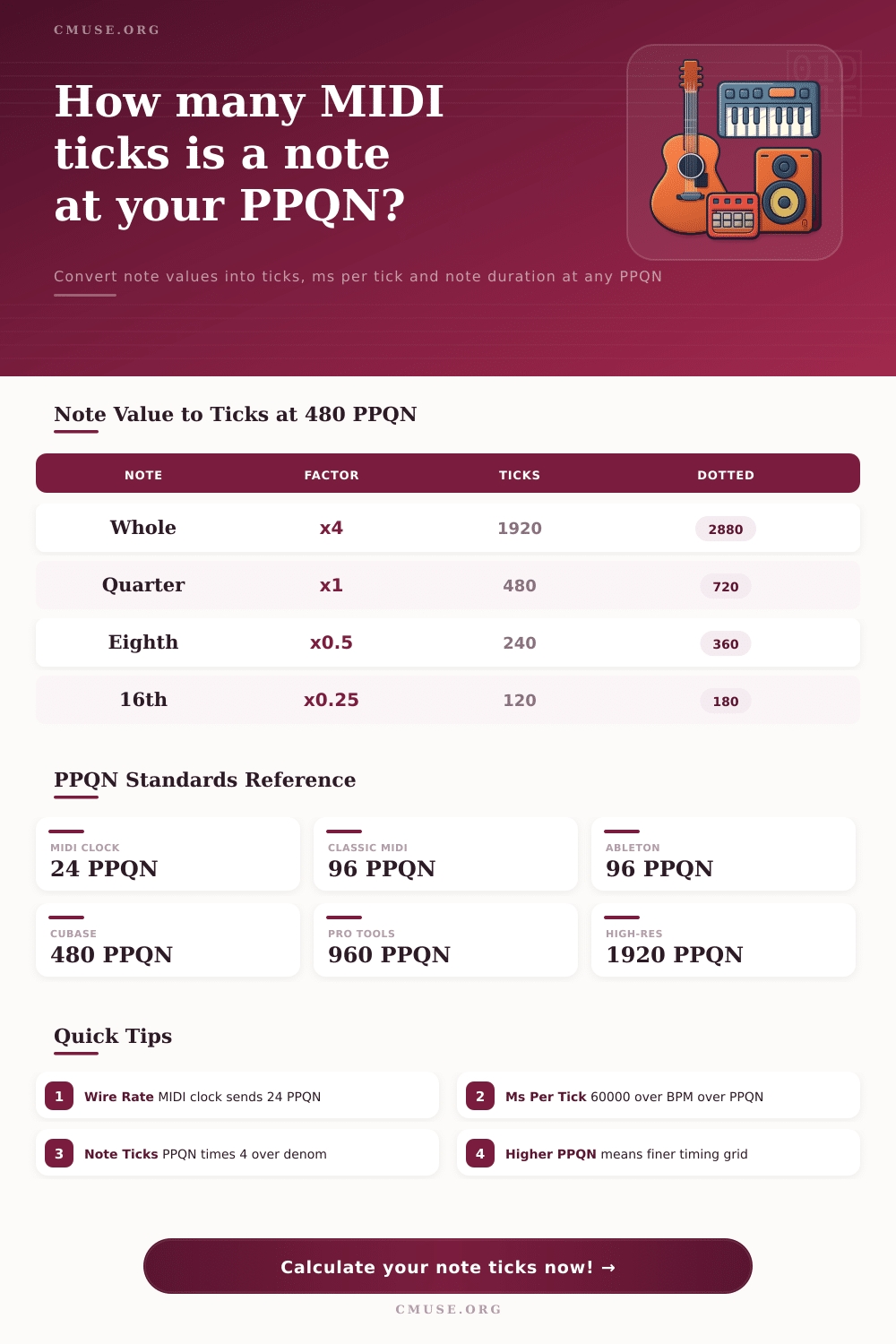
| PPQN | Used By | Min Note Grid | Resolution |
|---|---|---|---|
| 24 | MIDI clock (sync wire) | 1/16 triplet | Coarse |
| 96 | Classic MIDI files, Ableton Live | 1/64 | Standard |
| 192 | Older Logic / GarageBand | 1/128 | Good |
| 480 | Cubase, Studio One, Reaper | 1/256 | High |
| 960 | Pro Tools, FL Studio | 1/512 | Very High |
| 1920 | Modern high-res engines | 1/1024 | Ultra |
| Note Value | Factor 4/den | Ticks | Dotted (×1.5) | Triplet (×2/3) |
|---|---|---|---|---|
| Whole (1/1) | 4.0 | 1920 | 2880 | 1280 |
| Half (1/2) | 2.0 | 960 | 1440 | 640 |
| Quarter (1/4) | 1.0 | 480 | 720 | 320 |
| Eighth (1/8) | 0.5 | 240 | 360 | 160 |
| Sixteenth (1/16) | 0.25 | 120 | 180 | 80 |
| 32nd (1/32) | 0.125 | 60 | 90 | 40 |
| 64th (1/64) | 0.0625 | 30 | 45 | 20 |
| BPM | 24 PPQN | 96 PPQN | 480 PPQN | 960 PPQN |
|---|---|---|---|---|
| 60 | 41.667 ms | 10.417 ms | 2.083 ms | 1.042 ms |
| 90 | 27.778 ms | 6.944 ms | 1.389 ms | 0.694 ms |
| 120 | 20.833 ms | 5.208 ms | 1.042 ms | 0.521 ms |
| 140 | 17.857 ms | 4.464 ms | 0.893 ms | 0.446 ms |
| 174 | 14.368 ms | 3.592 ms | 0.718 ms | 0.359 ms |
| Aspect | MIDI Clock (24) | Common (480) | High-Res (960) |
|---|---|---|---|
| Pulses / quarter | 24 | 480 | 960 |
| Pulses / quarter ratio | 1× | 20× | 40× |
| Ticks per 16th note | 6 | 120 | 240 |
| ms / tick @120 | 20.833 | 1.042 | 0.521 |
You press play, hit record on the beat, play it back and hear it just off the grid. Not that you’re late. The click track is spot on. Your sequencer’s method of measuring time have moved notes in millisecond increments, shifting them away from the grid.
That’s what PPQN is. PPQN stands for Pulses per Quarter Note: the resolution of your digital timeline. How many small steps does a DAW has to split one beat into? That’s how much your groove will sound like it’s moving along either stiffly and precisely or loosely and naturaly. Understanding this metric matter because timing errors are often caused by mismatched resolutions rather than poor performance.
What is PPQN?
To use it, simply choose your note length (perhaps a sixteenth), or maybe just a quarter note. Then pick your tempo, and finally, choose your PPQN (pulses per quarter note). The calculator will do the rest. You’ll see not only how many milliseconds a given note value equals, but how many MIDI ticks it translates to.
That’s helpful if you’re debugging syncing problems. But it can also help you know why something imported into one app sounds different than something else imported into another. Each app have its own internal grid; some default to 96 PPQN, others leap right to 960 to get more precise. The tool fills in that space by showing clearly what any particular note value mean in both ticks and time across these differnt standards.
The majority of folks think more = better when it comes to resolution. Not so. While you will have great detail with a grid that has 1920 pulses per quarter note, you may find yourself with a sterile edit. Your performance might have a rhythm, and snapping each keystroke to an ultra-fine grid take that away.
Alternatively, something like 24 PPQN is too coarse for detailed editing work. This is the kind of resolution found in the raw MIDI clock signal coming out off a cable. It is not enough for intricate drum pattern or runs of sixteenth notes. Each person has to discovers their sweet spot based on the nature of their goal.
Think about your tempo when looking at the milliseconds per tick. A 480 PPQN grid at 120 BPM equates to about a millisecond per tick. Pretty darn accurate for human ear. Bring that to a higher tempo like 174 BPM (common in drum and bass), and suddenly that tick fall below the millisecond mark. At that point, it’s not your ear that’s limiting things, but maybe stability of the clock on whatever equipment you’re using. That page explains it nicely in its table of references. As resolution increases, time intervals gets smaller.
That’s where the maths ends and the real world take over. Moving MIDI files from one program to another with differing default PPQN numbers can cause timing data not to match up exactaly. Open up a MIDI file in 480 PPQN environment and a note that was placed on tick 10 of a 96 PPQN file will have shifted slightly. Therefore, we need to check out what happens under the hood with tick counts. It demystifies the timing drift you occasionally notice when you import a track.
And then there are more complexities such as triplets and dotted notes. These aren’t easily divided by our familiar pairs. A normal quarter note isn’t divided into halves, but rather into triplets or two-thirds (a triplet eighth note). How does it know this? The calculator handles everything automatically, adjusting tick counts based off the modifiers. No need for any mathematical calculations along the way.
How many ticks will a sixteenth take if dotted? That too is easy to see with exact accuracy depending on your desired resolution.
In conclusion, then, PPQN is a measure of time control. It’s the smallest increment that your cursor can move. If you’re trying to edit melodic lines or quantize drums, it becomes a way to control things; you know how fine your grid is without any surprises in timing. You know when the tick falls and it makes things concrete. What feels like an abstract sense of groove becomes a series of numbers.
When your beat feels loose the next time, look at pulse count before assuming you played it wrong. You should of checked the resolution first.