SMPTE Timecode Calculator
Convert HH:MM:SS:FF timecode into total frames and real time at 24, 25, 29.97 drop-frame and 30 fps – or reverse a frame count back into timecode
Full Calculation Breakdown
| Standard / Use | Frame Rate | Drop-Frame? | True Rate |
|---|---|---|---|
| HD / Web Cinema | 23.976 | No | 24000 / 1001 |
| Film | 24 | No | 24.000 |
| PAL / SECAM Video | 25 | No | 25.000 |
| NTSC Broadcast | 29.97 DF | Yes | 30000 / 1001 |
| NTSC Non-Drop | 29.97 NDF | No | 30000 / 1001 |
| Video Non-Drop | 30 | No | 30.000 |
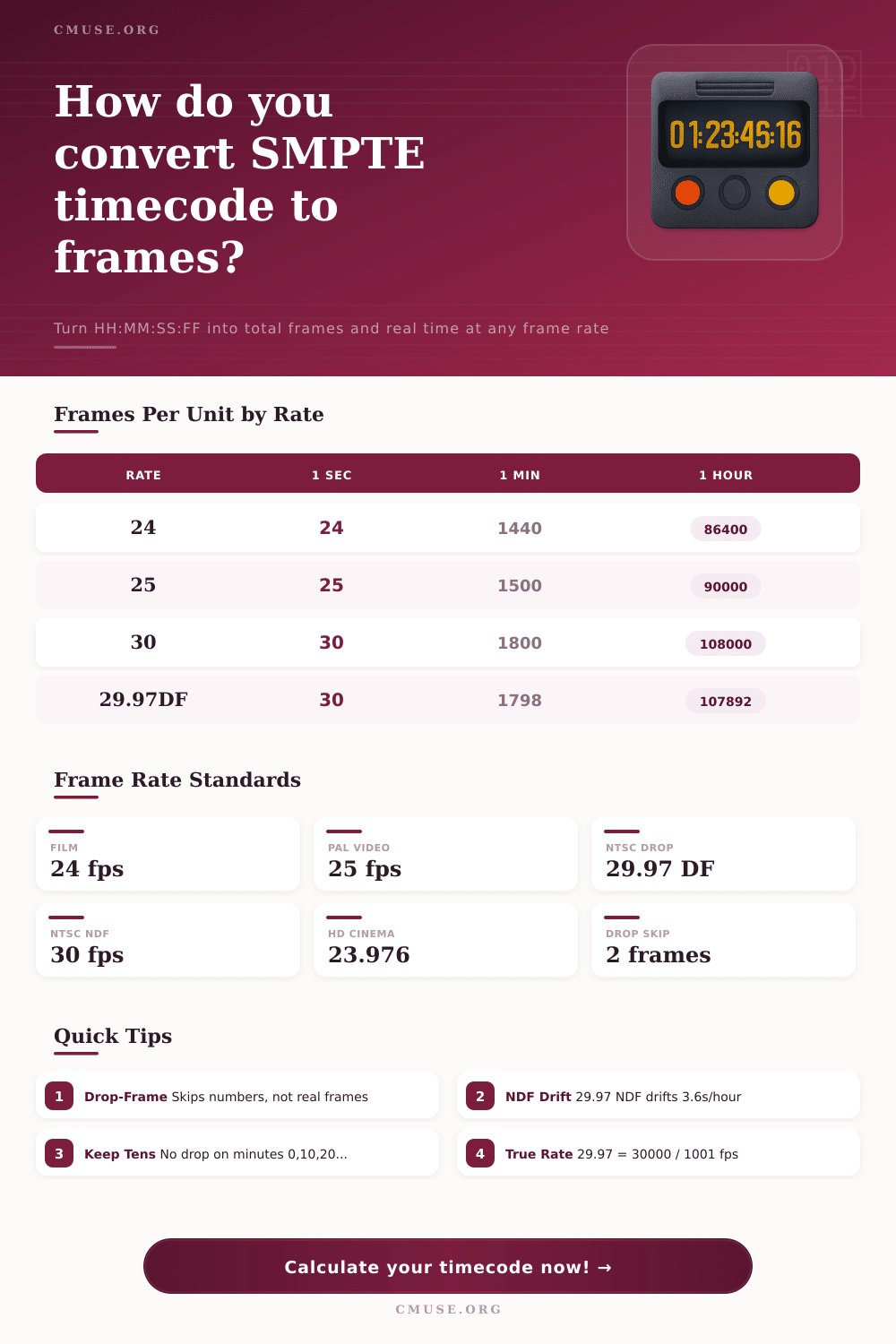
| Frame Rate | 1 Second | 1 Minute | 1 Hour |
|---|---|---|---|
| 23.976 | 24 | 1440 | 86400 |
| 24 | 24 | 1440 | 86400 |
| 25 | 25 | 1500 | 90000 |
| 29.97 NDF (count 30) | 30 | 1800 | 108000 |
| 29.97 DF (clock) | 30 | 1798 | 107892 |
| 30 | 30 | 1800 | 108000 |
| Elapsed | NDF Clock Reads | DF Clock Reads | NDF Drift |
|---|---|---|---|
| 1 minute | 00:00:59.94 | 00:01:00.00 | -0.06 s |
| 10 minutes | 00:09:59.40 | 00:10:00.00 | -0.60 s |
| 30 minutes | 00:29:58.20 | 00:30:00.00 | -1.80 s |
| 1 hour | 00:59:56.40 | 01:00:00.00 | -3.60 s |
| 2 hours | 01:59:52.80 | 02:00:00.00 | -7.20 s |
| Fact | 24 fps | 25 fps | 29.97 / 30 |
|---|---|---|---|
| Region | Cinema | PAL / Europe | NTSC / Americas |
| Frames per sec | 24 | 25 | 29.97 / 30 |
| Max frame number | 23 | 24 | 29 |
| Drop-frame | No | No | DF only |
| Clock-accurate | Yes | Yes | DF only |
Post production presents you with this same dilemma: Audio and Video files gets out of sync. Why? You recorded audio on 30 frame-per-second equipment, and your video on 24 frames a second. Even though it began in lock-step, by the hour mark it’s out of whack.
Why? Because time is a physical measurement of images. The faster the machine counts them, the slower reality get relative to your timeline, until one day you’re so far off that you can’t even remember what it looked like. That’s because we’re talking about color TV on this continent. To broadcast both color and black-and-white signals while not blowing out older sets, networks needed to reduce the frame rate by just enough to include those color signal. So what was precisely 30 frames per second became closer to 29.97 frames per second.
Why Audio and Video Get Out of Sync
It doesn’t sound like much. But over time, this creates a growing difference. Drop-frame timecode is used to compensate for an error that would result in around three and a half seconds’ drift between the timecode clock and actual wall-clock time during an hour. That’s how the math works.
Here is the reason why it works: with drop-frame timecode, no frame are ever deleted from your recorded material. Instead, we just skip some numbers on the frame counter. The numbers 0 and 1 gets skipped whenever the minute number (not the total count) is not a multiple of ten, specifically, within each minute. That way, the timecode always displays as if the clock were ticking exactly like a real clock would.
Non-drop timecode lets you go too far ahead of reality, causing the accumulated drift to be more than seven seconds for a two-hour movie. Dialogue doesn’t sync to lips.
Content for distribution is then divided by its intended platform. Twenty-four frames per second tends towards being more naturaly looking cinematic film. European PAL systems operate on twenty-five. This is tied to their native fifty hertz electrical grid. And if you’re operating in Japan or the Americas, well then you have NTSC standards to contend with. That is the reality of 29.97.
As the table above references, twenty-four and twenty-five are nice round numbers. Thirty however is nearly always some fraction number out in the real world. Multiplying by 30 sounds like an easy conversion to most editors. After all, if you’re shooting at thirty fps then one min = one thousand eight hundred frames, right? Right, except for clock accuracy and non-drop counting. One thousand seven hundred ninety-eight counted frame is the correct number for one minute at twenty-nine point nine seven drop-frame. (Why? Because those are the frame counts that have been omitted from the counter.) Because those are the counted numbers that has been skipped.)
When you transfer media or try to sync with external audio recorders, this becomes important. If you enter non-drop values into a device that’s expecting drop-frame, each hour of footage will throw your sync point out of whack. And the error will compound in silence until it cause a cut to land on the incorrect frame.
So in some ways, thinking of timecode not simply as a form of timestamp but a language is helpful. It’s describing a series of events… The capture of the content, and its intended location for playback. Entering those values (hours, minutes, seconds, frames) into the calculator means you’re requesting that it translate that narrative into an absolute frame count. That absolute count is all that actualy matters when it comes to cutting accurately and storing. From there, you’ll have a way to remap that same frame count to anything else, keeping no loss of data.
And that’s where the drift calculation shows the separation. It is how many seconds your timecode differs from a normal clock. Precision is what separates amateur edits from professional deliverables. It may look like nothing to an untrained eye, but it’s the difference of a few frames where the audio and video have drifted out of sync on a lengthy take. Whether you are working with a documentary interview or wrapping up a feature film, knowing if you need a drop frame adjustment ahead of time saves you a headache later.
What the numbers represent on-screen is a marker, but the distance between the marks and reality is the area of creation. Keeping them aligned means seeing what actualy happened at the time.