Dynamic Range Bit Depth Calculator
Estimate theoretical PCM dynamic range, usable range after headroom and noise, required bit depth, quantization noise, and uncompressed session size.
Preset use: Load a common recording, mastering, post, or archive format, then adjust peak level, noise floor, dither, channel count, sample rate, and duration.
Calculation Breakdown
| Bit Depth | Ideal Dynamic Range | Common Audio Use | Stereo 48 kHz Data Rate |
|---|---|---|---|
| 8 bit | 49.9 dB | Legacy sampler texture, not clean capture | 0.77 Mb/s |
| 12 bit | 74.0 dB | Vintage drum machines and lo-fi converters | 1.15 Mb/s |
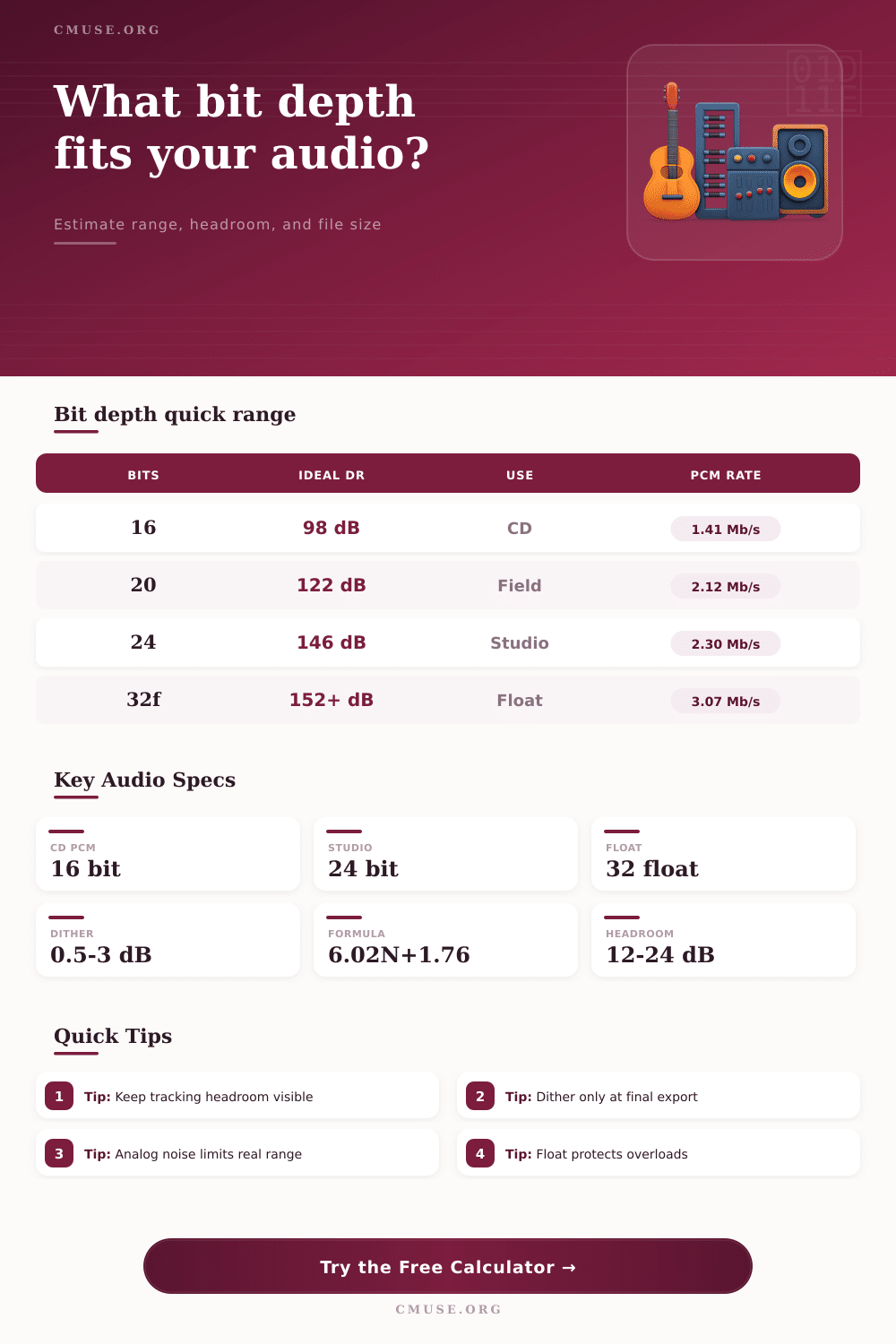
| 16 bit | 98.1 dB | CD delivery, podcasts, finished consumer PCM | 1.54 Mb/s |
| 20 bit | 122.2 dB | Older pro recorders and field transfer formats | 1.92 Mb/s |
| 24 bit | 146.2 dB | Modern tracking, mixing, mastering exchange | 2.30 Mb/s |
| 32 bit float | 152+ dB practical | Wide capture headroom with 24 bit mantissa precision | 3.07 Mb/s |
| Mode | Range Adjustment | Best Use | Calculation Note |
|---|---|---|---|
| None | 0.0 dB | Intermediate high-bit files | No dither penalty added |
| Flat TPDF | -1.0 dB | Final integer export | Adds low noise to decorrelate truncation distortion |
| Noise shaped | +2.0 dB | 16 bit music delivery | Moves more noise away from sensitive midband hearing |
| Heavy margin | -3.0 dB | Repeated processing or sample conversion | Allows extra conservatism for chained operations |
| Session Type | Format | Channels | 10 Minute Size |
|---|---|---|---|
| CD stereo print | 44.1 kHz / 16 bit | 2 | 101 MB |
| Studio stereo mix | 48 kHz / 24 bit | 2 | 173 MB |
| Film stem set | 48 kHz / 24 bit | 8 | 691 MB |
| High-res archive | 96 kHz / 24 bit | 2 | 346 MB |
| Float field capture | 48 kHz / 32 float | 2 | 230 MB |
| Work Type | Typical Peak Target | Useful Noise Goal | Bit Depth Fit |
|---|---|---|---|
| Podcast edit | -6 to -3 dBFS | -70 dBFS or lower | 16 bit is usually enough after processing |
| Music tracking | -18 to -10 dBFS | -95 dBFS or lower | 24 bit leaves comfortable record headroom |
| Classical capture | -24 to -12 dBFS | -110 dBFS or lower | 24 bit protects very wide performance swings |
| Field recorder | -30 to -6 dBFS | -100 dBFS or lower | 32 float helps when peaks are unpredictable |
| Final CD export | -1 to -0.3 dBFS | Dithered render | 16 bit delivery after final dither |
Bit depth is a measurement that is used in the digital recording of audio, and it help determine the theoretical dynamic range of that recording. While dynamic range may not be something that you consider when you are recording your audio files, bit depth is a consideration that is necessary to ensure that your recording’s signal is clear and that the noise floor dont interfere with the audio file that is created during the recording session. This calculator tool will assist you in calculating your necessary bit depth requirement based off your current noise floor measurements, the headroom that you wish to use in your recording session, and the dynamic range that you require for your project.
Bit depth measurement provide six decibels of theoretical dynamic range for each additional bit within that measurement. While the theoretical dynamic range of your bit depth is one of the factors to consider in the recording of your audio files, there are other factor, as well. For example, audio files contains analog noise that was created during the recording session with the microphone, preamps, and the room in which the audio was recorded.
Choose the Right Bit Depth for Clear Audio
The level of that noise can have a significant impact upon the benefits of the bits within that bit depth measurement; if the analog noise is louder than the quantization floor of the bit depth measurement, then the added bits within that depth will not provide benefit to the audio recording. The calculator allow you to view these two measurement next to one another to determine if your bit depth will actualy provide benefit to your audio recording. Headroom is the amount of space that is left unused beneath the maximum level of digital numbers that are used during recording; headroom is used to prevent clipping of the signal.
Engineers typically utilize between twelve and twenty-four decibels of headroom. However, the use of headroom reduces the dynamic range of audio that can be utilized during recording. Thus, the calculator will subtract the headroom that you utilize from the total dynamic range that can be achieved during recording; the calculator utilize this headroom to show how much dynamic range will remain after headroom is accounted for.
If the range that is calculated after accounting for headroom is less than the range that is required for the project, the calculator will determine the number of additional bit that are required to achieve the target dynamic range. Dither is a form of noise that is added to a digital signal if you are to reduce its bit depth (for example, from 24-bit audio to 16-bit audio). By reducing the bit depth of a file without any form of dithering, low-level distortion will be created.
By adding dithering to the audio file, that distortion can be eliminated. Thus, adding dither will slightly reduce the dynamic range of the file; the calculator accounts for this reduction in dynamic range to provide a true figure for the dynamic range of your audio file when it is exported from your computer. Finally, storage space is another consideration in the recording of audio files.
The larger the sample rate and the number of channels in an audio file, the more larger the size of the audio file. Thus, the calculator will calculate bit depth, sample rate, number of channels, and length of the audio files to determine the size of the audio file. It is recommended that you utilize this calculator to determine the size of your audio file, as the size of the file will help to determine the storage space that will be required for your audio file.
The calculation of file size will show the cost of your choices downstream in the recording session. Reference tables are provided for assisting you in the decision of which audio file format to utilize. These tables list the theoretical dynamic range for various bit depths, as well as the data rate for 48 kilohertz stereo files.
For example, 24-bit files will contain more decibels of dynamic range then 16-bit audio files. However, 24-bit audio files will contain more data. Thus, the tables allow you to determine if the dynamic range of the file is beneficial to your recording environment.
The limiting factor in audio recordings is the analog noise floor of the signal, not the bit depth of the audio converter that is used to create the digital audio files. For example, many preamps will provide over 100 decibels of range, meaning that the range of the analog audio signal is greater than that provided by files that utilize 16-bit audio sample. While the audio noise calculator will not be able to determine the level of noise that may be created by your recording area or microphone, it will calculate whether or not your bit depth will be sufficient to contain that analog noise.
Yet another consideration is the bit depth of your audio recording. You should not select a bit depth for your files that is greater than the weakest link in your signal chain. If the analog noise floor of your signal is the weakest link in that signal chain, adding more bits will not benefit your audio recording; it will only create larger files.
Thus, unless you have a specific reason to increase bit depth beyond what is necessary (for instance, to provide “insurance” against digital audio file mistake that may occur during later editing), it is best to utilize the lowest bit depth necessary for your project. The audio noise floor calculator will perform all of the mathematics necessary to calculate your bit depth requirement; you will not have to remember the six decibel rule regarding bit depth and dynamic range, for instance. The calculator will allow you to determine if your bit depth is sufficient for your projects, and it will allow you to determine if you need to change your bit depth setting prior to the beginning of your recording session.