DIP Switch DMX Address Calculator
Build a 9-bit DIP switch address, check the fixture footprint inside a 512-channel universe, find the next address, and spot patch conflicts before you climb the ladder.
🎚 Lighting Fixture Presets
🎛 Address and Patch Inputs
🔢 9-Bit DIP Switch Bank
📊 DMX Spec Grid
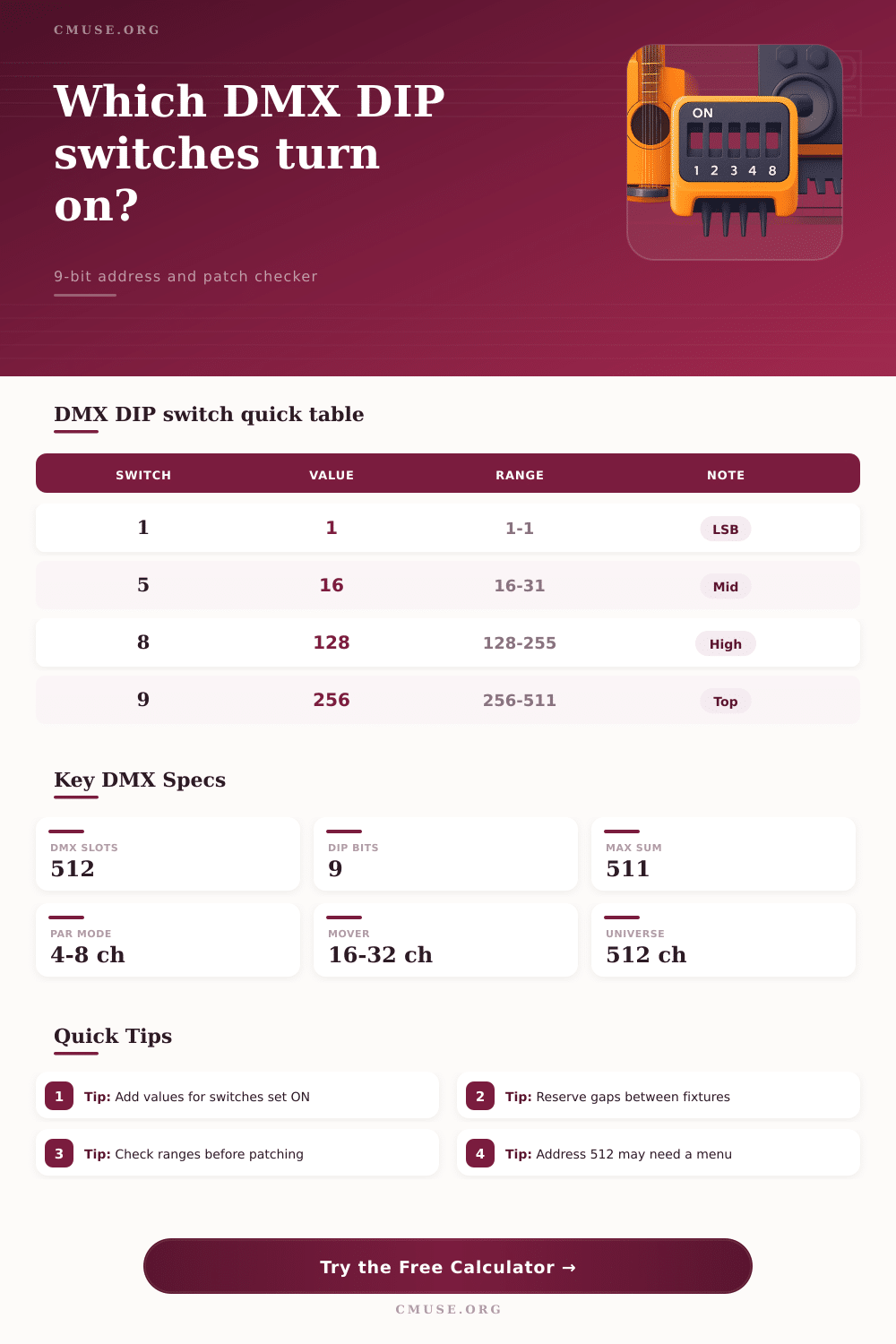
🔢 DIP Switch Binary Weight Table
| DIP Switch | Binary Value | Binary Bit | Typical Use |
|---|---|---|---|
| Switch 1 | 1 | 2^0 | Odd addresses and final one-channel correction |
| Switch 2 | 2 | 2^1 | Adds two channels to the address sum |
| Switch 3 | 4 | 2^2 | Common in 4-channel dimmer or RGB modes |
| Switch 4 | 8 | 2^3 | Pairs neatly with small LED PAR footprints |
| Switch 5 | 16 | 2^4 | Useful starting point for compact movers |
| Switch 6 | 32 | 2^5 | Common patch step for 16-channel fixtures |
| Switch 7 | 64 | 2^6 | Quarter-universe style address block |
| Switch 8 | 128 | 2^7 | Halfway into a 256-channel patch region |
| Switch 9 | 256 | 2^8 | Upper half of a DMX512 universe |
💡 Fixture Footprint Reference
| Fixture Type | Common Footprint | Example Channels | Patch Note |
|---|---|---|---|
| Single dimmer or relay | 1 channel | Intensity | Can land at channel 512 if no DIP limit blocks it |
| RGB LED fixture | 3 to 4 channels | Red, green, blue, dimmer | Patch in exact mode order from the fixture manual |
| RGBAWUV LED PAR | 6 to 8 channels | Color, dimmer, strobe | Leave room for mode changes when touring |
| Moving wash or spot | 14 to 24 channels | Pan, tilt, color, gobo | Coarse and fine pan/tilt pairs use extra slots |
| Pixel bar or batten | 12 to 60 channels | Cell colors and macros | Large pixel modes cross universe limits quickly |
| Media server layer | 20 to 40 channels | Layer, clip, effects | Use documentation before assigning next address |
📝 Patch Planning Table
| Planning Situation | Input to Watch | Good Result | Conflict Result |
|---|---|---|---|
| One fixture address | Start address and footprint | End channel stays at or below 512 | End channel exceeds 512 |
| Several identical fixtures | Quantity, footprint, and gap | Block range fits in the universe | Block spills past channel 512 |
| Comparing an old patch | Existing start and footprint | Ranges do not overlap | Any channel is shared by both blocks |
| Checking a DIP bank | Switch source and method | Binary sum matches the intended address | Switch sum points to a different address |
| Address 512 | Direct or offset method | Offset can represent 512 as sum 511 | Direct 9-bit DIP cannot sum to 512 |
🎭 Common Lighting Preset Outcomes
| Preset | Start | Footprint | Range Result |
|---|---|---|---|
| RGBWAUV PAR | 1 | 7 channels | Universe 1, channels 1-7 |
| LED Wash Bar x4 | 17 | 11 channels each | Universe 1, channels 17-63 with gaps |
| Mini Moving Spot x2 | 49 | 16 channels each | Universe 1, channels 49-82 with gaps |
| Touring Hazer | 241 | 6 channels | Universe 1, channels 241-246 |
| Pixel Tube Driver | 321 | 24 channels | Universe 2, channels 321-344 |
| House Light Relay | 512 | 1 channel | Universe 2, channel 512 only |
Setting a DMX address correctly is an necessary task. If the address set on the lighting fixture dont match the address assigned in the lighting console, the lighting fixtures will responds to the wrong channels. A DIP switch DMX address calculator is a tool that will help you to avoid setting the wrong address on your lighting fixtures.
The DIP switch DMX address calculator will convert your desired start address to the appropriate setting of the DIP switches on your lighting fixtures. Additionally, the tool will ensure that your lighting fixtures use no more than 512 channels available in a single DMX universe. Most lighting fixtures uses a bank of nine DIP switches to set the DMX address of the lighting fixture.
How to Use a DIP Switch DMX Address Calculator
Nine DIP switches can represent a DMX address of every number between 1 and 511. Each DIP switch has a fixed value of 1 or 0. The address of the lighting fixture is the sum of the values of each DIP switch that is in the on position.
A DIP switch DMX address calculator can make this calculation for you. All you have to do is enter the address that you want your lighting fixture to use. The calculator will show you which DIP switches you need to turn on to achieve that address for your lighting fixture.
Make sure to use the correct addressing method in the tool. Depending on the lighting fixture, the DIP switches can add up to the address of the lighting fixture, or the total of the DIP switches can be the offset of the address. Using the wrong addressing method can result in incorrect assignment of your lighting fixture to the wrong channel.
The footprint of a lighting fixture is the number of DMX channels that the lighting fixture use. Most lighting fixtures use more than one DMX channel. For example, RGB PAR lights use seven channels each.
Moving lights use sixteen or more channels. The DMX address calculator allows you to multiply the footprint of a lighting fixture by the number of lighting fixtures you have. This will give you the total number of DMX channels that all the lighting fixtures will use.
If you use too many lighting fixtures, the tool will warn you that you will exceed the 512 available DMX channels. In such a situation, you will have to purchase more DMX universes or reduce the number of lighting fixtures in your installation. A DMX universe is a single network of DMX addresses with 512 channels.
If you try to use over 512 channels, you will have to purchase more DMX universes. The DIP switch DMX address calculator will allow you to track which DMX universe each group of lighting fixtures belongs to. The tool will also show you the next available address for DMX channels after the last lighting fixture in your network.
This is useful for knowing where to place the next lighting fixture in your installation. You can also use the DIP switch DMX address calculator to leave empty channels between your lighting fixtures. Leaving empty channels between lighting fixtures will allow you to add another lighting fixture in the future without having to change the addresses of the other lighting fixtures in your show.
Not all lighting equipment has the same footprint or uses the same addressing modes. For example, you may have LED battens, moving lights, and relay packs in your lighting installation. Each of these lighting fixtures will use a different number of DMX channels.
The DIP switch DMX address calculator will allow you to input different lighting fixture presets into the tool. This will show you the number of DMX channels that each lighting fixture will use. For example, a six-channel hazer will use six channels and a twenty-four channel pixel driver will use twenty-four channels.
As you can see, the twenty-four-channel pixel driver will use up the DMX channels in your universe much more faster than the six-channel hazer. If you are adding lighting fixtures to a network that already has lighting fixtures on it, you should use the conflict check feature of the DIP switch DMX address calculator. You will have to enter the start address and the footprint for each lighting fixture that is already on the network into the calculator.
Once you have entered the footprint and start address of all the existing lighting fixtures, you can enter the footprint and start address of the lighting fixtures you are adding. If there is an overlap between the existing and new lighting fixtures, the DIP switch DMX address calculator will warn you about the overlap. An overlap between two lighting fixtures will cause them to behave unpredictably.
It is better to find the overlap with the DIP switch DMX address calculator than to find it while you are performing your lighting show. The highest address that can be sent through a bank of nine DIP switches is 511. This makes 512 very difficult to reach.
Some lighting fixtures will require that you set a menu option to 512, but most lighting technicians will leave this address empty to avoid the difficulty of reaching it with the nine DIP switches. A DIP switch DMX address calculator will show you these limitations of a bank of nine DIP switches. The manuals that come with lighting fixtures will have tables that show the DIP switch settings for each address.
These tables can be confusing if the lighting fixture manual and the lighting console use different addressing methods. The DIP switch DMX address calculator will allow you to select the addressing method that matches your lighting fixture. All you have to do is enter the desired address of your lighting fixture.
Select the correct addressing method for your lighting fixture. The tool will show you the DIP switch pattern that your lighting fixture should use and the channel range that it will use. Treat the footprint of each lighting fixture as a block of channels that has been reserved for that lighting fixture.
Leave a small gap of two or three channels between each lighting fixture. This will allow for the insertion of another lighting fixture into the network without having to change the addresses of the other lighting fixtures in your installation. You should of checked the manual first.
It actually helps alot when your setting up the system. Dont forget the lights’ brightness levels too. Youll need to make sure the moddern equipment is working correctly.
Based off what we seen, it is more easier to setup if you are careful.