LFO Rate Calculator
Convert BPM sync divisions, free-running Hz, milliseconds, phase degrees, dotted timing, triplet timing, MIDI ticks, and sample offsets for modulation design.
🎛 Named Modulation Presets
⚙ LFO Inputs
Sync mode turns BPM and note division into one LFO cycle. Free mode starts from Hz and back-calculates cycle time, equivalent rhythmic spacing, phase offset, samples, and MIDI ticks.
Alternate divisions at the current BPM
| Division | Straight Hz | Dotted Hz | Triplet Hz | Straight ms |
|---|
📊 LFO Formula Spec Grid
🔀 Comparison and Spec Grid
Best when filter, pan, or wavetable movement must land on bars, beats, or note values.
Best for vibrato, tremolo, and texture movement that should drift against the grid.
Lengthens the division for a syncopated pull that often works well on delays and filters.
Compresses the division for rolling movement, shuffle-compatible pulses, and fast rhythmic motion.
📝 Note Division Reference Table
| Division | Quarter Units | 120 BPM Straight | 120 BPM Dotted | 120 BPM Triplet |
|---|---|---|---|---|
| 8 bars | 32.000 quarters | 16000.00 ms / 0.0625 Hz | 24000.00 ms / 0.0417 Hz | 10666.67 ms / 0.0938 Hz |
| 4 bars | 16.000 quarters | 8000.00 ms / 0.1250 Hz | 12000.00 ms / 0.0833 Hz | 5333.33 ms / 0.1875 Hz |
| 2 bars | 8.000 quarters | 4000.00 ms / 0.2500 Hz | 6000.00 ms / 0.1667 Hz | 2666.67 ms / 0.3750 Hz |
| 1 bar | 4.000 quarters | 2000.00 ms / 0.5000 Hz | 3000.00 ms / 0.3333 Hz | 1333.33 ms / 0.7500 Hz |
| 1/2 note | 2.000 quarters | 1000.00 ms / 1.0000 Hz | 1500.00 ms / 0.6667 Hz | 666.67 ms / 1.5000 Hz |
| 1/4 note | 1.000 quarter | 500.00 ms / 2.0000 Hz | 750.00 ms / 1.3333 Hz | 333.33 ms / 3.0000 Hz |
| 1/8 note | 0.500 quarters | 250.00 ms / 4.0000 Hz | 375.00 ms / 2.6667 Hz | 166.67 ms / 6.0000 Hz |
| 1/16 note | 0.250 quarters | 125.00 ms / 8.0000 Hz | 187.50 ms / 5.3333 Hz | 83.33 ms / 12.0000 Hz |
⏱ BPM Sync Timing Table
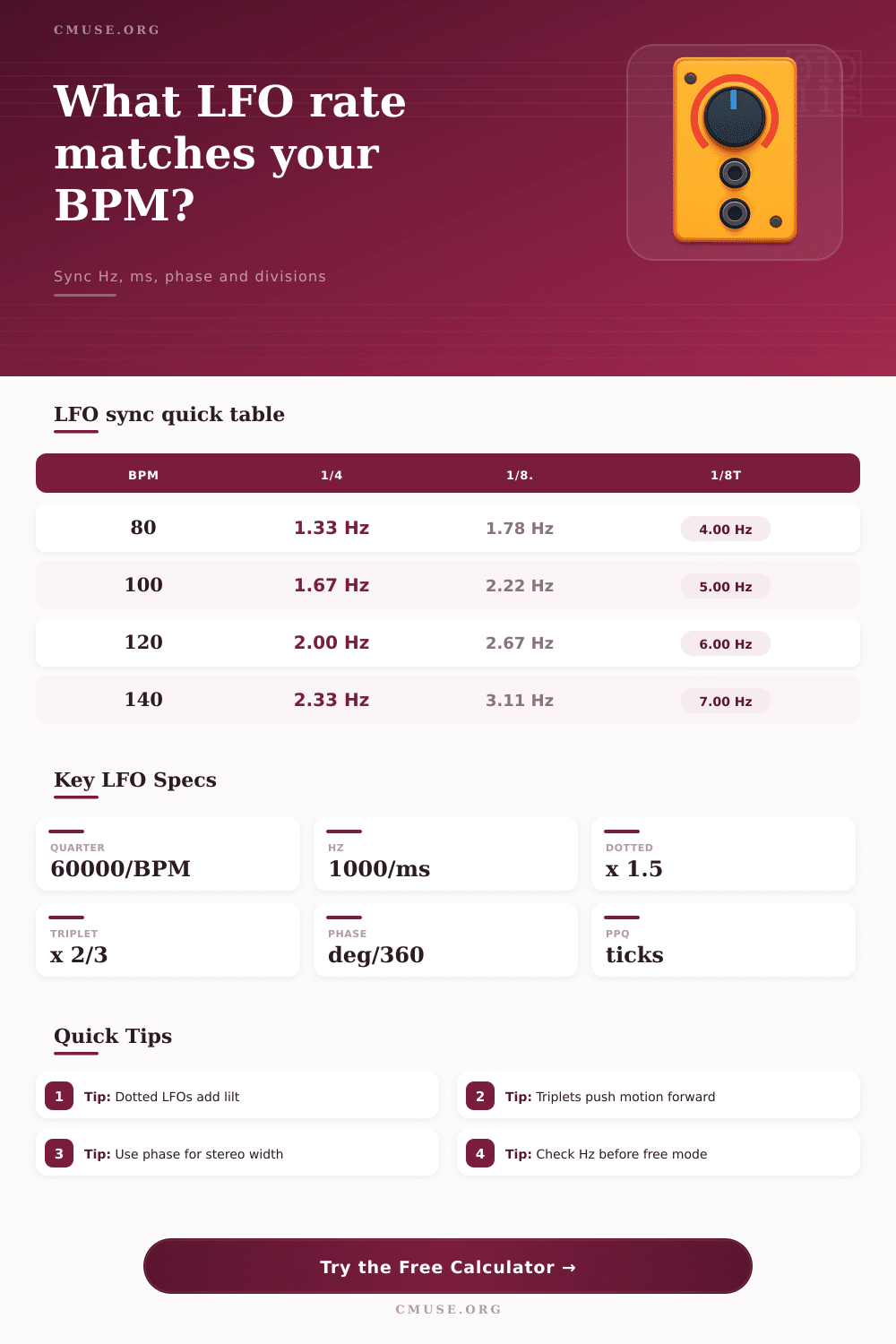
| BPM | 1 Bar Hz | 1/4 Hz | 1/8 Dotted Hz | 1/8 Triplet Hz |
|---|---|---|---|---|
| 60 BPM | 0.2500 Hz | 1.0000 Hz | 1.3333 Hz | 3.0000 Hz |
| 80 BPM | 0.3333 Hz | 1.3333 Hz | 1.7778 Hz | 4.0000 Hz |
| 100 BPM | 0.4167 Hz | 1.6667 Hz | 2.2222 Hz | 5.0000 Hz |
| 120 BPM | 0.5000 Hz | 2.0000 Hz | 2.6667 Hz | 6.0000 Hz |
| 128 BPM | 0.5333 Hz | 2.1333 Hz | 2.8444 Hz | 6.4000 Hz |
| 140 BPM | 0.5833 Hz | 2.3333 Hz | 3.1111 Hz | 7.0000 Hz |
| 174 BPM | 0.7250 Hz | 2.9000 Hz | 3.8667 Hz | 8.7000 Hz |
🎚 Modulation Target Table
| Target | Slow Range | Rhythmic Range | Fast Range | Practical Note |
|---|---|---|---|---|
| Filter cutoff | 0.03 to 0.5 Hz | 0.5 to 8 Hz | 8 to 20 Hz | Slow sweeps feel like arrangement motion; beat divisions create pulse. |
| Stereo pan | 0.05 to 0.25 Hz | 0.25 to 6 Hz | 6 to 12 Hz | Use phase offsets for stereo spread and mono-safe motion. |
| Pitch vibrato | 0.5 to 3 Hz | 3 to 7 Hz | 7 to 12 Hz | Many natural vibrato rates sit near 5 to 7 Hz. |
| Amplitude tremolo | 0.25 to 2 Hz | 2 to 10 Hz | 10 to 20 Hz | Square and sine shapes change perceived groove at the same rate. |
| Wavetable position | 0.02 to 0.5 Hz | 0.5 to 6 Hz | 6 to 16 Hz | Long divisions help evolving pads; fast values create animated timbre. |
| Delay feedback | 0.02 to 0.25 Hz | 0.25 to 4 Hz | 4 to 10 Hz | Dotted and triplet LFOs can separate feedback motion from delay repeats. |
◷ Phase Offset Table
| Phase | Cycle Fraction | 1 Hz Offset | 2 Hz Offset | Use Case |
|---|---|---|---|---|
| 0° | 0.000 cycle | 0 ms | 0 ms | Locked left and right or source and destination motion. |
| 45° | 0.125 cycle | 125 ms | 62.5 ms | Small push for width while keeping motion related. |
| 90° | 0.250 cycle | 250 ms | 125 ms | Classic quadrature offset for stereo or layered modulation. |
| 180° | 0.500 cycle | 500 ms | 250 ms | Opposite movement, useful for pan or filter cross-motion. |
| 270° | 0.750 cycle | 750 ms | 375 ms | Late-cycle movement for reverse-feeling modulation pairs. |
| 360° | 1.000 cycle | 1000 ms | 500 ms | One complete cycle, equivalent to returning to zero phase. |
💾 Samples and MIDI Tick Table
| Rate / Division | Cycle Time | 48 kHz Samples | 960 PPQ Ticks at 120 | 90° Phase |
|---|---|---|---|---|
| 0.25 Hz | 4000.00 ms | 192000 samples | 7680 ticks | 1000.00 ms |
| 0.5 Hz / 1 bar | 2000.00 ms | 96000 samples | 3840 ticks | 500.00 ms |
| 1 Hz / 1/2 | 1000.00 ms | 48000 samples | 1920 ticks | 250.00 ms |
| 2 Hz / 1/4 | 500.00 ms | 24000 samples | 960 ticks | 125.00 ms |
| 4 Hz / 1/8 | 250.00 ms | 12000 samples | 480 ticks | 62.50 ms |
| 6 Hz / 1/8T | 166.67 ms | 8000 samples | 320 ticks | 41.67 ms |
Low-frequency oscillators is used to change the texture of a sound. The way in which an LFO change the texture of a sound can often be difficult to notice until the timing of the LFO become incorrect. If the movement of the LFO occur too early or too late behind the beat, the musician will notice this incorrectly timed movement of the LFO.
The rate at which the LFO move must be set to an apropriate rate for the sounds that is to be created. Additionally, each musical division are associated with a certain amount of time, so the musician must be aware of these divisions to ensure that the rate is appropriately set for the sound that is to be created. The tempo of the song are the foundation of all LFO setting.
How to Set LFO Speed and Timing
The tempo of the song create the duration of each musical note that is played in the song. For instance, an quarter note at 120 BPM will last for exactly half a second. Each musical division have a certain amount of time, and each of these time division will have a certain amount of duration based off the tempo of the song.
A calculator will allow the musician to enter the tempo of the song that will be played and the division of the musical element that are to be spanned by the LFO. The calculator will automatically calculate the mathematical conversions of these divisions to time. It is helpful for calculating these times in one’s head, but it is necessary to understand why one division is chosen over another.
For example, a sweep of one bar of filter on a sound may be perceived as slow, but if that bar is divided into eight sweeps instead of one, the LFO will create a pulsing sound that interact with other elements of the song, such as the drums. Both dotted and triplet option are offered for the divisions of the musical elements. Each of these options create a certain type of division of time that is played in the song.
For instance, if an LFO is set to a division of dotted eighth notes, each cycle of the LFO will be created in a way that creates a slight push of the sound. Additionally, if the LFO is divided into triplets instead of divisions, the sound will roll forward instead of landing on each musical accent. Each of these time divisions can be made very clear when controlled parameters is ones that are noticeable in each musical element.
Each of these small shift in time will become noticeable when the sound is played against a steady beat. Phase offset is another setting for the LFO that can be used once the musician has established the rate of the LFO. Phase offset allow each of the LFOs to move at the same rate, but have a shift in the time at which each reaches its peak.
This phase offset is important for sounds that use two LFOs, as well as for providing each of the sound’s left and right channel with a distinct sound. The phase offset can be established in milliseconds and in samples, as it will calculate each in relation to the degree value that is entered by the musician. The musician must make a decision as to whether each LFO should move in the same direction along the sound, or if one should move in opposition to the other.
Free-running rate are established outside of the musical grid. Free-running rates are useful for elements like vibrato setting, as well as for slow-evolving textures in the sound. Additionally, because the free-running rates do not lock into the tempo of the song, the rates will drift against the beat.
This drift against the beat can either be another helpful feature for creating the desired sound, or it can be a problem in creating the sound that is required of the patch. The target of the LFO impact the way that each rate of the LFO is felt by the listener of the song. For instance, using the LFO to modulate the pitch of a sound at five hertz will create the perception of natural vibrato by the listener.
However, modulating the pitch of a filter at five hertz will create the perception of rapid stuttering of the sound. Additionally, changes in amplitude of the sound will be more easily heard by the listeners than changes in pitch. In each instance, the tables will provide examples of the different rate for each target, but the musician should make the final decision of the rate of the LFO by listening to the resulting sound.
There are some common mistake that can be made in the utilization of LFOs. Both of these mistake relate to only two habits of the musicians. The first mistake is of never changing the rate of the LFO after the patch is saved.
The tempo of the song can change, the arrangement of songs can change, and other element of the mix can change. The second common mistake is of setting the division of the LFO based upon its visual appearance in the grid. While this may look good when viewed on the screen, it may appear to be noisily when played within the song.
You should start with your musical intention for the sound rather than the settings of the LFO parameter. For instance, you may want the LFO movement to be part of the groove of the song, you may want it to be an independent element of the song, or it may be a transformation of the sound over many bar. Once you establish your musical intention for the LFO movement, you can establish each of the divisions that create the desired sound.
In other words, the numbers is important to the sound that is created, but they are only useful after you have established your musical intention for the LFO parameters.