Jazz Chord Calculator
Build real tertian jazz chords, choose extensions and alterations, compare chord-scale options, and estimate voicing density for piano, guitar, horns, or arranging.
🎹 Named Jazz Presets
🎼 Chord Inputs
Chord Analysis Breakdown
📌 Jazz Chord Spec Grid
📊 Chord-Scale Options
| Chord Type | Core Formula | Common Scale | Best Color Tones |
|---|---|---|---|
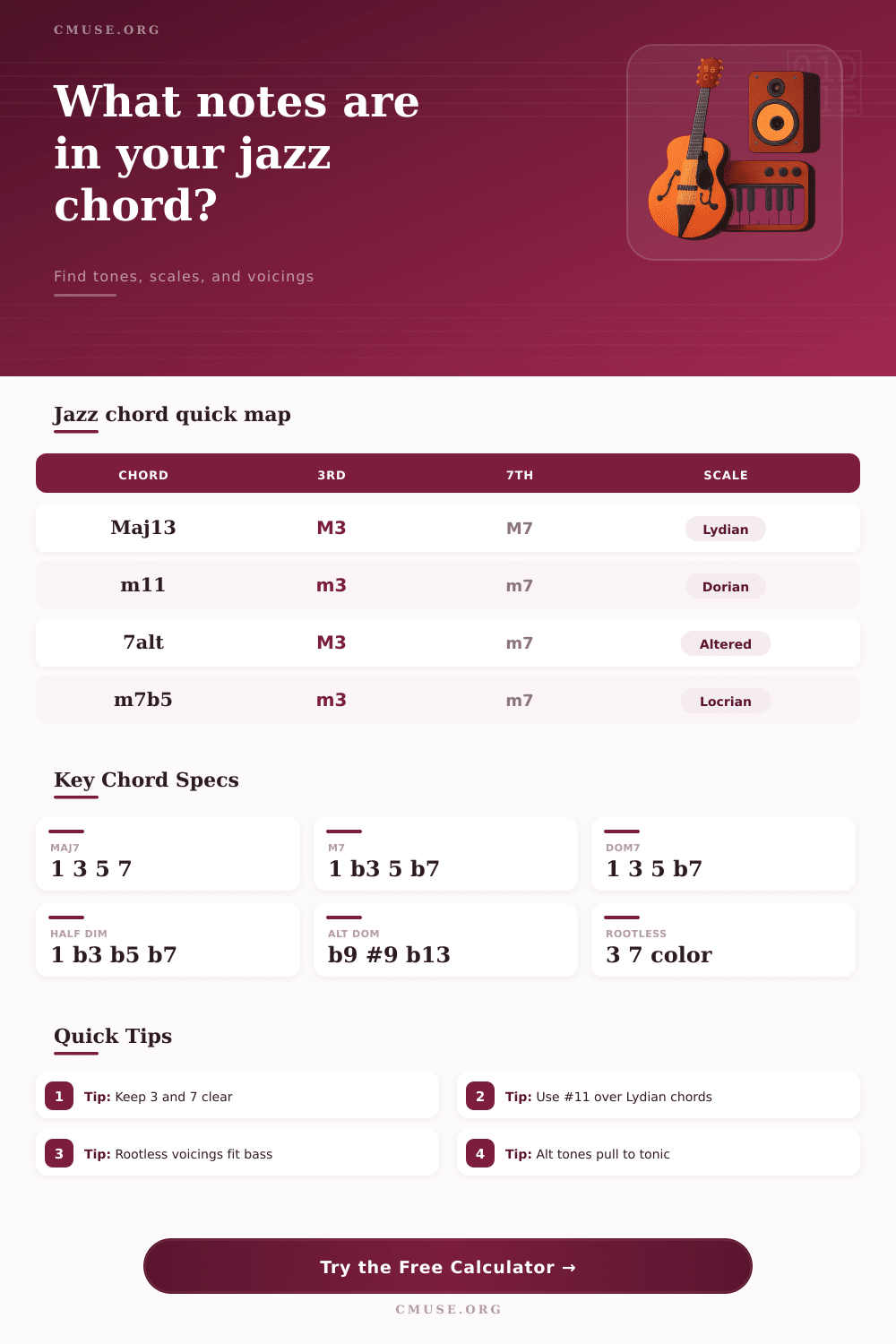
| Major 7 / 13 | 1 3 5 7 | Ionian or Lydian | 9, #11, 13 when the melody allows it |
| Minor 7 / 11 | 1 b3 5 b7 | Dorian | 9, 11, and natural 13 for modern minor color |
| Dominant 13 | 1 3 5 b7 | Mixolydian | 9 and 13 for inside swing or b9 and #9 for pull |
| Altered dominant | 1 3 b7 | Altered scale | b9, #9, b5, #5, and b13 before resolution |
| Half-diminished | 1 b3 b5 b7 | Locrian natural 2 | 9 and 11; b13 is darker and more unstable |
🔀 Alteration Palette
| Palette | Added or Recolored Tones | Chord-Scale Match | Resolution Feel |
|---|---|---|---|
| Inside / diatonic | Natural 9, 11, 13 as allowed | Ionian, Dorian, Mixolydian | Stable, clear, and less dissonant |
| Bright #11 | #11 replaces natural 11 | Lydian or Lydian dominant | Open and floating without losing the third |
| Altered | b9, #9, b5, #5, b13 | Melodic minor built a half-step above root | High pull into a tonic or substitute dominant |
| Diminished | b9, #9, #11, 13 | Half-whole diminished | Symmetric, crunchy, and bebop friendly |
| Whole-tone | 9, #11, #5 | Whole-tone dominant | Dreamy dominant color with no perfect fifth |
🎚 Voicing Density Reference
| Voicing Spread | Typical Span | Density Metric | Practical Use |
|---|---|---|---|
| Compact tertian | 10-16 semitones | High density | Ballads, upper-register comping, small bands |
| Drop-2 style | 18-26 semitones | Medium density | Guitar voicings, horns, and clean piano shells |
| Open two-hand | 24-34 semitones | Balanced density | Piano trio and solo piano support |
| Quartal modal | 20-32 semitones | Color density | Modal harmony and suspended dominant sounds |
| Dense cluster | 7-13 semitones | Very high density | Modern arranging, intros, and inner-voice tension |
📝 Comparison and Use Grid
| Context | Recommended Voices | Omit First | Keep Prominent |
|---|---|---|---|
| Piano trio | 4 to 6 | Root, sometimes 5th | 3rd, 7th, and one or two color tones |
| Solo piano | 5 to 8 | Repeated chord tones | Bass identity plus inner guide tones |
| Guitar comp | 3 to 5 | 5th and doubled root | Shell plus top melody or color tone |
| Horn section | 4 to 7 | Root when bass is present | Voice-led guide tones and controlled tensions |
| Large ensemble | 6 to 9 | Unneeded doublings | Register spacing and color-tone balance |
Jazz harmony examine the notes that you play and the notes that you choose to use for colors in your chords. A jazz chord is more than just the root, third, and seventh of the chord but also includes extensions and alteration to those basic chord tones. The guide tones of the chord, the third and seventh, determine the function of the chord and it’s identity as major, minor, or dominant.
The calculator within this article will do the mathematical calculation for you once you select the root and voicing for the chord. Every choice you make will change the resulting sound of the chord. The interval between the third and seventh of the chord is the source of any jazz chord.
How to Use the Jazz Chord Calculator
The third and seventh of the chord tell the listener whether the chord is major, minor, or dominant. The extensions and alterations are the tones added on top of the third and seventh of the chord. If you select a higher setting for the tension of the chord, the calculator will show you tones that will add color to the chord beyond the basic shell of the chord tones.
Increasing the tension of the chord dont make it more correctly sounding. However, increasing the tension will create a sound that is more dissonant. Dissonance creates the sense that the chord wants to resolve.
If you lower the tension setting for the chord, the voicing will rely more on the guide tones of the chord. The guide tones of the chord is useful when the bass player is playing the root note of that chord. Different chord families will have different responses to the same voicing settings.
For example, a dominant chord will allow for bright extensions like a sharp eleven while a minor chord may clash with its third if it includes an natural eleven. The alteration palette will automatically swap tones to suit each of these different chord. For example, the altered setting will remove the natural fifth and natural ninth of the chord while replacing those tones with either a flat or sharp of those tones.
This altered setting is useful for situations where you want the chord to have the quality of a dominant chord. Voicing spread allow you to control the density of the chord tones in your chord. For example, you can choose a compact tertian stack of the chord tones that will increase the density of the chord while an open two hand spread of the chord tones will lower the density of the chord.
The calculator will provide a density score for each of these settings so that you can compare them. This score isnt a grade for the chord. However, it can show you whether the chord will have a tight or transparent quality to it.
The voicing you choose depends on the instrument that are to be playing the chord. For example, in a piano trio, the pianist left hand will play the guide tones while their right hand will play the extensions to the chord. A chord written for four horns will have more voices than a chord written for a piano trio.
A chord written for four horns may require a careful consideration of the voice leading for the chord. The calculator allows you switch to different instruments. When you do, the calculator will show you how the number of voices required for that chord will change.
For horn sections, doubling the root or the fifth of the chord may make the chord sound unclear. Many jazz musicians makes the mistake of treating every extension to a chord as equally important. For example, the ninth of a chord may sound beautiful over a major chord but may make the melody sound busy if the melody rests upon the root of the chord.
The eleventh of a chord is another delicate note. An eleventh will create a suspended sound over a dominant chord while a sharp eleventh will brighten the sound of the chord without losing the major third of the chord. The calculator allows you to choose each of these settings separately so that you can hear the resulting chord before you play it on an instrument.
The reference grids on this page will allow you to compare chord-scale relationship to the chords without using the calculator. Each of the reference grids indicates which scales will accompany each chord family and which tones give each chord family its characteristic sound. While these grids can be of much assistance to you as a jazz composer or arranger, you should not use them as a rule book for your compositions.
While the reference grids will allow you to learn which scales go with which chords, once you hear how a Lydian dominant scale sounds against a specific melody you may find that the voicing is more important than the scale used. Though the calculator considers many aspects of the chord to be arranged, it does not consider all the aspects that will enter into the sound of that chord. For example, the room in which the chord will be played will have an impact upon the chord.
The musicians that will be playing the chord will impact the sound of the chord. The preceding harmony will also have an impact upon the chord that is to be played. Though the calculator will allow you to create a chord that will serve as the foundation for the band’s harmony for the song, your ear is that will decide whether the chord serve the musical phrase of the song.
One approach to voicing a chord is to start with the guide tones and one color tone to match the mood you wish to create. Continue adding color tones only if the chord sound correct. If the chord sounds thin, the calculator will show you which extensions can be added to the chord.
If the chord sounds too crowded, lower the tension setting for the chord or use a wider voicing spread. Do not use every available note for a chord but only use the notes that will help to move the music forward.