Audio Buffer Size Calculator
Estimate one-way latency, round-trip monitoring delay, CPU timing pressure, and buffer memory from sample rate, samples, driver offsets, and plugin delay.
🎧 Quick Presets
⚙ Buffer Inputs
📊 Buffer Reference Grid
⏱ Sample Rate Latency Table
| Buffer | 44.1 kHz | 48 kHz | 96 kHz | Best Use |
|---|---|---|---|---|
| 32 samples | 0.73 ms | 0.67 ms | 0.33 ms | Very light live input monitoring |
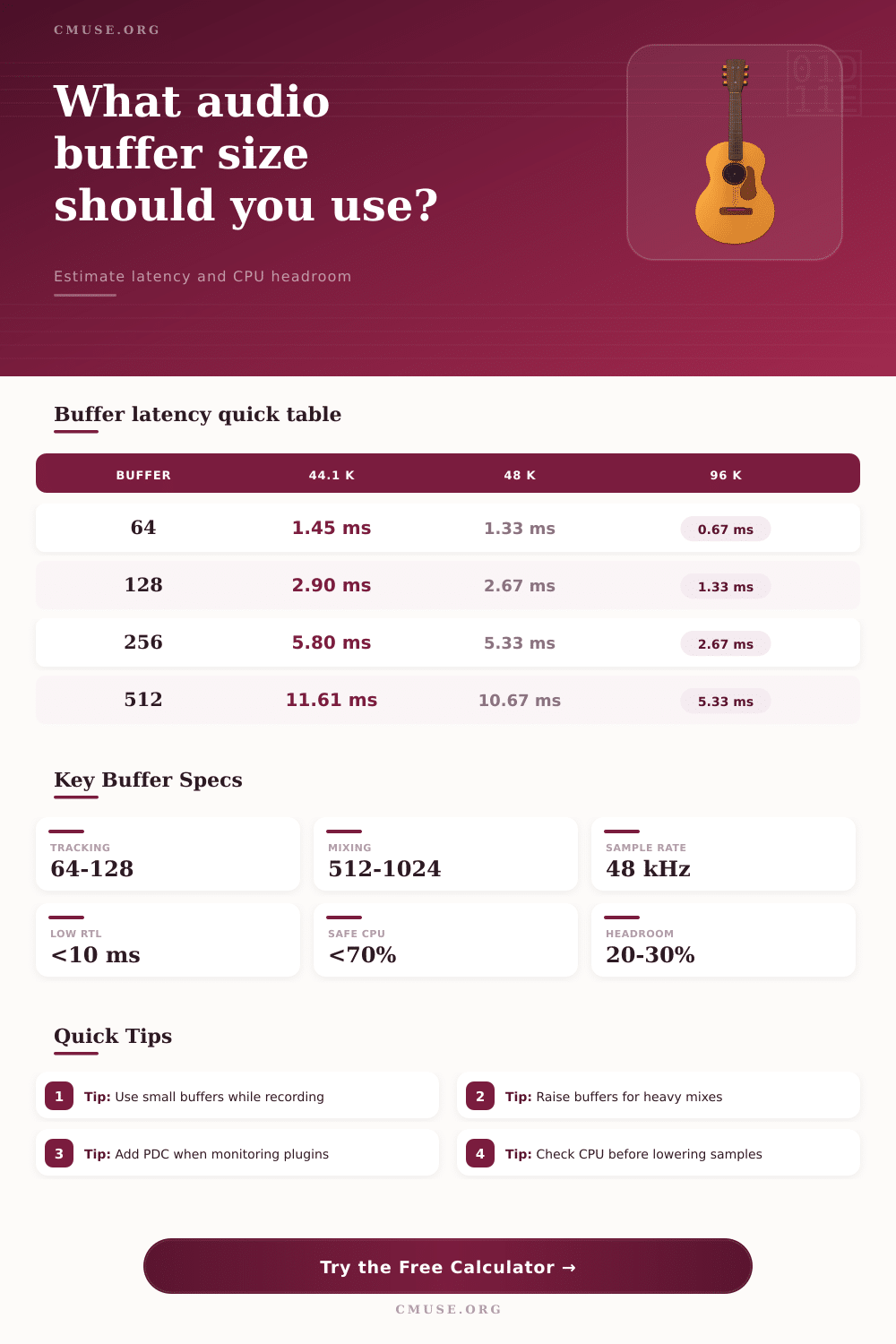
| 64 samples | 1.45 ms | 1.33 ms | 0.67 ms | Vocals, guitar amp sims, MIDI feel |
| 128 samples | 2.90 ms | 2.67 ms | 1.33 ms | Stable tracking on most systems |
| 256 samples | 5.80 ms | 5.33 ms | 2.67 ms | Editing, overdubs, small live sets |
| 512 samples | 11.61 ms | 10.67 ms | 5.33 ms | Mix sessions with many plugins |
| 1024 samples | 23.22 ms | 21.33 ms | 10.67 ms | Heavy mixing, mastering, exports |
🎚 Session Comparison Table
| Session Type | Typical Buffer | CPU Priority | Latency Priority | Practical Target |
|---|---|---|---|---|
| Direct Vocal Tracking | 64-128 samples | Low | Very high | Keep RTL under 10 ms when possible |
| Virtual Instrument Playing | 64-128 samples | Medium | High | Keep buffer time near 3 ms or less |
| Full Band Playback | 128-256 samples | Medium | Medium | Trade a little latency for stability |
| Dense Mix Session | 512-1024 samples | High | Low | Protect headroom for plugin chains |
| Mastering Chain | 1024-2048 samples | Very high | Very low | Give linear-phase processing room |
💾 Data Rate and Buffer Table
| Format | Bytes Per Sample | Stereo Data Rate | 128-Sample Block | 512-Sample Block |
|---|---|---|---|---|
| 44.1 kHz / 16-bit | 2 | 172 KB/s | 0.50 KB | 2.00 KB |
| 48 kHz / 24-bit | 3 | 281 KB/s | 0.75 KB | 3.00 KB |
| 96 kHz / 24-bit | 3 | 562 KB/s | 0.75 KB | 3.00 KB |
| 96 kHz / 32-bit | 4 | 750 KB/s | 1.00 KB | 4.00 KB |
| 192 kHz / 32-bit | 4 | 1500 KB/s | 1.00 KB | 4.00 KB |
🎶 Common Project Sizes
| Project | Sample Rate | Buffer | Approx RTL | Secondary Result |
|---|---|---|---|---|
| Home Vocal Demo | 48 kHz | 64 | 5-7 ms | Low CPU load |
| Podcast Monitor Mix | 44.1 kHz | 128 | 8-12 ms | Stable speech monitoring |
| Small Band Rehearsal | 48 kHz | 256 | 14-18 ms | More I/O stability |
| Plugin-Heavy Mix | 48 kHz | 512 | 25+ ms | Higher plugin headroom |
| Mastering Session | 96 kHz | 1024 | 25+ ms | Best offline stability |
An audio buffer is the set amounts of time that a computer waits before it sends a block of audio data to the audio drivers. The size of the audio buffer is one of the factors that determine the latency in an audio session. Too small of a buffer size may cause audio error due to the CPU not being able to calculate the next block of audio before it is sent.
Too large of a buffer size may cause audio delays that prevent the performer from remaining in time with the music. Many different factors contributes to the total latency in an audio session. One of the factors that contributes to the total latency is the sample rate of the audio file.
How Buffer Size Affects Audio Delay
Another of the factors is the size of the audio buffer. Bit depth and the number of audio channel contribute to the data movement in an audio session. Additionally, the offset and safety buffers of the audio drivers contribute to the latency.
The latency of the analog-to-digital and digital-to-analog converters are additional factors in the total latency in the audio session. Finally, the ability of the audio software to compensate for the latency of audio plugins is the last of the contributing factor to the total latency of an audio session. An audio latency calculator utilize these different factors to calculate several different values related to that audio session.
For instance, the calculator may calculate the buffer time for the audio session. The roundtrip latency is another value that helps to depict the total latency of the audio session. CPU deadline is another value that the audio latency calculator calculates.
Finally, the audio latency calculator calculate the memory footprint of the audio data. For those who are recording audio, many audio program use a buffer size of 128 samples. This size of buffer is considered to be a middle ground for audio recording software.
At a sample rate of 48 kHz, 128 samples converts to approximately 2.7 milliseconds of buffer time. If the CPU is working too hardly during recording, the buffer size can be doubled to reduce the amount of strain that the CPU is under. However, increasing the buffer size will increase the roundtrip latency of the audio session.
Additionally, the buffer size can be reduced to 64 samples. However, only under conditions where the CPU is able to handle the reduced buffer size should the buffer size to 64 samples be reduced. The factor that contributes to the use of either small or large buffer size is the type of audio session that is being created.
For instance, when tracking performers the buffer size should be small to minimize the amount of latency that the performers will experience. High levels of latency may prevent the performers from accurately performing the music that they are learning. However, when mixing audio projects the buffer size should be large to allow for the CPU to process the numerous audio plugins that is installed on the computer.
The CPU will have more time to process the audio data with a large audio buffer. The sample rate at which the audio data is created can also impact the size of the audio buffer. For example, if the sample rate is increased from 48 kHz to 96 kHz, the time represented by the buffer size will be cut in half.
Additionally, higher sample rates place more of a strain on the CPU. Audio engineers often use larger buffer sizes at higher sample rates so that the CPU is not overload with the amount of data that is being processed each second. Finally, it is also important to consider the computer that is being used to create the audio session.
For example, if the computer is performing other tasks in addition to the audio session, or if the computer is heating up due to the audio session, the CPU may not be able to maintain the buffer size that was calculated. It is important to use the audio latency calculator to calculate the settings for the audio session. However, it is also important to stress test the computer with all audio tracks and all audio plugins activated.
If the meter indicates that the CPU will not be strained during mixing and mastering of the audio file, then the buffer size is sufficient. If the meter indicates that the CPU will be too strained, the size of the audio buffer should of been increased.