Reverb Send Calculator
Calculate aux send level, wet/dry depth, pre-delay, decay, and damping values for vocals, drums, guitars, keys, and ambient mix elements.
🎧 Mix Presets
🎚 Reverb Send Inputs
📌 Reverb Spec Grid
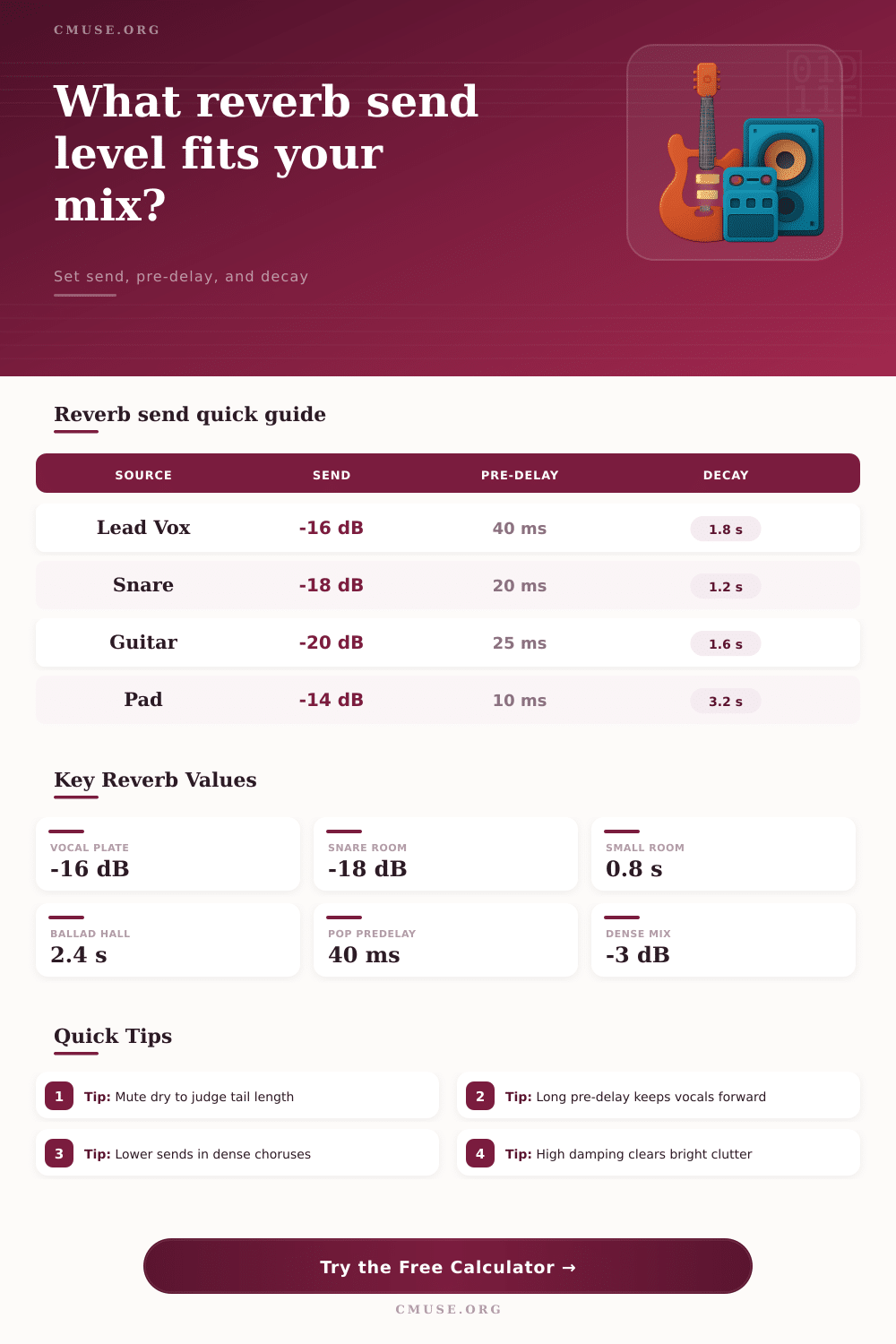
📊 Source Send Reference
| Source | Common Send Range | Pre-delay Range | Typical Decay |
|---|---|---|---|
| Lead vocal | -18 to -12 dB | 30 to 70 ms | 1.4 to 2.4 s |
| Backing vocals | -21 to -15 dB | 15 to 45 ms | 1.8 to 3.0 s |
| Snare drum | -22 to -15 dB | 8 to 28 ms | 0.7 to 1.6 s |
| Electric guitar | -24 to -16 dB | 15 to 40 ms | 1.0 to 2.2 s |
| Piano or strings | -20 to -13 dB | 25 to 70 ms | 2.0 to 4.2 s |
⏱ Tempo Pre-delay Table
| BPM | 1/64 | 1/32 | 1/16 |
|---|---|---|---|
| 80 | 46.9 ms | 93.8 ms | 187.5 ms |
| 100 | 37.5 ms | 75.0 ms | 150.0 ms |
| 120 | 31.3 ms | 62.5 ms | 125.0 ms |
| 140 | 26.8 ms | 53.6 ms | 107.1 ms |
| 160 | 23.4 ms | 46.9 ms | 93.8 ms |
🏛 Reverb Type Comparison
| Type | Best Use | Density | Filter Starting Point |
|---|---|---|---|
| Room | Drums, guitars, close realism | Low to medium | 120 Hz low cut, 8 kHz high cut |
| Plate | Vocals, snare, lead synth | Medium | 160 Hz low cut, 7 kHz high cut |
| Hall | Piano, strings, ballads | Medium to high | 180 Hz low cut, 6 kHz high cut |
| Chamber | Drum bus, vocals, ensemble glue | Medium | 150 Hz low cut, 7.5 kHz high cut |
| Spring | Guitar, dub accents, vintage keys | Bright and narrow | 220 Hz low cut, 5.5 kHz high cut |
📝 Common Project Settings
| Mix Scenario | Suggested Send | Pre-delay | Decay and Damping |
|---|---|---|---|
| Dry pop verse vocal | -18 to -14 dB | 40 to 65 ms | 1.4 to 1.9 s, 55% damping |
| Ballad lead vocal | -15 to -10 dB | 55 to 90 ms | 2.2 to 3.2 s, 45% damping |
| Rock snare ambience | -20 to -15 dB | 10 to 24 ms | 0.8 to 1.4 s, 70% damping |
| Ambient synth wash | -14 to -8 dB | 0 to 20 ms | 3.5 to 7.0 s, 25% damping |
| Fingerstyle acoustic | -24 to -18 dB | 22 to 45 ms | 1.0 to 1.7 s, 50% damping |
Reverb is a tool that are used to provide a sense of space to the musical performance; however, too much reverb can obscure the detail of that performance. The main issue with reverb is the reverb send level, not the type of reverb that is use in the mix. The send level should be balanced to provide a desired amount of space without sacrificing the clarity of the mix; the balance between the different element of the mix will dictate the appropriate level of reverb.
Reverb send level is a measurement of the relationship between the dry track and the return from the reverb. The send level can be used to control how quietly the reverb should be in comparison to the dry track. Too much reverb will prevent the listener from perceiving the original attack of the track, but utilizing the correct amount of reverb will allow the listener to experience the original attack of the track.
How to Set Reverb for a Clear Mix
When the mix is open, more reverb can be sent to the reverb return than when the mix are dense, such as during the chorus sections of the song. A calculator is available to provide mathematical assistance to engineers when choosing the type of source, reverb, and density of the mix. Pre-delay is another parameter that can be adjust alongside the reverb send level.
Short pre-delays will provide the sensation of the reverb being attached to the source, while longer delays will allow for the dry sound to occur before the reverb begin. Tempo can also affect pre-delay settings; pre-delays that match the length of a sixteenth or eighth note will create the sensation of a separate echo from the track. A field is provided for manually adjusting the pre-delay settings and comparing those settings with the length of a note division at the current tempo of the track.
Decay time is another setting that follow a form of logic. Short decay times are utilized with tracks like drums, whereas long decay times can be used with pads or string instruments. Too long a decay time, however, can create difficulties within a busy mix.
A reference table is provided with typical decay times for each type of source; the engineer must make the decision for that mix based on the reverb interaction with the following phrase of the track. Damping and filtering settings allow additional control over the reverb return. High frequencies can be dampened to reduce the brightness of the reverb return.
Low cut filters on the reverb return can prevent the subsonic frequencies from the kick and bass from becoming rumble in the mix. A grid within the calculator allow engineers to determine starting points for damping and filtering settings after selecting the type of reverb and damping amount. A common mistake with reverb is not understanding that the send level should not be a static value throughout the track.
Due to the fact that choruses are often more layered than verses, the reverb send level that is utilized for verses may be too much for choruses. In this case, the engineer can automate the reverb send level to be a few decibels lower during choruses. While the tool cannot automate the reverb return for the engineer, it can calculate the reverb send level that will result if the engineer changes the density setting from medium to dense.
Another mistake is to judge the reverb return while the return is in solo mode. While the return may sound good in solo mode, the reverb return may mask some of the other vocal or guitars in the arrangement. The reverb should be sent at a level while the band is performing; the return can then be checked in solo mode to ensure that the reverb tail is appropriate.
While the calculator can provide an estimate for the send level and pre-delay, the engineer should of make the final adjustments to the reverb return while the band is performing. Width can be used to determine the distance of the track from the listener without changing the current level of the reverb return. Narrow returns will allow the reverb to feel closer to the center of the mix, which is appropriate for lead vocals.
Wider returns will create a sense of distance for pads and string instrument. A field within the tool allow for the reverb return to be scaled from mono to extra-wide to match the desired sense of distance from the listener. The fundamental principle of all of these settings is that the reverb return create distance information for the listener.
The various settings for reverb send level, pre-delay, decay time, and filtering all allow the engineer to determine the distance of the track from the listener; when these settings are properly set to match the remainder of the mix, the listener will not notice the reverb return. However, if any of the settings are incorrect in relation to the other settings, the listener will experience a sense of distance and clutter in the mix. The calculator help to remove the arithmetic from the engineers equation to allow for the engineer to focus upon the final test of the reverb return.