Fader Gain Calculator
Convert fader position, trim, automation, pan law, and summed tracks into practical dB gain and headroom readings.
🎛Mix Presets
📈Signal And Fader Settings
🎧Pan, Summing, And Target
Fader Gain Results
🔢Core dB Relationships
📋Fader Move Reference
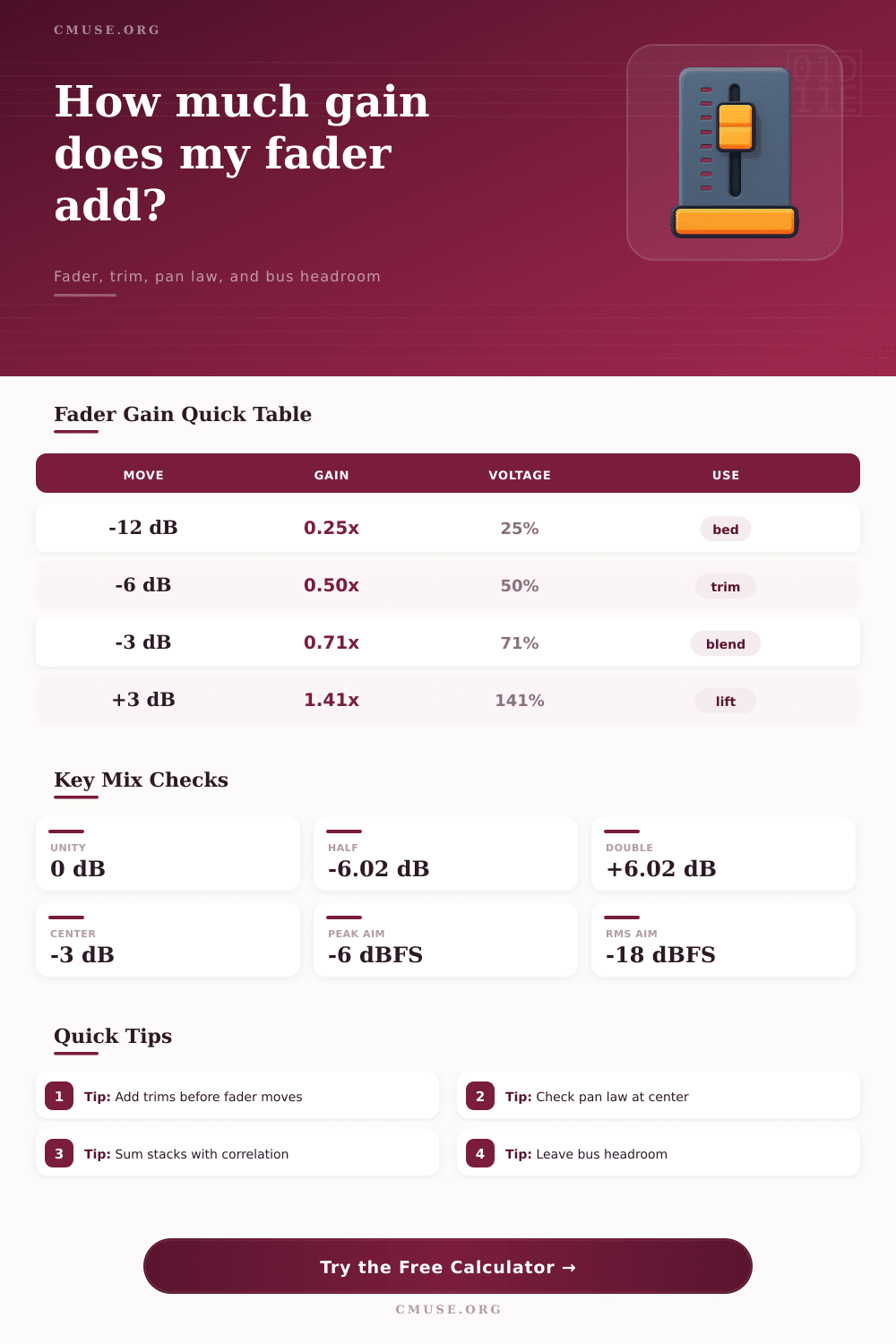
| Fader Move | Linear Gain | Amplitude Result | Typical Mix Use |
|---|---|---|---|
| -18 dB | 0.126x | 12.6 percent | Very quiet effects return or underscore |
| -12 dB | 0.251x | One quarter voltage | Music bed, room mic tuck, parallel blend |
| -6 dB | 0.501x | Half voltage | Fast trim down without changing tone |
| -3 dB | 0.708x | Small but audible dip | Make space for vocal or solo instrument |
| 0 dB | 1.000x | Unity gain | Nominal pass-through on most mixers |
| +3 dB | 1.413x | Noticeable lift | Bring a phrase forward in automation |
| +6 dB | 1.995x | Double voltage | Large correction when source is low |
🎚Pan Law And Summing Table
| Setting | Center Effect | Formula Used | When It Matters |
|---|---|---|---|
| 0 dB pan law | No center cut | Pan loss = 0 dB | Mono-compatible level stays obvious |
| -3 dB pan law | Equal-power center | Loss = -3 x center amount | Common DAW music mixing default |
| -4.5 dB pan law | Moderate center cut | Loss = -4.5 x center amount | Balances stereo and mono behavior |
| -6 dB pan law | Linear center cut | Loss = -6 x center amount | Conservative when mono summing is critical |
| 2 uncorrelated tracks | +3.01 dB bus rise | 10log10(channel count) | Layered parts with different waveforms |
| 2 coherent tracks | +6.02 dB bus rise | 20log10(channel count) | Duplicated clips or phase-locked stems |
🎯Common Level Targets
| Source Or Bus | Peak Range | Average Range | Fader Gain Note |
|---|---|---|---|
| Lead vocal track | -10 to -6 dBFS | -24 to -16 dBFS | Use fader for blend after clip gain cleanup |
| Kick or snare | -12 to -6 dBFS | -28 to -18 dBFS | Peak headroom matters more than RMS |
| Music bed under speech | -24 to -14 dBFS | -32 to -22 dBFS | Large negative fader moves are normal |
| Drum bus | -10 to -6 dBFS | -20 to -14 dBFS | Watch coherent close-mic stacking |
| Premix stereo bus | -8 to -3 dBFS | -22 to -14 dBFS | Keep room for mastering or broadcast chain |
🧮Formula Notes
| Item | Formula | Output | Meaning |
|---|---|---|---|
| Net channel gain | Trim + insert + fader + automation + pan | dB | Total gain before group and bus trim |
| Linear gain | 10 ^ (dB / 20) | ratio | Voltage or sample amplitude multiplier |
| Power ratio | 10 ^ (dB / 10) | ratio | Energy change for level comparisons |
| Summing gain | 10log10(n + r x n x (n - 1)) | dB | Estimated bus rise from stacked channels |
| Target move | Target peak - estimated bus peak | dB | Fader change needed if this channel controls level |
💡Practical Calculation Tips
Understanding how gain stages interact with one another is important in audio mastering because faders doesnt work in isolation to lower a volume level. Even if you move a fader to lower the volume level of a certain track, the level may still be too high in the mix due to various contributing factors to the total signal level. These factors include the gain from trim gain control, the pan law of a track, and the summing of multiple audio tracks.
Each of these factors can work to increase the volume of a track to the point of clipping the audio or to remove headroom from which the audio can be mastered. The signal chain for audio mastering includes various steps that each affect the steps that follows in the signal chain. The source audio (such as audio from a microphone that passes through a preamplifier) have a peak level to the audio signal that the microphone and the preamplifier created.
How faders, trim gain, pan law and summing affect the master volume
Before the signal reaches the fader in the mastering process, trim gain and clip gain can be applied to the signal. Trim gain is used to adjust the gain of the signal peaks without affecting the dynamics of the audio signal. If trim gain is not used, the audio mastering engineer may find themselves fighting with the fader to reduce the volume of the signal.
After the trim gain control, inserts into the signal can be made. Insert controls allow for audio plugins to be applied to the audio channel that will add or subtract decibels from the signal. After the inserts, the signal reaches the fader.
The fader can apply a change to the signal, and faders work on a logarithmic scale for decibels. Automation of the fader allow for certain phrases to have their volume changed. Additionally, group faders or VCA faders allow for multiple channels to be controlled at the same time.
Each of these controls can increase the total signal level of the audio track. Pan law is another factor in audio mastering that can impact the volume of the audio signal. The pan knob control where a track is placed within the stereo audio image.
In many cases, pan law will reduce the volume of a signal by three decibels if it is panned to either the left or right channel. Pan law works in such a way that if the audio is played through a mono speaker, each channel will contain the same signal as if it was played through stereo speakers; the signal will not be louder in the mono channel than it was in the right or left channel. If pan law is not accounted for when mastering audio, the balance of the audio may change when the audio is played through a mono speaker rather than stereo speakers.
A tool provided on this page calculates the loss of volume from pan law. Summing the audio tracks is yet another step in audio mastering. Summing combines the various audio tracks into a single audio bus.
Summing gains in volume; if two uncorrelated audio channels of, say, guitar tracks, are combined into a single bus, the volume of the bus increase by three decibels. If the two tracks are found to be correlated, such as two vocal tracks with the same lyrics sung at the same time, the volume will increase by six decibels. Correlation refers to the relationship between the audio signals of the various tracks.
The correlation between the tracks impact how much the volume of the audio bus will rise during the mastering process. A calculator included on the webpage estimates the peak levels of the audio bus by taking into consideration the number of audio channels being summed and the correlation of those audio channels. The output measurements of the audio mastering process include various measurements that describe the signal that passed through the mastering process.
The net channel gain display the total change in decibels and the total linear multiplier of all of the gain controls applied to each channel of the audio mastering process. Post-fader peak and average levels indicate the peak and average levels of the signal that reaches the audio bus. Headroom to target indicate whether or not there is enough headroom in the mastering process for the audio signal before it is rendered into a digital file.
The meters on the webpage display these measurements using different colors; green indicates that the signal is within an accepted range of values, and warning colors indicate that the signal is too hot. Additionally, the various rows within the mixing tool indicate each of the factors that contribute to the master volume. The tool includes various modes for engineers, including single channel mode for adjusting a fader, stack mode for understanding the impact of bus channel volumes, and target mode for calculating the fader position that will allow the audio signal to reach a target level in the mastering process.
Within audio mastering, there are a number of common mistake that an audio mastering engineer may make. One of the most common mistakes is to focus only on the peak levels of the audio signal. Instead, engineers should focus on both the peak levels and the RMS average values; the RMS average is a more accurate representation of the loudness of the signal.
Additionally, if engineers try to fix a signal that clips by adjusting the fader, they are only reducing the loudness of the clipping signal. To fix the signal, engineers should use trim gain controls prior to the fader. Finally, audio engineers should account for pan law and the summing gain of audio channels.
If not, they may find that their audio signal loses headroom within the mastering process. There are various audio mastering presets that can be used to speed up the mastering process. For instance, the kick anchor mastering preset may suggest using a source peak level of minus five decibels, a trim level of minus two decibels, and a fader level of minus three decibels.
Presets can also be used for backing stacks, which involve loading multiple audio channels with certain pan laws and correlations between those channels. Each of these presets provide engineers with a starting point in the mastering process from which the engineers can make small adjustments to each gain stage to accommodate for their mastered project. Understanding the mathematics behind audio allows engineers to better understand the various parameters of audio mastering.
Both amplitude and power can be represented in terms of decibels through the formula of twenty times the log of ten, and ten times the log of ten, respectively. These two formulas help audio engineers understand that if the voltage of audio is doubled, the decibels increase by six decibels. An understanding of these types of mathematical relationships enables audio engineers to understand how the faders and the summing stage of audio mastering can impact the total volume of the audio that is created for use in various media.