Audio Bandwidth Calculator
Estimate PCM bitrate, codec bandwidth, transfer rate, and storage size for music production, streaming, broadcast, and multichannel sessions.
🎧 Quick Audio Presets
🎚 Bandwidth Inputs
📊 Core Bandwidth Specs
📝 PCM Reference Table
| Audio Format | Sample / Depth | Channels | Raw Bandwidth |
|---|---|---|---|
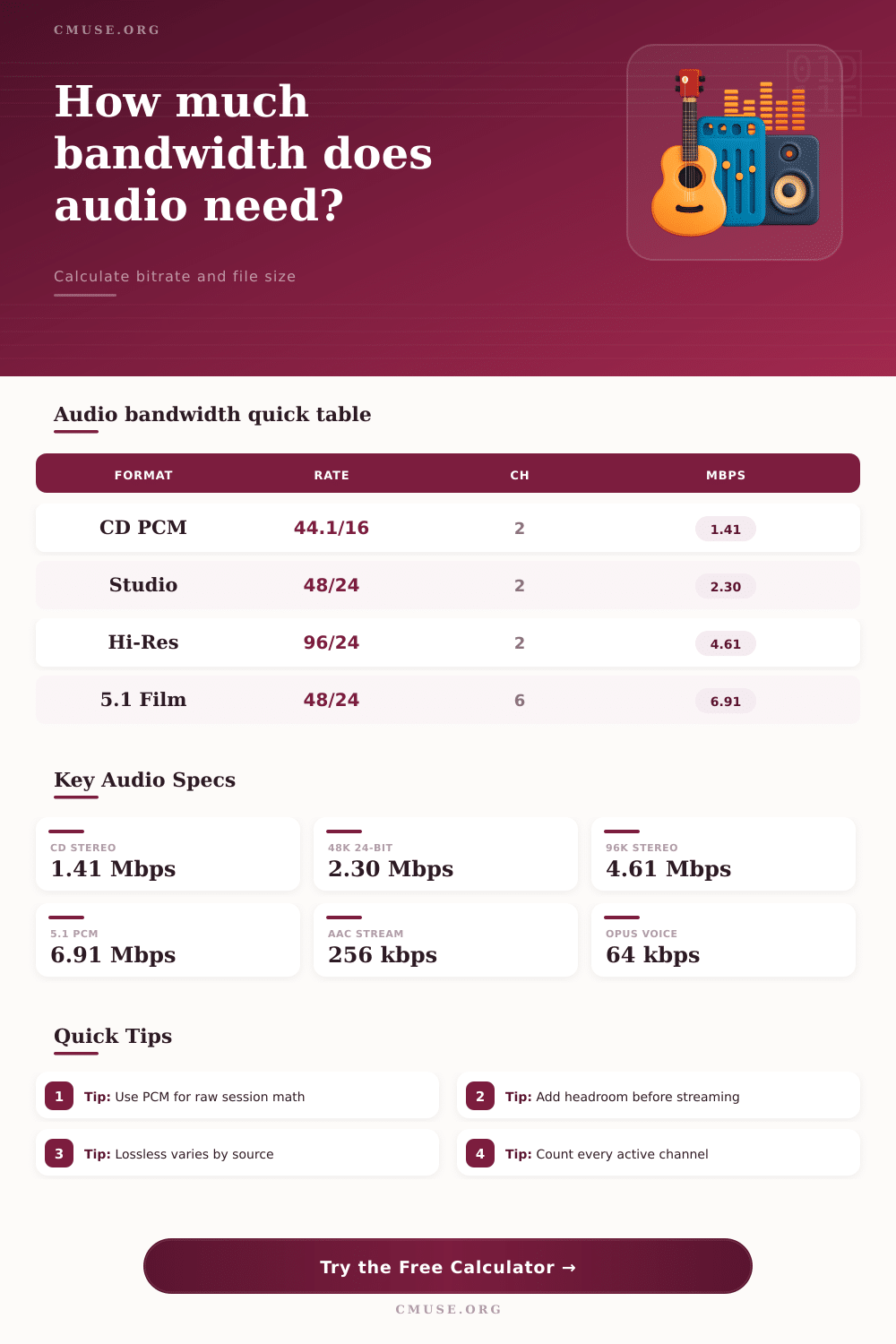
| CD stereo PCM | 44.1 kHz / 16-bit | 2 | 1.411 Mbps |
| Video stereo PCM | 48 kHz / 24-bit | 2 | 2.304 Mbps |
| Hi-res stereo PCM | 96 kHz / 24-bit | 2 | 4.608 Mbps |
| Film 5.1 PCM | 48 kHz / 24-bit | 6 | 6.912 Mbps |
| Immersive 12ch PCM | 48 kHz / 24-bit | 12 | 13.824 Mbps |
| 24-track session | 48 kHz / 24-bit | 24 | 27.648 Mbps |
⚙ Codec Spec Comparison
| Profile | Calculator Mode | Typical Use | Planning Note |
|---|---|---|---|
| PCM / BWF | Formula based | Recording, editing, archive | Uses full channel count |
| FLAC | 55% of PCM | Lossless music delivery | Dense mixes compress less |
| ALAC | 60% of PCM | Lossless library files | Good storage estimate |
| MP3 320 | Fixed 320 kbps | High-rate lossy files | Program bitrate, not per channel |
| AAC 192 / 256 | Fixed program rate | Streaming and podcasts | Add network overhead |
| Opus 64 / 128 | Fixed program rate | Voice, music chat, web audio | Works well at low rates |
🔗 Link Capacity Reference
| Connection | Nominal Capacity | 48k / 24-bit Stereo Streams | Best Planning Use |
|---|---|---|---|
| AES3 stereo pair | About 3.1 Mbps | 1 stereo pair | Two-channel digital audio |
| 100 Mbps Ethernet | 100 Mbps | About 36 raw streams | Small audio networks |
| USB 2.0 | 480 Mbps | About 173 raw streams | Interfaces and drives |
| 1 GbE | 1000 Mbps | About 361 raw streams | Large multichannel rigs |
| USB 3.x 5 Gbps | 5000 Mbps | About 1808 raw streams | Fast external storage |
💾 Common Project Size Table
| Project | Settings | Raw Bandwidth | One Hour Storage |
|---|---|---|---|
| Podcast WAV | 48 kHz / 24-bit / 2ch | 2.304 Mbps | 1.04 GB |
| CD master | 44.1 kHz / 16-bit / 2ch | 1.411 Mbps | 635 MB |
| 5.1 film stem | 48 kHz / 24-bit / 6ch | 6.912 Mbps | 3.11 GB |
| 12ch immersive bed | 48 kHz / 24-bit / 12ch | 13.824 Mbps | 6.22 GB |
| 24ch recording | 48 kHz / 24-bit / 24ch | 27.648 Mbps | 12.44 GB |
Calculating audio bandwidth require an understanding of three main aspect of audio files: the sample rates and bit depths of the files, the number of audio channel in a project, the codec used to compress the audio files, the overhead and headroom necessary to provide for audio streaming, and the difference between decimal and binary units of measurement. Additionally, there are many differents factor to consider when calculating audio bandwidth for a project. Audio bandwidth isnt a single measurement for a given audio file, but rather indicates the amount of data that is required to represent that audio.
Factors such as the quality of the audio files and the number of audio channels will impacts the bandwidth that is required for those audio files. The first factor to consider when calculating audio bandwidth is the raw PCM data that are used to represent the audio file. PCM data is the uncompressed data of the audio file, and is represented by the sample rate and the bit depth of that audio file.
How to Calculate Audio Bandwidth
The sample rate of the audio file represents the number of snapshots of the air pressure that are taken every second, and the higher the sample rate, the higher the number of frequencies that the audio file can represent. The bit depth of the audio file represents the amount of detail taken of every single snapshot of air pressure. The higher the bit depth of the audio file, the lower the level of noise that is introduce into that audio file.
The higher the sample rate, the more snapshots of air pressure that will be taken each second, which indicates that higher audio bandwidth is required to represent that audio file. Thus, if the sample rate is doubled, for instance, the audio bandwidth requirements will also double. The second factor in calculating audio bandwidth is the number of channel that are used in the audio file.
Audio files can contain a variety of channels. For instance, an stereo audio file will contain two channels of audio data, but a film soundtrack may have 5.1 channels, or a music track may have 24 channels. Each additional channel to an audio file will add to the amount of data of that audio file, which indicates that the audio bandwidth will also increase with the number of channels.
Thus, the more audio channels that are tracked in a network, the more those audio files will use bandwidth. The third factor in calculating audio bandwidth is the codec of the audio files. Audio codec are used to compress the audio data.
Lossless audio codecs, such as FLAC or ALAC files, will not remove any data from the audio file. Thus, the file size of audio files that use these codecs will be based upon the complexity of the audio data. An audio file that contains orchestral music, for instance, will be more complex than an audio file that contains vocals alone.
Thus, the audio bandwidth will be higher for the orchestral file. Lossy audio codecs, such as AAC or MP3 files, will remove some of the audio data from the audio file. These codecs remove data that is unlikely to be heard by the human ear.
Thus, the bandwidth requirements for audio files with these codecs will be represented by a fixed bitrate. The fourth factor in calculating audio bandwidth is the data that is represented by overhead and headroom. When calculating the amount of data that will be used by audio files, it is necessary to provide for some overhead data.
Overhead data includes data that is represented by network packets and audio file wrappers, as well as providing headroom for data buffers that allow for smooth streaming of the audio files. If you dont account for this headroom in the calculation of the size of the audio files, it is possible that the audio files may become out of storage space or experience glitch while streaming. Therefore, it is recommended to provide for some extra space in the calculation of audio data to allow for this headroom.
The fifth factor in calculating audio bandwidth is the difference between decimal units and binary units. Internet providers will often advertise the bandwidth of the internet connection in decimal Megabits, but the computers will report the amount of data in binary Mebibytes. Thus, the amount of Megabits may not be equal to the amount of Mebibytes.
Therefore, it is possible that a file that appears to be able to be stored in the amount of space provided by that internet connection will actualy require more space than is provided by that internet connection. Finally, balancing the audio fidelity of the audio files with the amount of storage space that is provided by the hardware will help to avoid any instances in which audio files are out of storage space. Creating a reference table for audio specifications and audio bandwidth can be helpful to allow individuals to calculate the amount of storage space and bandwidth that will be required for audio files.
Thus, by considering each of these five factor, you could of calculated the amount of storage space and bandwidth that will be required to store and stream audio files.