Mode Calculator Music
Map room resonances, modal clusters, and seating risk for studio monitoring that translates.
🎵 Room inputs
🔊 Mode overview
📊 Full breakdown
| Family | Indices | Frequency | Note |
|---|---|---|---|
| Run the calculator to see the first modal set. | |||
🗒 Modal family guide
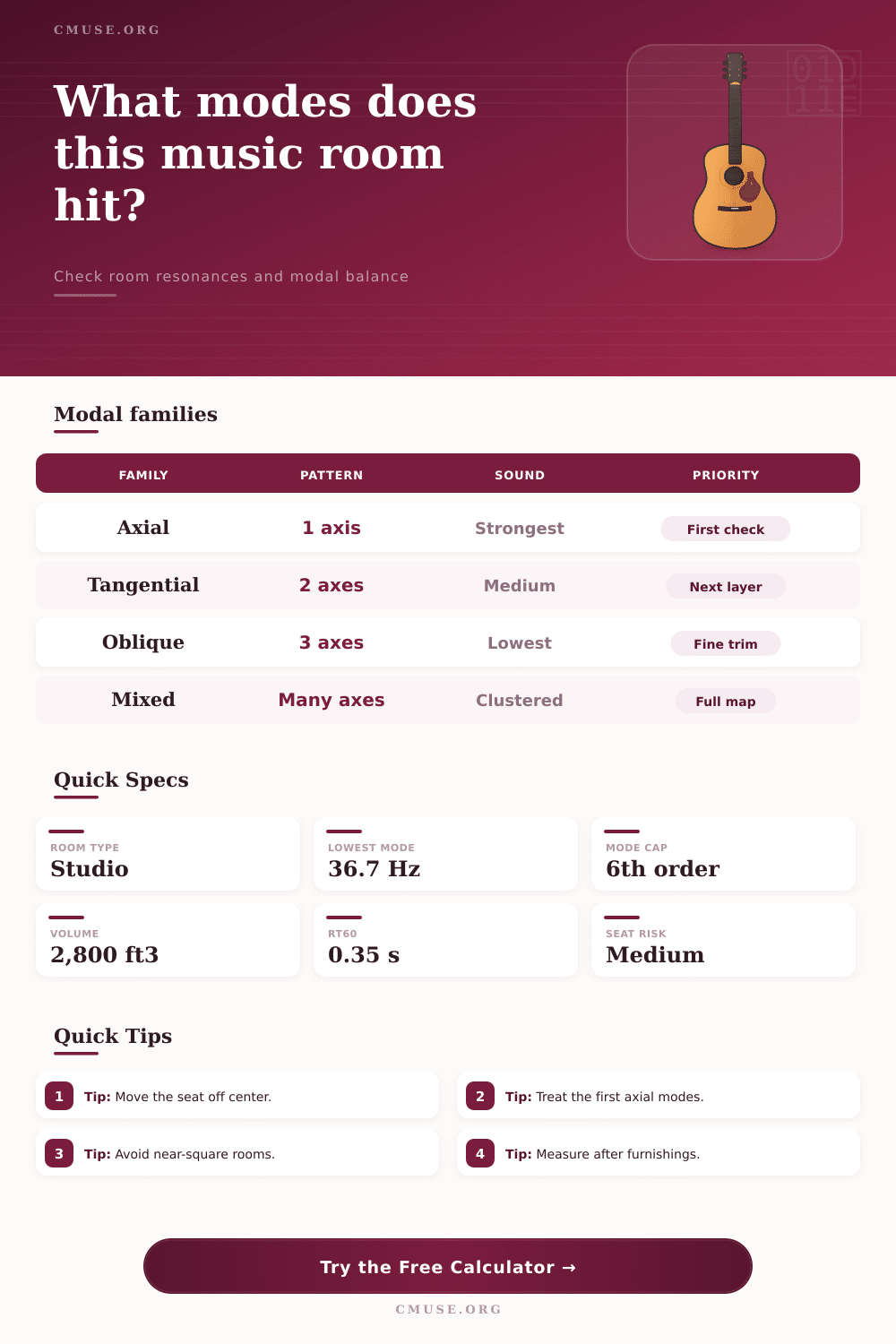
| Family | Pattern | Strength | Use |
|---|---|---|---|
| Axial | One axis | Strongest | First fix |
| Tangential | Two axes | Medium | Layer two |
| Oblique | Three axes | Lower | Fine trim |
| Mixed | Many axes | Clustered | Full map |
🏢 Common room examples
| Room | Dimensions | Lowest axial | Note |
|---|---|---|---|
| Vocal booth | 5 x 7 x 8 ft | ~70 Hz | Tight bass field |
| Project studio | 10 x 12 x 8.5 ft | ~47 Hz | Compact mix room |
| Control room | 13 x 19 x 9 ft | ~30 Hz | Better spread |
| Live room | 18 x 24 x 12 ft | ~24 Hz | Wider spacing |
📏 Room ratio comparison
| Profile | L:W:H | Behavior | Risk |
|---|---|---|---|
| Square | 1:1:1 | Clusters hard | High |
| Near-square | 1:1.1:1.4 | Some spread | Med |
| Rectangular | 1:1.3:1.6 | Cleaner spacing | Low |
| Long room | 1:1.6:2.2 | Length bias | Low |
🧭 Treatment target guide
| Tool | Band | Use | Priority |
|---|---|---|---|
| Bass trap | 40-120 Hz | Corners | High |
| Panel | 150-4k Hz | Side walls | High |
| Cloud | 200-4k Hz | Mix seat | Medium |
| Diffuser | 700+ Hz | Rear wall | Later |
Shift the seat before chasing EQ; a small move can avoid a deep length-mode dip.
If two room dimensions are close, add treatment and change the ratio before mixing.
Room modes is standing waves that occur in rooms due to sound waves bouncing off the surfaces of the room. Room modes create problems during music mixing because room modes can make certain frequencies of a mix too loud or too quiet. Frequencies that are too loud due to room modes can make the low end of a mix sound unnaturally, while frequencies that are too quiet due to room modes can make the bass guitar or kick drum in a mix sound like it vanish.
These type of room modes are created due to the dimensions of the walls of the room. Room modes can be categorized into three different type. Axial modes are the strongest type of room modes, and are created when sound waves bounce off only one pair of surface in a room.
Room Modes and How to Fix Them
Tangential modes are more less powerful than the axial modes, and sound waves create them when they bounce off two surfaces at the same time. Oblique modes are the weakest type of room modes, and are created when sound waves bounce off of all three dimension of the room. You should of treat axial modes before tangential or oblique modes are treated, since the axial modes have the most impact upon the sound that is created in the room.
The shape of the room can determine the type of room modes that are created in that room. Rooms that are in the shape of squares will create room modes that is clustered together. Rectangular rooms are generaly the best shape for music mixing, since the modes will be spread out within the room.
Your seat in the room will also have an impact upon the way that you experience the room modes. If you are sitting in a spot where a certain frequency is quiet, that frequency will be quiet in you’re mix. However, if you move your seat only a few inch, the same frequency may become audible.
Some environmental factor in a room can impact the way that the modes behave. For instance, if the air within a room is warmer or more humid, the waves will travel at a faster rate. As a result, the frequencies of the modes will shift slightly.
The volume of the room will also impact sound within that room. In large room, the Schroeder frequency of the room will be lower. The Schroeder frequency is the frequency at which the sound becomes more important than room modes.
For each of these issue, there are solutions to fix the problems. For instance, corner bass trap will absorb the low frequencies of sound between 40 hertz and 120 hertz. Sidewall sound panel will absorb the mid-range frequency of sound.
Ceiling clouds will absorb the vertical room modes within the room. Each of these solution should be measured within the room after the placement of furnitures within the room. Furniture items like sofas can impact the dimension of a room, and thus impact the modes that are created within that room.
Therefore, if the dimensions of the room change, the modes that are created will change. It is not necessary to use equalization to treat room modes. Equalization is used to adjust the volume of a specific frequency in a sound mix.
However, equalization cannot remove the physical standing waves that are created by room modes. It is, therefore, necessary to use absorption to treat room modes, and then to use diffusion to treat the remaining frequency in a room mix. By mapping the room modes within your mixing area and using an appropriate acoustic treatment to fix those room modes, room modes will become easier to manage, and your mixes will sound better on a variety of sound system.