Audio File Size Calculator
Estimate storage for WAV, MP3, AAC, Opus, FLAC, and ALAC by duration, channels, sample rate, bit depth, and bitrate.
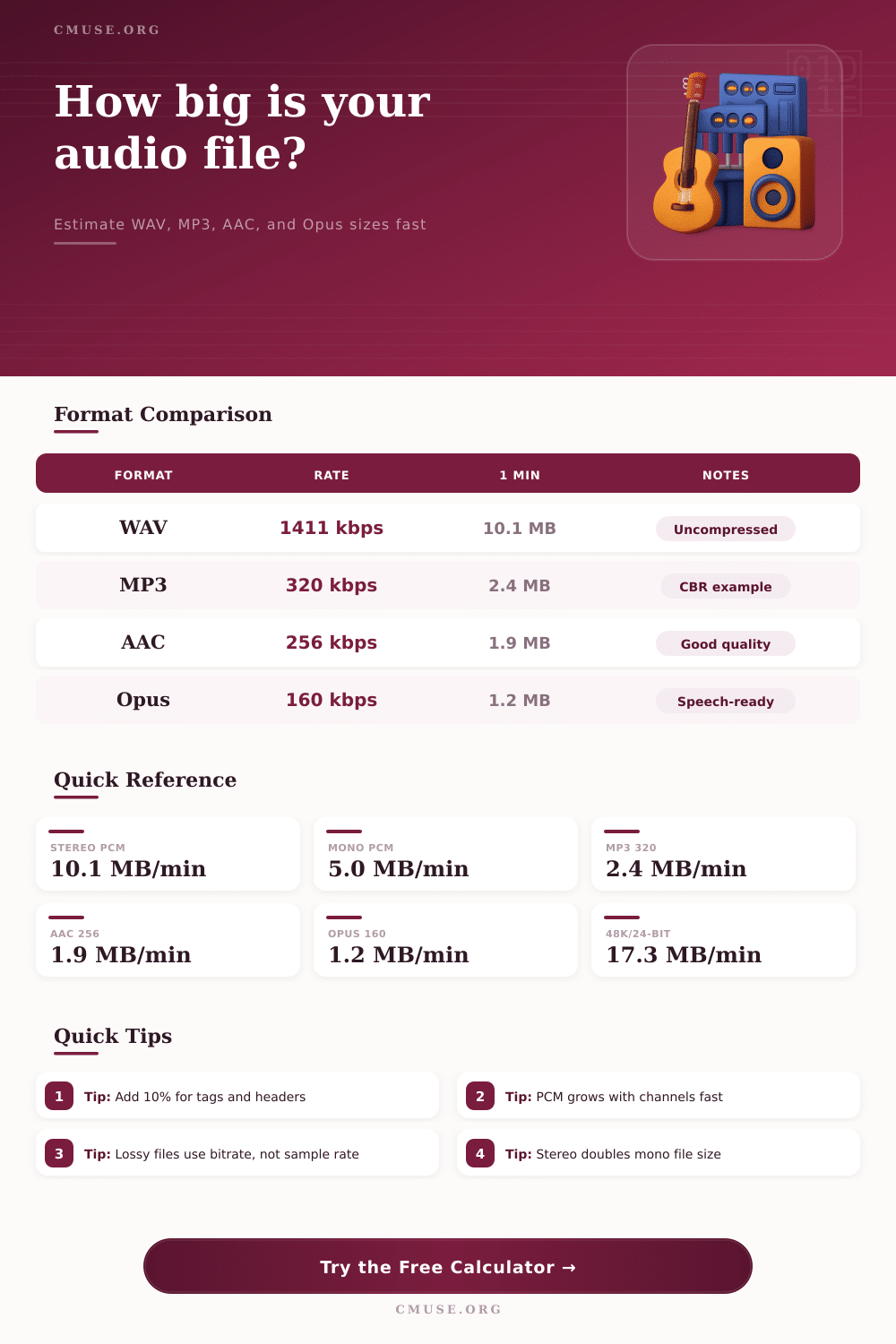
WAV PCM
10.1 MB/min
48 kHz, 24-bit stereo
FLAC
4.8 MB/min
Lossless estimate
MP3 CBR 320
2.4 MB/min
High-quality encode
AAC LC 256
1.9 MB/min
Efficient stereo encode
| Storage | WAV PCM | MP3 320 | AAC 256 |
|---|---|---|---|
| 8 GB card | 74 min | 5.1 h | 6.4 h |
| 32 GB drive | 4.9 h | 20.4 h | 25.5 h |
| 64 GB drive | 9.8 h | 40.9 h | 51.0 h |
| 1 TB SSD | 152 h | 636 h | 795 h |
| Format | Basis | Best For | Note |
|---|---|---|---|
| WAV PCM | Sample rate x bit depth x channels | Editing and archiving | No compression |
| AIFF PCM | Sample rate x bit depth x channels | Mac workflows | Header differs slightly |
| FLAC | PCM x ratio | Lossless delivery | Content-dependent estimate |
| ALAC | PCM x ratio | Apple lossless | Content-dependent estimate |
| MP3 CBR | Bitrate x duration | Broad compatibility | Constant bitrate |
| AAC LC | Bitrate x duration | Streaming and mobile | Efficient at lower rates |
| Opus | Bitrate x duration | Speech and live audio | Very efficient codec |
| Project | Duration | WAV PCM | MP3 320 |
|---|---|---|---|
| Voice memo | 10 min | 102 MB | 24 MB |
| Podcast episode | 30 min | 305 MB | 72 MB |
| Single song | 4 min | 41 MB | 10 MB |
| DJ mix | 90 min | 915 MB | 216 MB |
The size of audio file depends on some main things. Three main factors make its size: the sampling rate, the bit depth and the number of channels. Also the length matters.
File of one second have half the size compared to that of two seconds if the other specs match
What Makes an Audio File Big or Small
To estimate the size of audio file, you multiply the sampling rate by the time in seconds. For more precise calculation, multiply the sampling frequencies (most commonly 44.1 kHz) by the channels (two for stereo) and by the bit depth (usually 16 bits). There are websites with calculators that automatically do the math according to sampling frequency, bit depth, channel layout, duration and compression codec.
WAV files save audio entirely without compression for max quality. One standard song without compression can reach 42 MB. Compared to that, good MP3 has only 10 MB.
MP3 is lossy, so a bit of sound disappears during compression. The advantage is that you can cut the file down to 1/10th of the original. Typical MP3 reduces the size by 75 to 90 percent compared to uncompressed PCM.
FLAC is a lossless format. That compression reduces the size without losing information, similar to WinZip. FLAC usually reduces PCM by 30 to 60 percent, so files stay several times bigger than MP3 at used bit rates.
From FLAC you can indeed get the original WAV file. If FLAC is still too big, OGG or AAC give better sound quality for the size.
AAC in constant 128 kbps sounds just as well or better than MP3 in 192 to 256 kbps, depending on the source material. The highest MP3 bit is 320 kbps, which gives 10 to 20 MB for a normal 3 to 5 minute song. The standard value is 128 kbps, which lowers the quality but makes a much smaller file.
Most folks use 128 kbps and are happy with it.
Saving in mono, you can cut the size in half. Mono in 64 kbps is ideal for interviews and talk. Above 192 kbps for voice gives little improvement that most do not notice, especially on earbuds or phone speakers.
For audio only, 44.1 kHz and 16 bits work fine. 24 bits usually are for video and DVD production, and can cause compatibility problems.
One way to reduce file size is low sampling frequency. Instead of 44.1 kHz of CD, phone systems use 8 kHz. Already compressed files like MP3 or FLAC probably do not benefit from general compression tools.